SECTION 2: GETTING STARTED
REI OSC-5000E 12
SETTING UP THE OSCOR UNIT
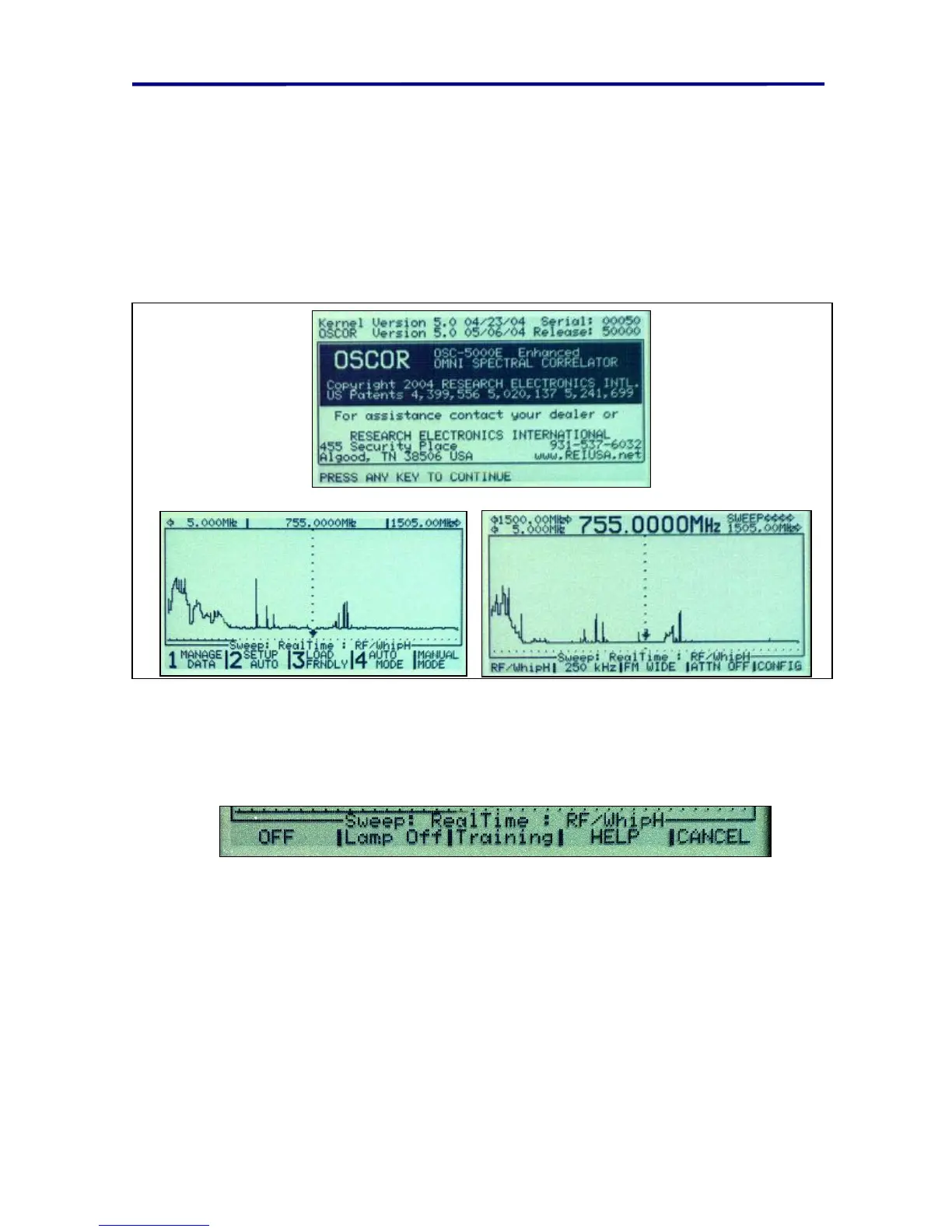
To turn on the OSCOR:
1. Press the AUTO/MANUAL button located near the bottom left of the main panel.
2. Note: the bottom of the screen reads: “Press any key to continue”.
3. Pressing F1 will toggle through two additional start-up screens.
Pressing “MENU” will direct the OSCOR to the Auto Mode Set-up Screen.
Pressing “MENU” again will enter the default Manual Mode Control.
FIGURE 8 OSCOR OPENING SCREEN AND DEFAULT SWEEP DISPLAY
Pressing the OFF Button will provide access to some additional menus besides simply
turning the unit off.
FIGURE 9 BACK LIGHT DISPLAY
Turning on the Backlit Display
1. Press the OFF button one time from any mode.
2. Press the F2 button to toggle the Backlight on or off. (Press MENU to return).
Training Information Menu
1. Press the OFF button one time from any mode.
2. Press the F3 button to access the Training Information Screen.



 To Next Page