SECTION 2: GETTING STARTED
13 REI OSC-5000E
HELP Menu
3. Press the OFF button one time from any mode.
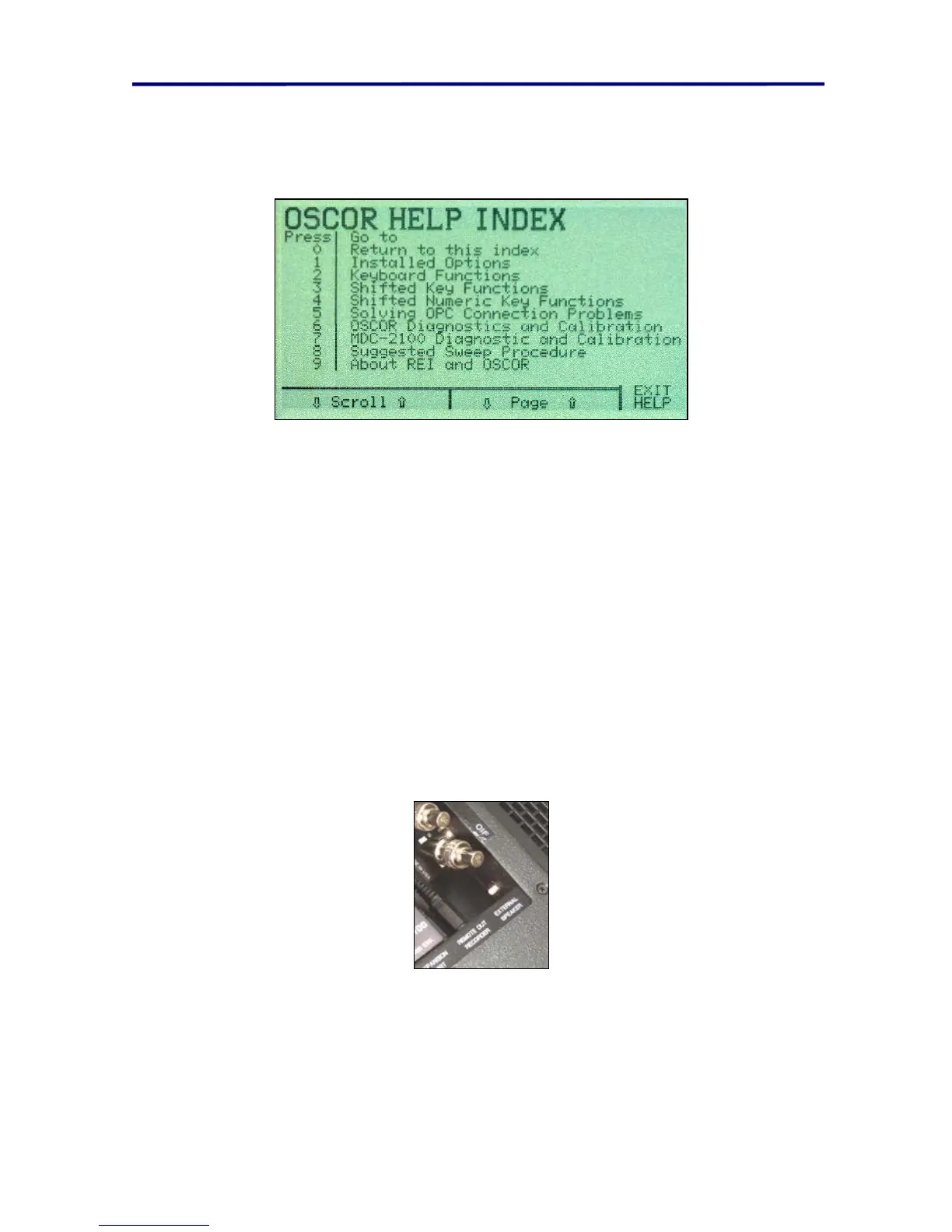
4. Press the F4 button to access the Help screen.
FIGURE 10 OSCOR HELP INDEX
From this menu, you can access basic help information about the OSCOR functionality.
There are some hidden functions documented in these help pages that are not
documented within this manual. However, this help index only provides some very basic
technical support and coarse descriptions of OSCOR button functions.
Use the F3 and F4 buttons to page up and down and the F1 and F2 buttons to scroll
through the pages of the various sections.
Reset Button
A reset button is built into the OSCOR connector tray. This reset button is a small white
button on the right side of the connector tray. By disconnecting the OSCOR from AC
power and pressing this button for 5 seconds, the OSCOR firmware will be completely
reset to all factory defaults and all memory will be erased. This button is used if the unit
has locked up or is not functioning normally due to an unforeseen programming
condition.
FIGURE 11 RESET BUTTON



 To Next Page