SECTION 3: OSCOR MANUAL OPERATION
59 REI OSC-5000E
NOTE: It is important to remember that if the OSCOR speaker is used to broadcast the
buzzing sound, the unit is not covert. To use the loop antenna in a covert mode, the
headphones can be used in conjunction with the loop antenna.
Locating RF (500KHz to 3GHz) Transmitters
The RF locating system works on the principle that as the receiving antenna is moved
closer to the signal transmitter, the signal strength will increase. Since it is impracticable
to move the OSCOR unit around the room, the OSCOR case contains a locator probe
antenna and coaxial cable designed specifically for this purpose. The OSCOR must be
in the Analyze Mode, since the locator probe uses signal strength to locate the signal
(Page 38, Analyze Mode).
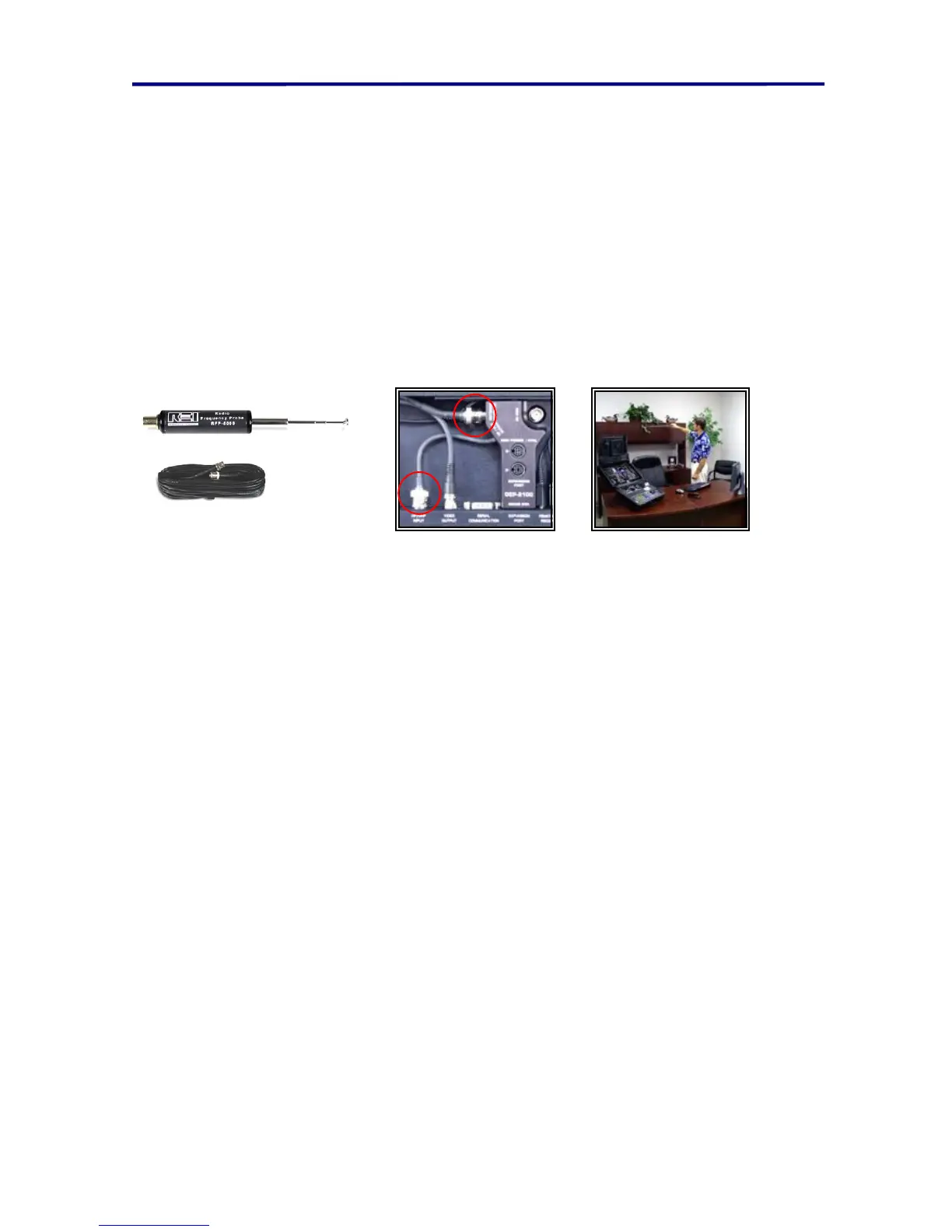
FIGURE 36 USING THE RF PROBE
To use the RF locator probe to locate an RF threat:
1. Connect the RF Probe to the OSCOR using the RF extension cable (Figure 36
USING THE RF PROBE).
2. Select the signal of interest using the cursor in the Analyze Mode.
3. Press the THREAT button to bring up the Threat Locator Menu.
4. Press the F1 button (labeled Probeoff) to turn on the locator function.
5. Adjust the volume control to an acceptable level. You should hear a buzzing
sound.
6. Adjust the squelch level (indicated by a horizontal dotted line) to the very peak of
the signal. When the squelch level is adjusted properly, the buzzing sound will
have a very low frequency pitch and may intermittently stop.
7. Walk around the room while listening to the pitch of the buzzing sound. As the
locator probe is brought into the vicinity of the transmitter, the frequency of the
buzzing sound will increase with the signal strength.
Locating RF (3GHz to 21GHz) Transmitters
To set up the locator probe hardware for signals from 3GHz to 21GHz (You must have
the MDC-2100 option for this procedure):
1. Connect the MDC-2100 into the expansion port located on the OSCOR main
panel.
2. Press F1 to toggle between the various antennas of the Downconverter.
3. Place the OSCOR in the Analyze Mode and select the desired signal. Press the
THREAT button to bring up the Threat Locator Menu.
4. Press the F1 button (labeled Probeoff) to turn on the locator function.



 To Next Page