SECTION 3: OSCOR MANUAL OPERATION
REI OSC-5000E 60
5. Adjust the volume control to an acceptable level. You should hear a buzzing
sound.
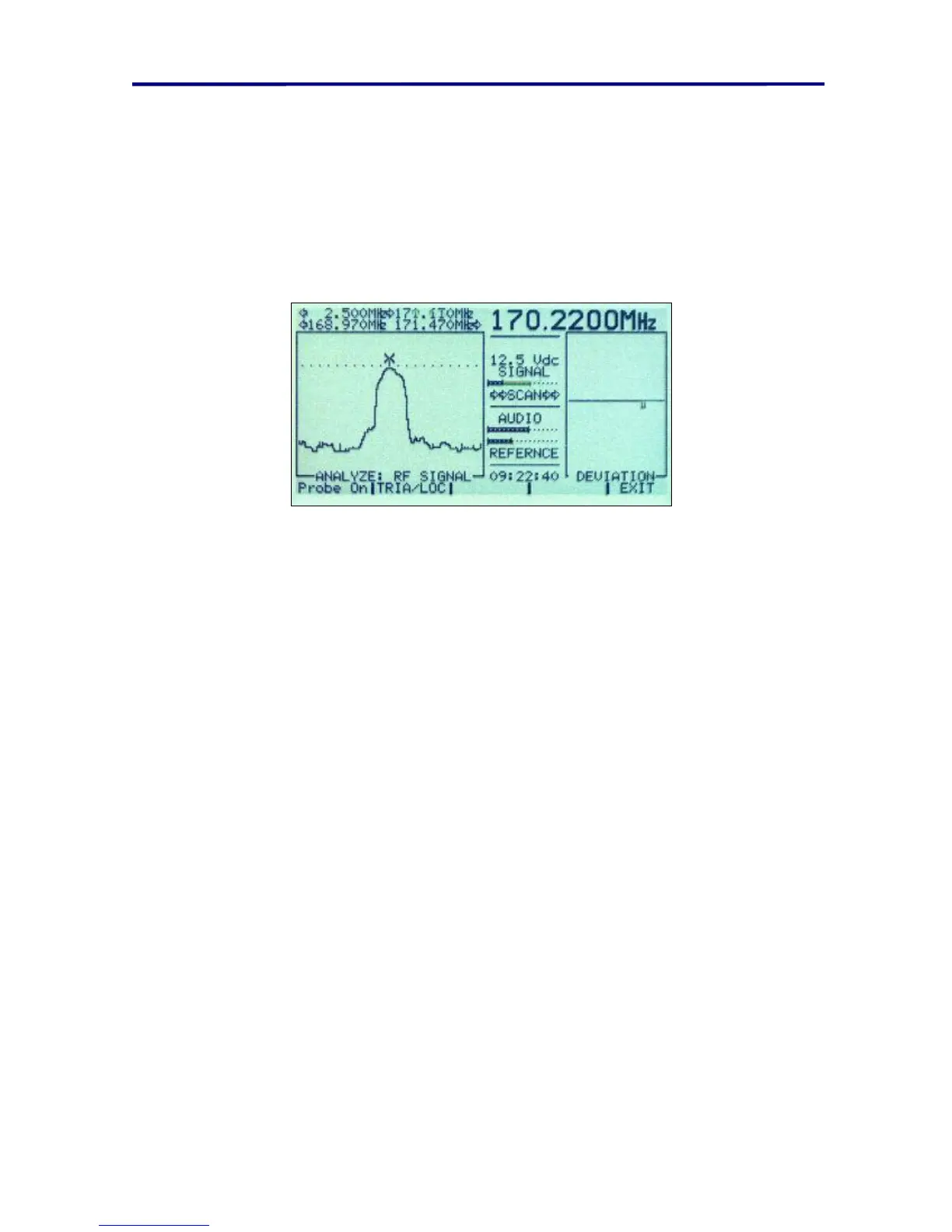
6. Adjust the squelch level (indicated by a horizontal dotted line) to the very peak of
the signal. When the squelch level is adjusted properly, the buzzing sound will
have a very low frequency pitch and may intermittently stop.
7. Walk around the room while listening to the pitch of the buzzing sound. As the
locator probe is brought into the vicinity of the transmitter, the frequency of the
buzzing sound will increase with the signal strength.
FIGURE 37 LOCATE PROBE DISPLAY
NOTE: As you near the signal source, it may be necessary to adjust the squelch level. It
may also be helpful to collapse the locator probe antenna to reduce the antenna gain
when zeroing in on the threat location.
Locating Infrared Transmitters
There is not a separate locator probe for locating infrared threats. It is important to note
that infrared signals must be in line of sight between the OSCOR detector and either the
infrared transmitter or a reflection from the transmitter. The OSCOR infrared detector is
omni-directional (it has a 360-degree
viewing angle), therefore, a simple method for
determining the direction of the transmitter is to block the various angles of the detector
until the signal stops.
To locate an infrared transmitter using the OTL:
1. If you can demodulate the audio from the infrared signal, you can use the OTL
device to locate the microphone.
2. This procedure is the same previously described procedure except that the
OSCOR is tuned to the specified IR signal. (See page 61 OSCOR Triangulate
and Locate Option)
To locate an infrared transmitter that cannot be demodulated (i.e. digital modulated
signal):
1. Place the OSCOR in the Sweep Mode.
2. Narrow in on the signal of interest using the Rotary Dial and the
EXPAND/NARROW buttons. Place the OSCOR in the Analyze Mode.



 To Next Page