SECTION 5: DETECTING SOPHISTICATED TRANSMITTERS
89 REI OSC-5000E
Frequency-Hopping Example
Another new type of elusive eavesdropping device is the frequency-hopping device. As
the name implies, frequency-hopping bugs are designed to transmit on one frequency for
a very short period of time (5 to 100 milliseconds) and then change frequency to an
apparently random new frequency. These frequency hoppers will hop to several different
frequency channels within a well-defined bandwidth.
In the Automatic Mode, the OSCOR will have a difficult time detecting frequency-
hopping bugs, because the signal usually changes frequencies before the correlation
analysis can confirm a threat. However, Peak Display Mode helps detect the frequency
hopping threat, see page 34 Peak Trace Display.
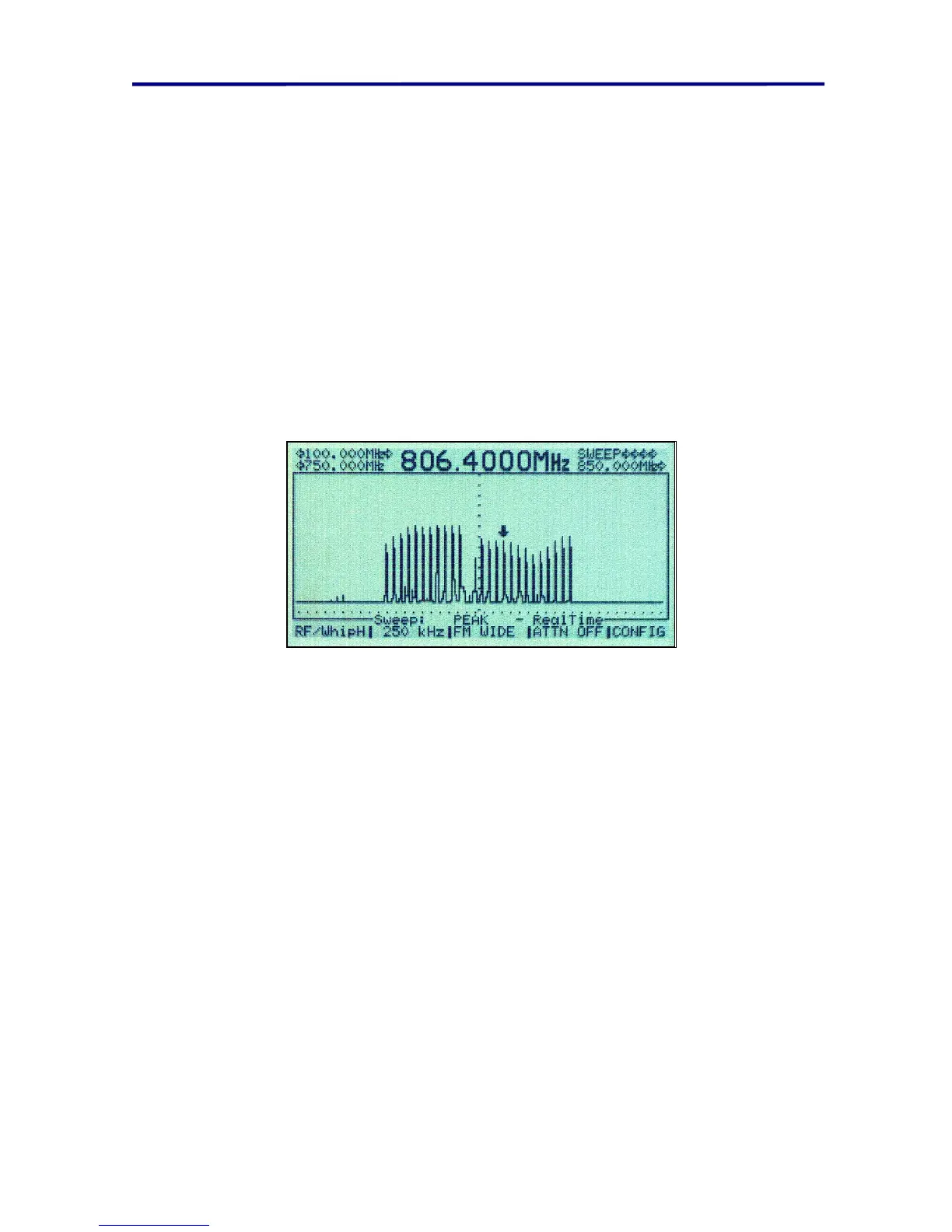
FIGURE 66 PEAK DISPLAY FREQUENCY HOPPING EXAMPLE
The above figure shows the various channels associated with a frequency-hopping
transmitter.
If a frequency-hopping signal is found in the frequency spectrum, it is very difficult to
determine the physical location of the transmitter, as the OSCOR receiver is unable to
lock on the rapidly moving signal. The following procedure is suggested to determine if
the signal is being transmitted from within the target environment.
To locate a frequency hopping signal:
1. Display the Frequency Hopping signal in the Sweep mode using the Peak display
mode as shown in Figure 66 Peak Display Frequency Hopping Example.
2. Allow the OSCOR to sweep for several minutes to fill in the hopping channels.
3. Press the PLOT button to print the frequency spectrum, and label the plot with the
physical location or room in which it was produced.
4. Clear the Peak Display memory
a. Press the MENU button
b. Press the F4 button labeled “MANAGE TRACES”
c. Press the F4 button labeled “Delete Traces / PEAK”



 To Next Page