SECTION 3: OSCOR MANUAL OPERATION
39 REI OSC-5000E
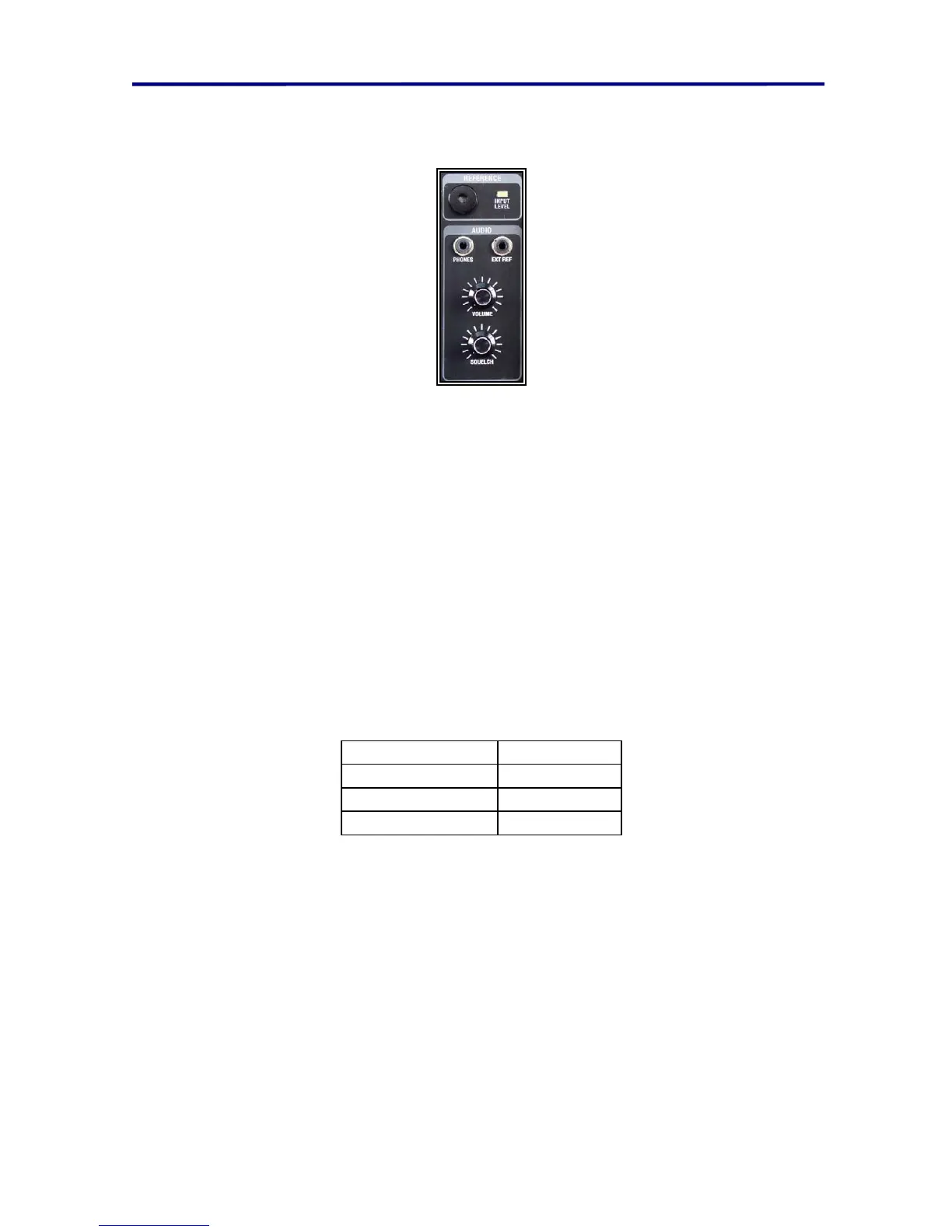
NOTE: the squelch level is indicated by a horizontal dotted line in the RF signal display. It
is shown in the figure above at the bottom of the graphic just above the words “RF
Signal”. The squelch level is adjusted by the rotary knob below the volume control knob.
FIGURE 26 VOLUME AND SQUELCH KNOBS
To program the Analyze Mode to automatically refresh:
1. In the Analyze Mode, press MENU button (labeled ANLZ) two times to a menu
that is labeled “CONFIGURE ANALYZE MODE”.
2. Press the F1 button (labeled REFRESH/OFF)
3. Type the desired number of seconds for periodic refresh, and press ENTER.
To cancel the refresh, repeat steps 1-3 above and enter 0 for the desired number of
seconds.
The graph on the right half of the screen is an oscilloscope view of the demodulated
signal (see page 51 Oscilloscope Analysis (Audio Spectrum Analysis Screen). This graph
may be changed to display the OSCOR phase correlator results.
Depending on the demodulator selected, the time display graph is labeled as follows:
Demodulation Screen Label
FM or FM Wide Deviation
AM or AM Wide Amplitude
Sub-Carrier SubCarr
FIGURE 27 SCREEN LABELS FOR DEMODULATIONS
To change the analyze mode deviation graph to a correlate graph:
1. In the Analyze Mode, press MENU button (labeled ANLZ) two times to a menu
that is labeled “CONFIGURE ANALYZE MODE”.
2. Press the F4 button (labeled DETAIL/SOURCE).
The center of the Analyze Screen displays the following information:
Relative signal strength
Signal Lock status (when the OSCOR tunes to the center of a signal, the AFC
(Audio Frequency Circuit) will prevent signal drift).
Battery voltage display (Battery voltage display is an optional display that must be
selected using the System Set Up Menu.)



 To Next Page