SECTION 3: OSCOR MANUAL OPERATION
53 REI OSC-5000E
Acoustic Correlator System (Manual)
The acoustic correlator system allows the OSCOR to recognize a signal as an
eavesdropping device. It compares complex sound patterns arriving from the reference
audio system and received audio channels. In a typical environment, there are many
passive sounds such as talking, music, and air-conditioner. When OSCOR hears the
same acoustic information on both the reference and the received channels, the threat
level increases. The correlator can be used in either the Manual or Automatic Mode of
operation described later in the manual.
To enter the Correlate Mode for manual analysis:
1. Select the desired signal in the Analyze Mode.
2. Press the CORR button to enter the Correlate Mode. Press CORR again or the
SWEEP/ANALYZE to return to the Analyze Mode.
Use the EXPAND and NARROW buttons to adjust the correlation window time.
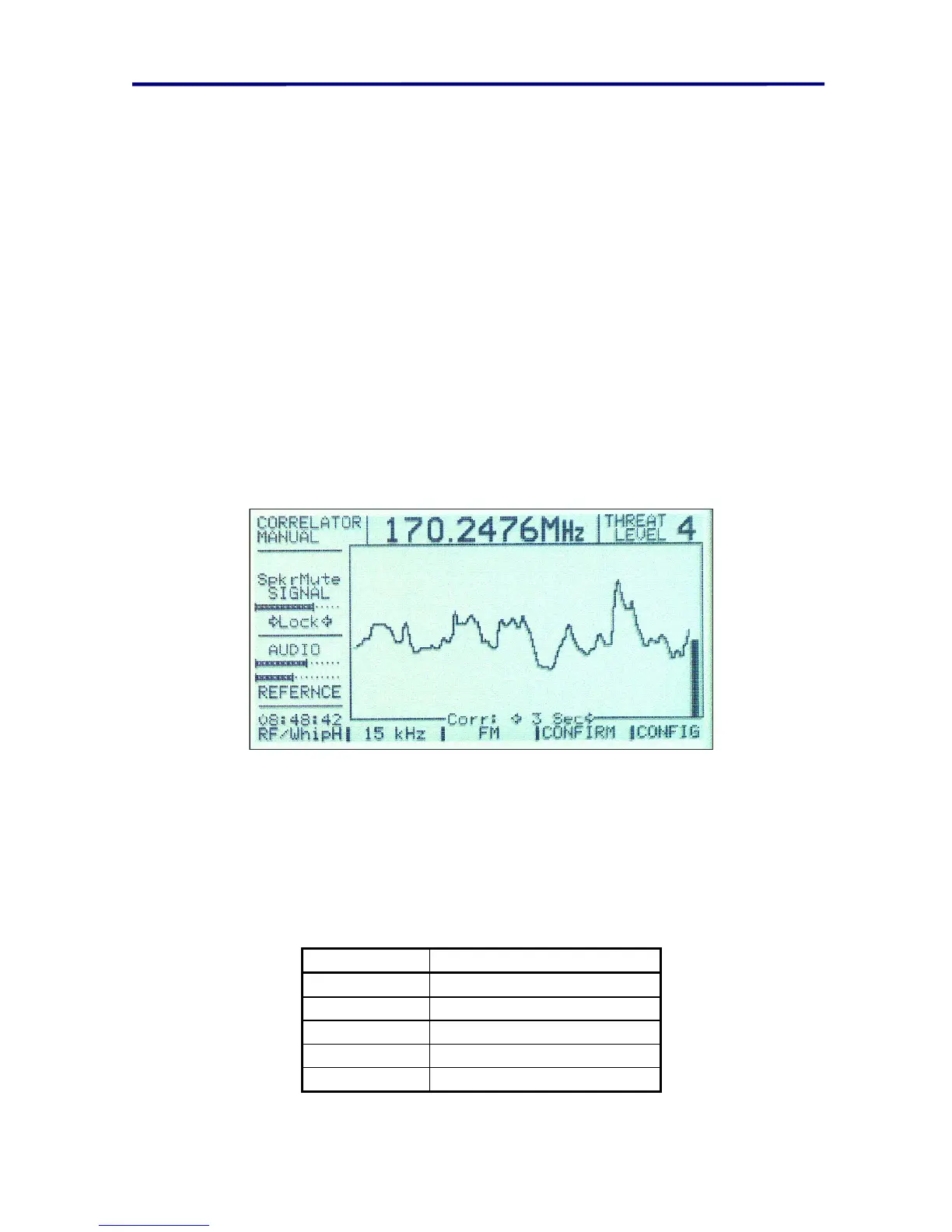
FIGURE 33 CORRELATOR MENU
The Correlator Screen will provide a visual graph of sound pattern matching vs. time.
When the two signals have a high degree of correlation, the graph level will increase.
The bar graph at the right of the screen indicates an average of the correlation. The
threat level corresponds to the amount of correlation and is based on a scale of 1 to 5.
The following table contains recommended conclusions based on the threat level.
Threat Level Conclusion
1 No Correlation*
2 Slight Correlation*
3 Potential threat*
4 Highly Probable threat
5 Highly Probable threat
FIGURE 34 THREAT LEVEL CLASSIFICATIONS



 To Next Page