SECTION 4: OSCOR AUTOMATIC OPERATION
71 REI OSC-5000E
STEP 1 MEMORY AND DATA MANAGE
Before loading friendly or starting an automatic search, it is important to know what is
currently stored in the OSCOR memory because all new detections will be added to the
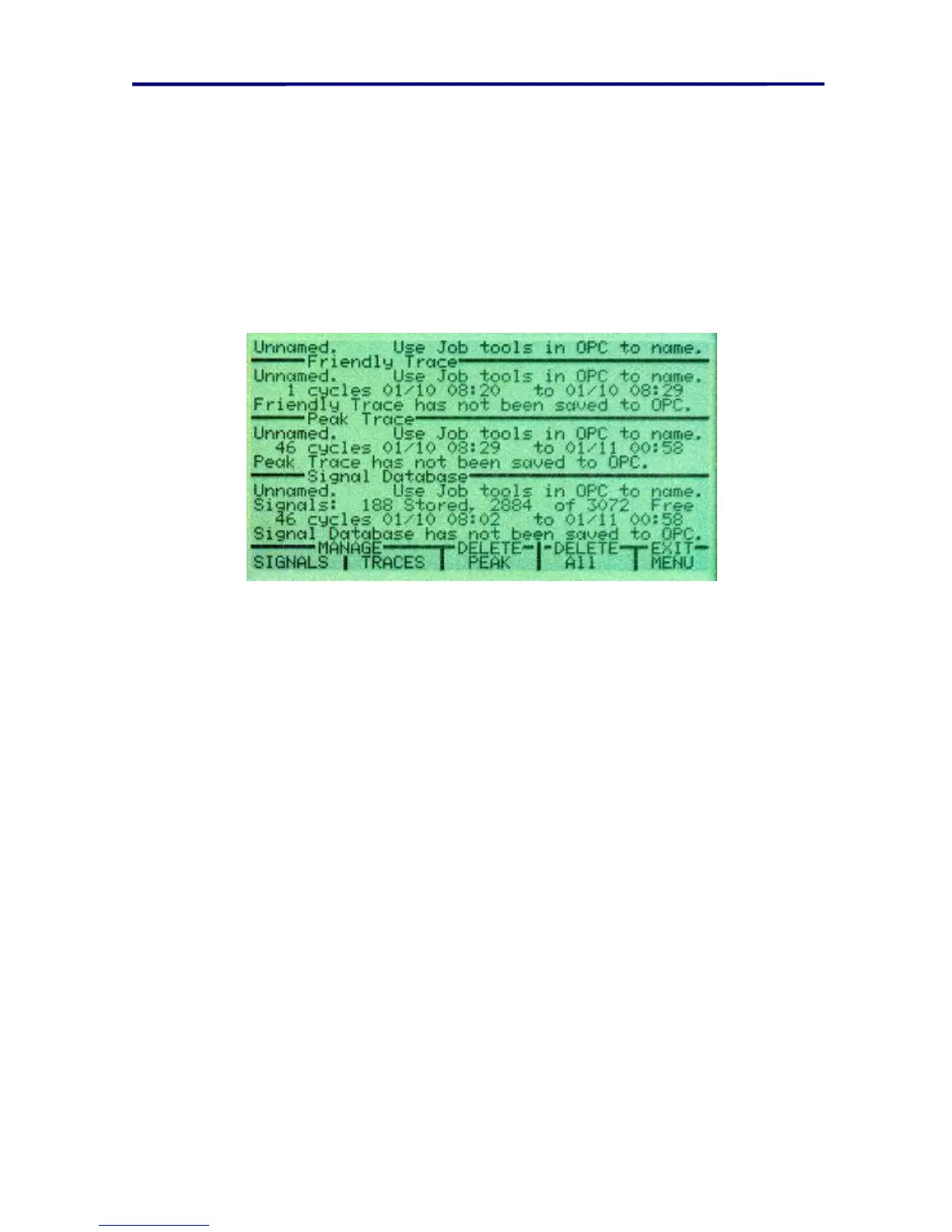
currently stored signals and spectrum traces. Pressing the F1 button (labeled “MEMORY
AND DATA MANAGE”) enters a display that shows a summary of the data that is
currently stored in the OSCOR. This data is broken into two sections: signal data and
trace data.
FIGURE 47 AUTO MODE MEMORY AND DATA MANAGE MENU
F1 is used to review the signal database signals.
F2 is used to Review the Spectrum trace display format.
F3 is used to Delete the Peak Trace Data.
F4 is used to Delete all Trace data and all Database data.
NOTE: the above figure will have “0” for all data when the OSCOR has no data stored in
memory.
WARNING: Care should be taken when using this menu to ensure that you do not erase
important sweep data prior to saving it to computer.



 To Next Page