SECTION 4: OSCOR AUTOMATIC OPERATION
REI OSC-5000E 76
yards (approximately 50m) are of sufficient power to be easily detected by the MedHunt
Mode.
Output Options
Provides for setup of output devices:
Audible Alert - provides an audible ring when a threat is detected.
Autoplot - automatically plots a running threat listing or sweep plot.
Autotape - records the threat audio signal for a specified time interval.
Screen (ACTIVE or BLANKED) - screen activity can be hidden during Automatic
Mode operation to make the unit less conspicuous.
To enter the Outputs Set Up Menu
1. From the main
2. Press the AUTO/MANUAL button to enter the main Auto mode setup screen.
3. Press the F2 button labeled SETUP AUTO (Figure 46 Automatic Mode Main
Menu).
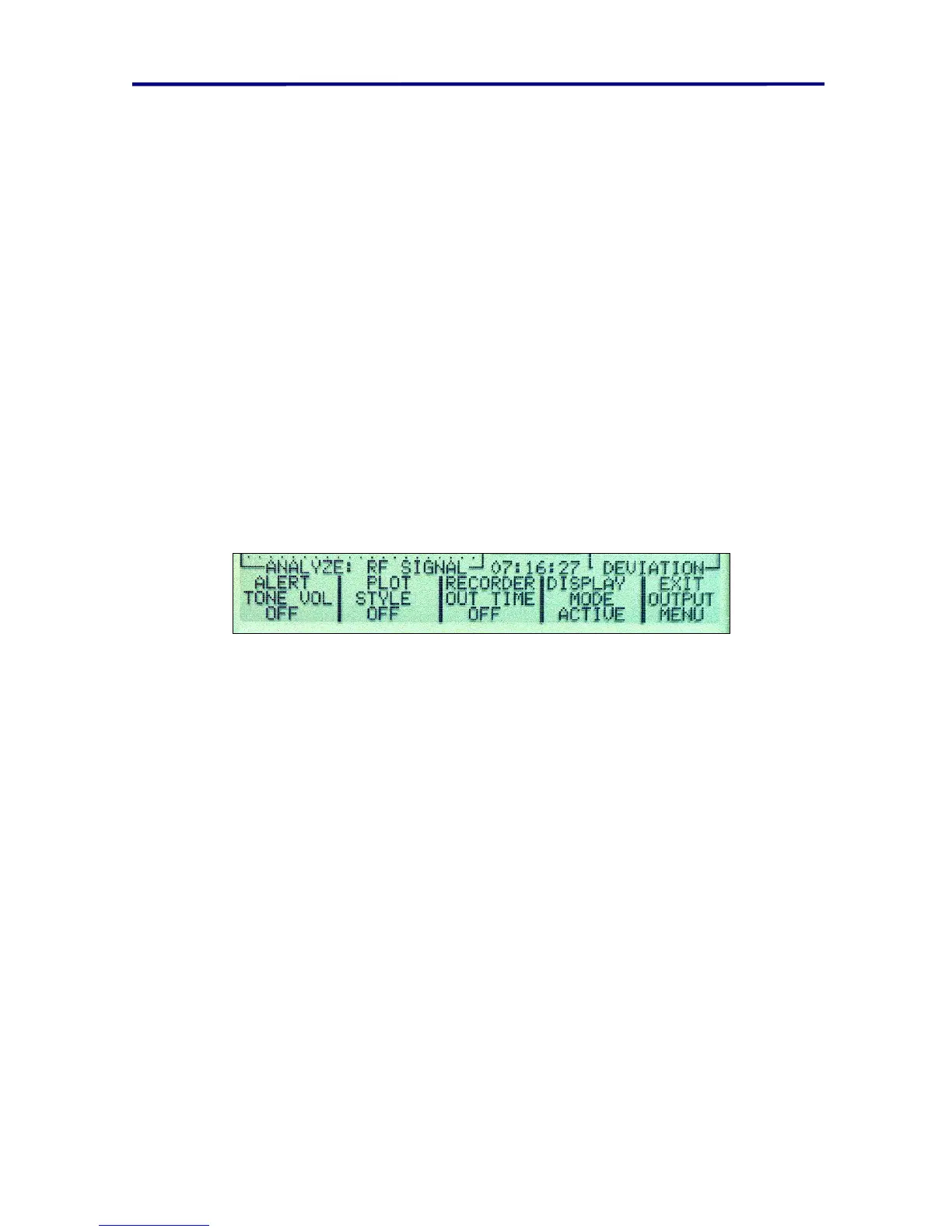
4. Press the F3 button labeled OUTPUT OPTIONS (Figure 48 Configure Auto
Mode Menu).
FIGURE 54 AUTO MODE OUTPUT OPTION MENU
Automatic Mode Audible Alert
Using this option, the OSCOR will provide an audible alert when a threat is detected in
the Automatic Mode. A signal is classified as a threat when its level exceeds the threat
level threshold (see page 78 - Acoustic Correlator System (Automatic).)
To turn on the Automatic Mode audible alert:
1. Enter the Automatic Mode Output Configuration Menu as described above.
2. Press the F1 button (labeled ALERT/TONE VOL) under the Automatic Mode
Outputs Configuration Menu to toggle the audible alert between OFF, LOW,
MED, & LOUD. The red LED over the TONE button being illuminated indicates
the activation of the audible alert.
The volume of the tone alert can also be set without entering the Automatic Mode
Configuration Menu by using the procedure described on page 51, Tone Ringer System.
In the Automatic Mode, the alert tone will ring for approximately 3 seconds for each
single threat that exceeds the threat level threshold.



 To Next Page