SECTION 3: OSCOR MANUAL OPERATION
REI OSC-5000E 46
To filter the signal list:
1. Press the RECALL button in the Analyze Mode to display the signal list.
2. Select the appropriate menu using the MENU button (see Figure 29).
3. Press the F1 button (labeled LIST ALL Signals) to select the desired filter criteria.
The F1 button cycles through the various available combinations: SIGNALS,
FRIENDLY, NO CORR, LOW CORR, THREATS, & DECLARED.
To delete a filtered signal list or Clean-up Spurious Signals:
1. Use the RECALL button in the Analyze Mode to access the signal list.
2. Select the appropriate menu using the MENU button (see Figure 29).
3. Press the F1 button (labeled LIST ALL/Signals) to select the desired filter criteria.
4. Press the F4 button (labeled DELETE/??????).
5. Press the F2 button (labeled DELETE) to delete the displayed signal list or Press F3
(labeled SPURIOUS/CLEAN UP) to delete all signals that have a LOW CORR and
have a history of less than 5 encounters. This mode is used to eliminate detected
noises that are not associated with real signals.
6. Press F1 to confirm the deletion process.
Sweep Span Storage
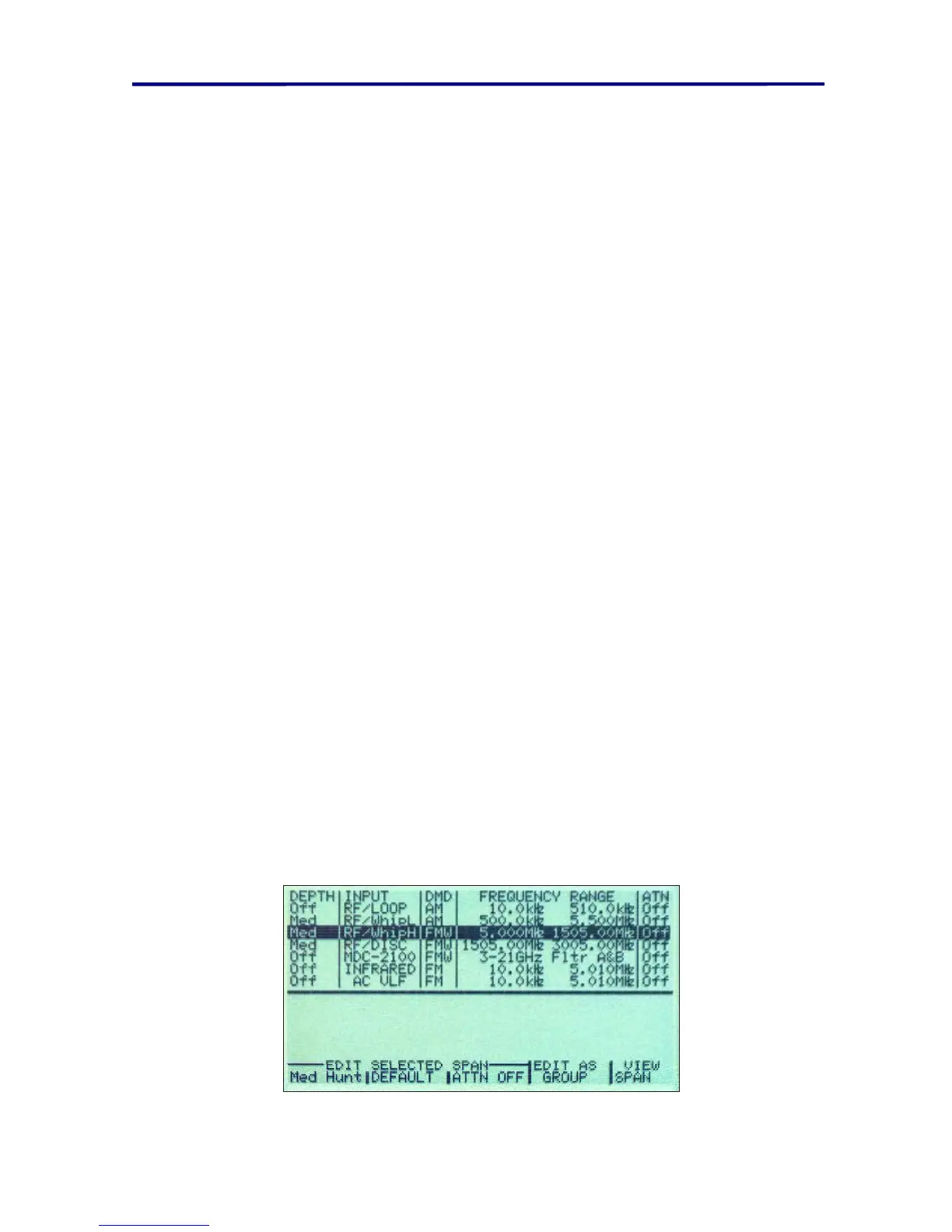
The OSCOR has 6 pre-programmed input frequency spans covering the available range
of the electromagnetic spectrum. Up to 70 additional frequency spans may be added to
the memory for rapid manual recall of stored span or for use in the Automatic Mode (see
page 74 Input Spans for Automatic Operation). These stored alternative frequency spans
can be recalled and/or modified in the Manual Mode using the normal STORE/RECALL
functions.
For your convenience, the OSCOR is pre-programmed with these standard inputs and
their associated frequency spans:
To display the list of stored sweep spans:
1. Place the OSCOR in the Sweep Mode using the SWEEP/ANALYZE button.
2. Press the RECALL button to display the sweep span list. In this mode, the rotary
dial or the UP/DOWN buttons can be used to select a specific sweep span. (The
RECALL button toggles between the Sweep Span List Mode and the normal
frequency spectrum view.)
FIGURE 30 SWEEP SPAN DISPLAY



 To Next Page