SECTION 3: OSCOR MANUAL OPERATION
REI OSC-5000E 44
The threat level of any signal can be manually edited. Signals classified as “DECLARE”
are signals that have been evaluated and declared to be threats. Declared threats are
also ignored in the Automatic Sweep Mode. The OSCOR signal storage is an easy way
to reduce the time required of the automatic sweep process. For example, if all local
radio and TV stations are entered as friendly signals, they will be ignored in subsequent
automatic sweeps, unless their power level changes by greater than 5%.
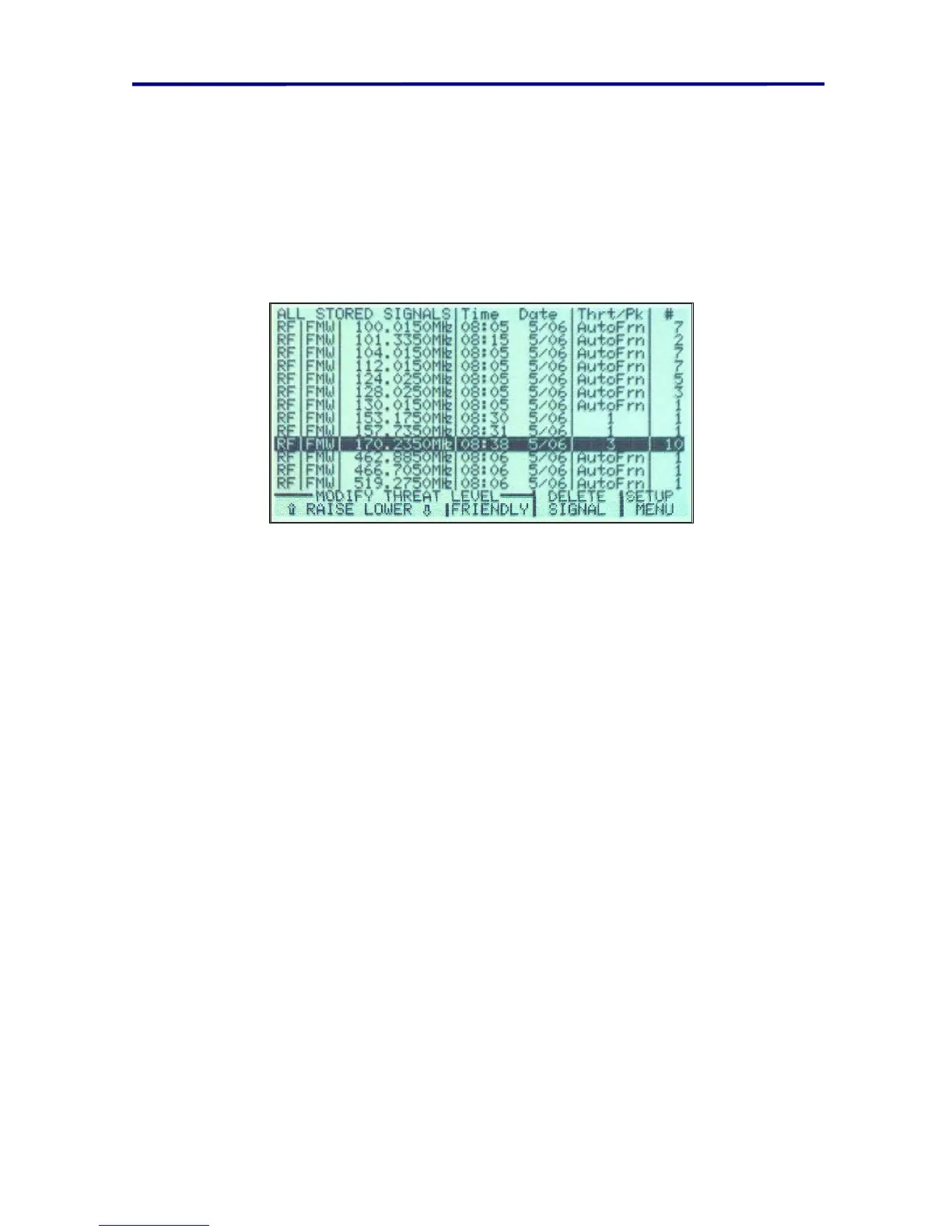
The following Figure is an example of a signal list.
FIGURE 28 EXAMPLE SIGNAL LIST SCREEN DISPLAY
• The first three columns specify the type of input, the frequency, and the type of
demodulation of the stored signal such as FMW (FM wide, see page 40
Demodulators for more information).
• The fourth column specifies the date and time.
• The fifth column (labeled Thrt/Pk) indicates the threat level of the stored signal.
These values may be labeled with numeric values of 1 to 5, “FRIENDLY” for
friendly signals or “DECLARE” to indicate that the user has declared the signal as
a threat. The number to the left of the colon indicates the average threat level; the
number to the right of the colon indicates the peak threat level.
• The last column on the list (labeled “#”) indicates the number of times the signal
was detected in the Automatic Mode. This number is useful for determining if a
signal has only intermittent transmission.
NOTE: Having friendly signals stored in memory is important when conducting sweeps
requiring fast results.
To manually store a signal:
1. In the Analyze Mode, select the signal with the cursor and adjust the tuning to lock
onto the desired signal.
2. Press the STORE button to store the signal into memory.
3. Adjust the desired threat level using the F1 and F2 buttons.
4. Press F4 (labeled LIST) in this menu to bring up the signal list (same as pressing
RECALL).



 To Next Page