RT-3100 5-Port Single-WAN Gigabit Router User Guide
DHCP Reservation
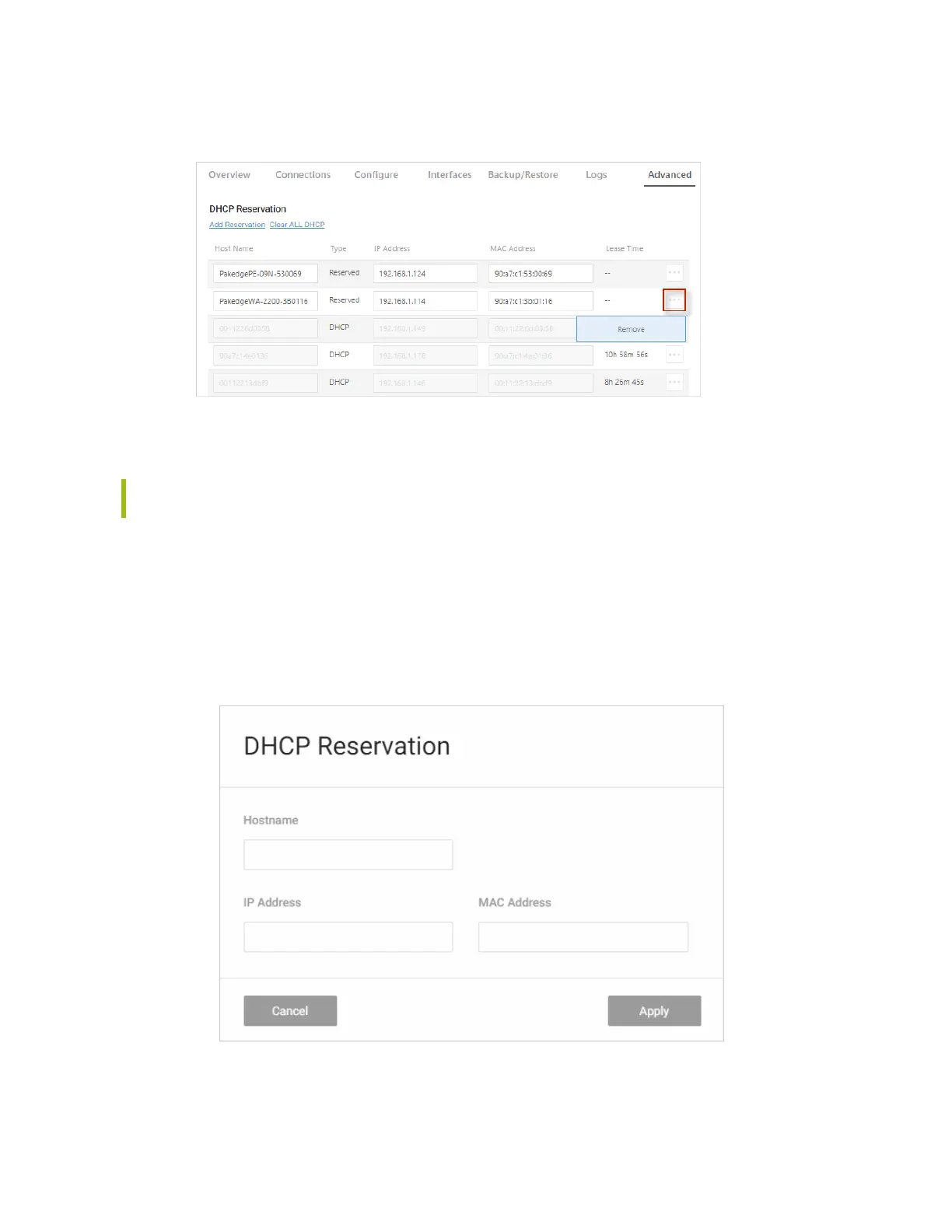
Click the DHCP Reservation tile to allow the router to continually assign the same IP address
to a device.
Tip: To see if a device got its IP address using DHCP or if it was reserved, check the
Connections tab.
Add a new reservation
If you know a device’s MAC address, you can add it to the network and assign a DHCP
Reservation.
To assign a DHCP reservation:
1. Go to the Advanced tab > DHCP Reservation, then click Add Reservation.
2.
Complete the dialog (below).
32



 To Next Page