RT-3100 5-Port Single-WAN Gigabit Router User Guide
Configure
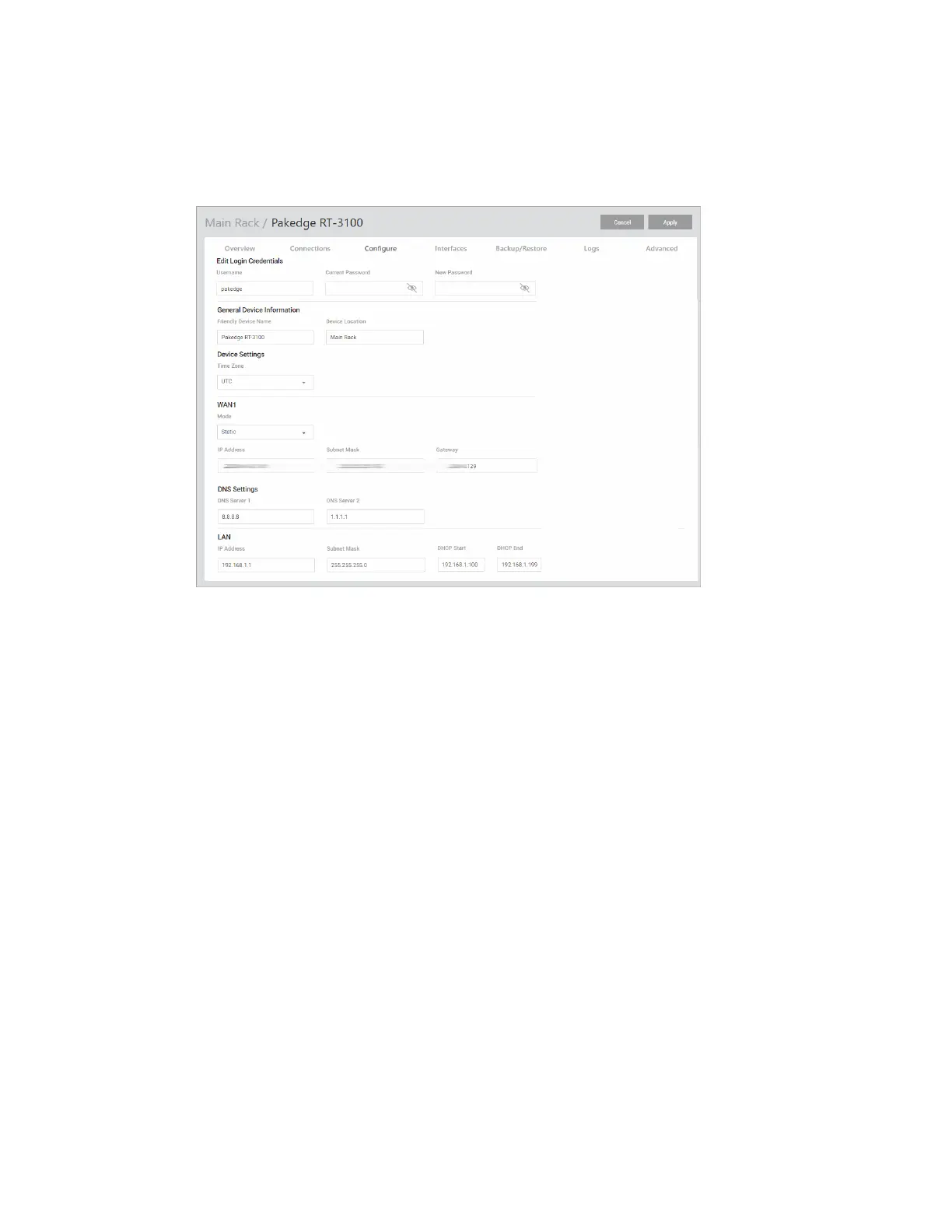
The Configure tab allows you to change the most common router settings in one screen. This
is the default tab that displays after logging in.
l
Edit Login Credentials:
l
Username and Password: The first time you log in, you must change these from the
defaults (“admin” and “password”) to new credentials.
l
General Device Information:
l
Friendly Device Name: Give the router a descriptive name to identify it on its web
interface screen and in BakPak.
l
Device Location: Describe the physical location of the router here.
l
Device Settings:
l
Time Zone: Select the time zone used for the router’s event logs.
l
WAN1:
Mode: Select a network protocol (DHCP, Static, PPPoE, L2TP) and then complete the
required fields. (Examples below).
l
DHCP:
l
For DHCP networks, the IP Address, Subnet Mask, and Gateway fields are
read-only.
l
Static:
9



 To Next Page