RT-3100 5-Port Single-WAN Gigabit Router User Guide
Dynamic DNS
From the Dynamic DNS tile, configure a continually updated, user-configured domain name
that provides remote access even when the public IP address changes. You can use Pakedge
DDNS or a custom DDNS.
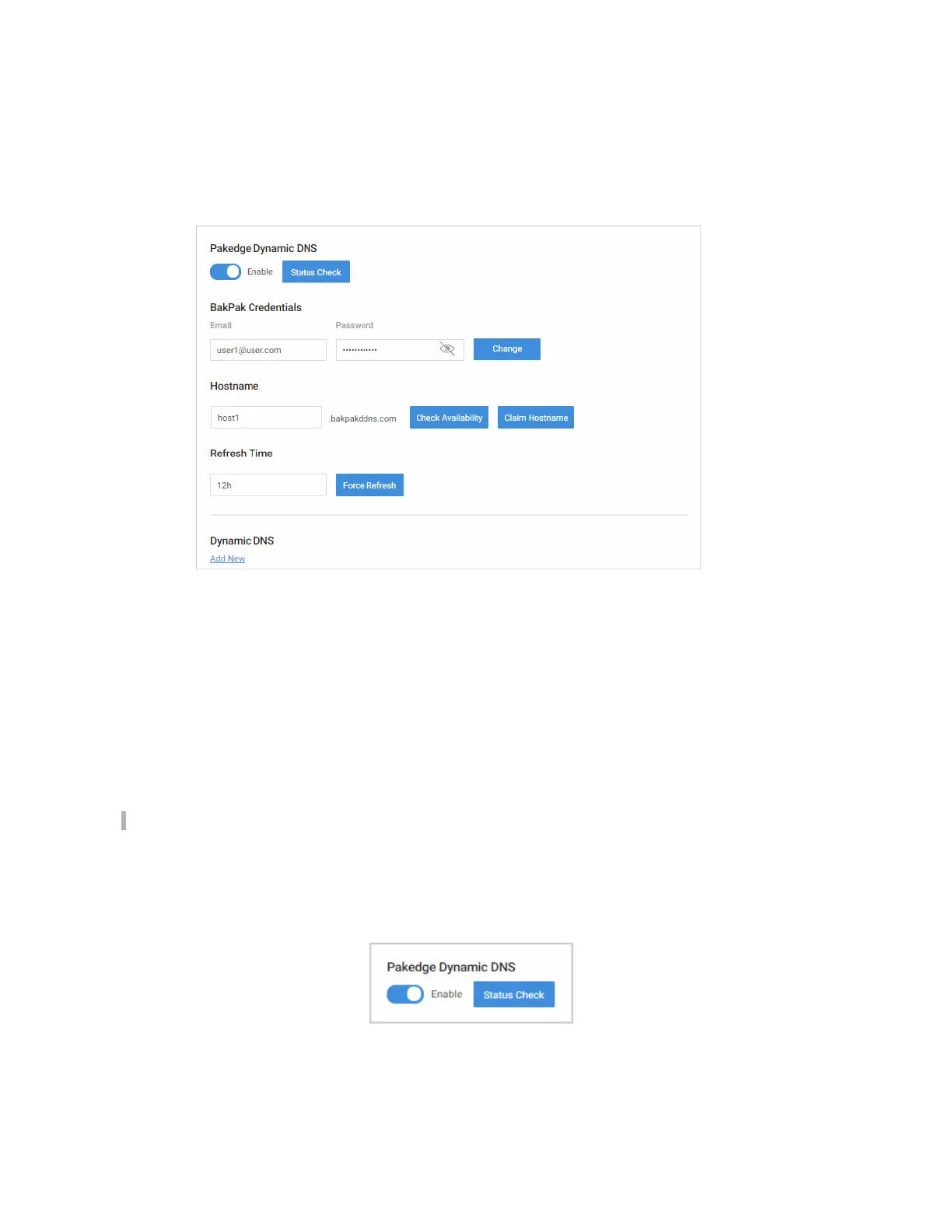
Pakedge Dynamic DNS
Dynamic DNS (DDNS) allows your router to be reached with a fixed hostname while having a
dynamically changing IP address. In order for this to work, your Pakedge router must not be
placed behind another firewall/router device.
The router has two options for DDNS. The first is under the Pakedge Dynamic DNS tab.
Pakedge offers its own DDNS service that works alongside our BakPak cloud system. It is not
required to have a BakPak hardware device running on the network in order to use Pakedge
DDNS.
To create a Pakedge Dynamic DNS take the following steps.
Note:BakPak DDNS is only available on the RT-3100, RE-2, and RK-1.
To create a Pakedge Dynamic DNS:
1. Go to the Advanced tab > Dynamic DNS.
2. Under Pakedge Dynamic Dynamic DNS, click Enable.
3. Under BakPak Credentials,
36



 To Next Page