RT-3100 5-Port Single-WAN Gigabit Router User Guide
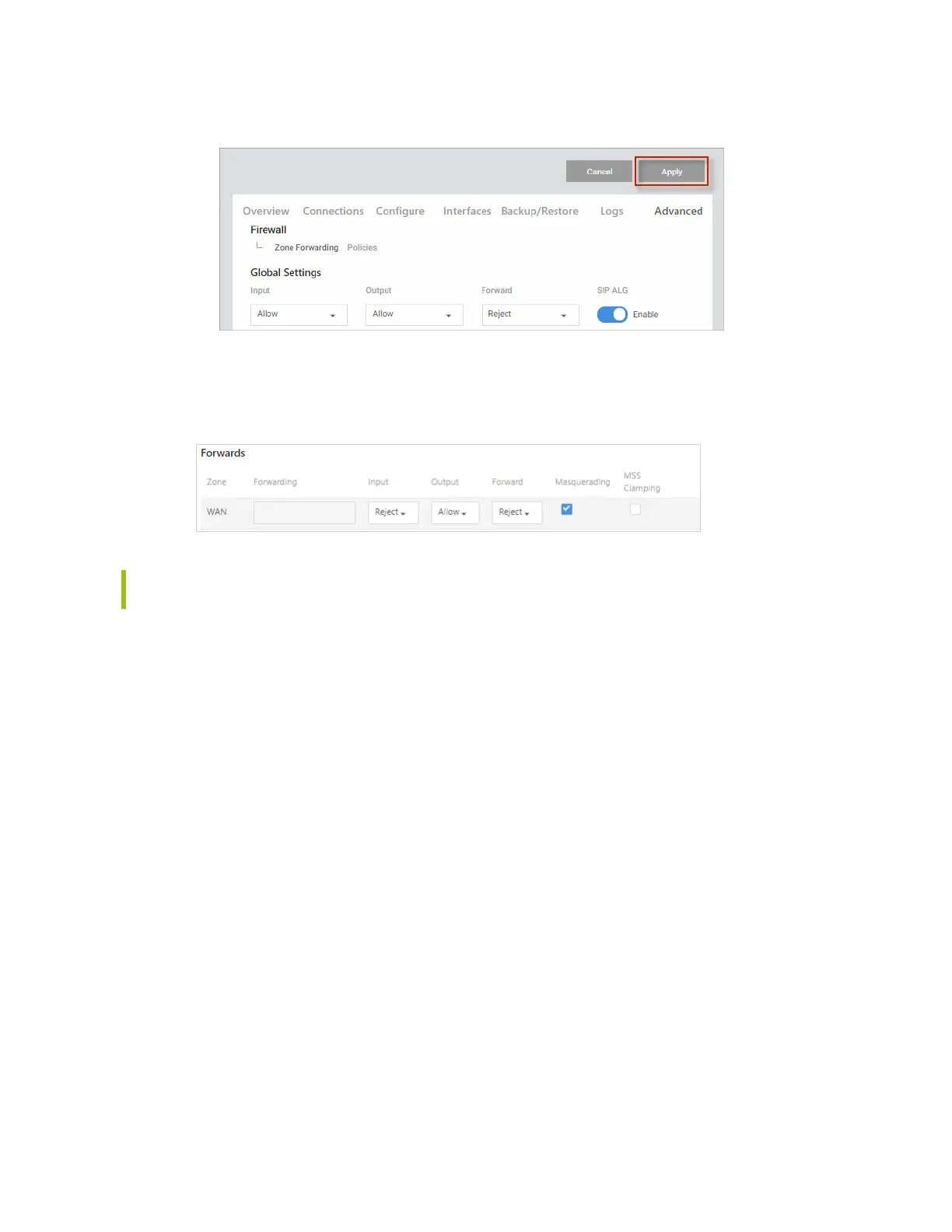
3. To save your changes, click Apply (at the top of the page).
Forwards
Under Forwards, determine where and what direction traffic should be able to go through the
firewall.
Tip: If a network is not available under Zone or Forwarding, you can add new VLAN
interfaces on the Interfaces tab.
l
Zone (synonymous with Interface) – Zones allow VLANs and LANs to communicate with
each other.
l
Forwarding – Forwarding determines where and what direction traffic should be able to
go within the firewall.
l
Input – Choose to Allow/Reject/Drop traffic trying to reach the router itself through any
Interface not tied to a Zone.
l
Output – Choose to Allow/Reject/Drop traffic originating from the router itself going
through an Interface with no Zone.
l
Forward – Choose to Allow/Reject/Drop traffic passing between interfaces belonging to
one zone.
Check to enable Masquerading or MSS Clamping.
l
Masquerading. Masquerading combines Source NAT, Destination NAT, and Connection
Tracking to mask network traffic from multiple devices behind one interface. It is a
requirement for WAN interfaces to function as a gateway to the Internet.
l
MSS Clamping (also known as “MSS fix”). MSS Clamping makes outgoing traffic handle
differing MTU values along the traffic path. Commonly used with PPPoE.
To save your changes, click Apply (at the top of the page).
43



 To Next Page