RT-3100 5-Port Single-WAN Gigabit Router User Guide
Multicast Routing
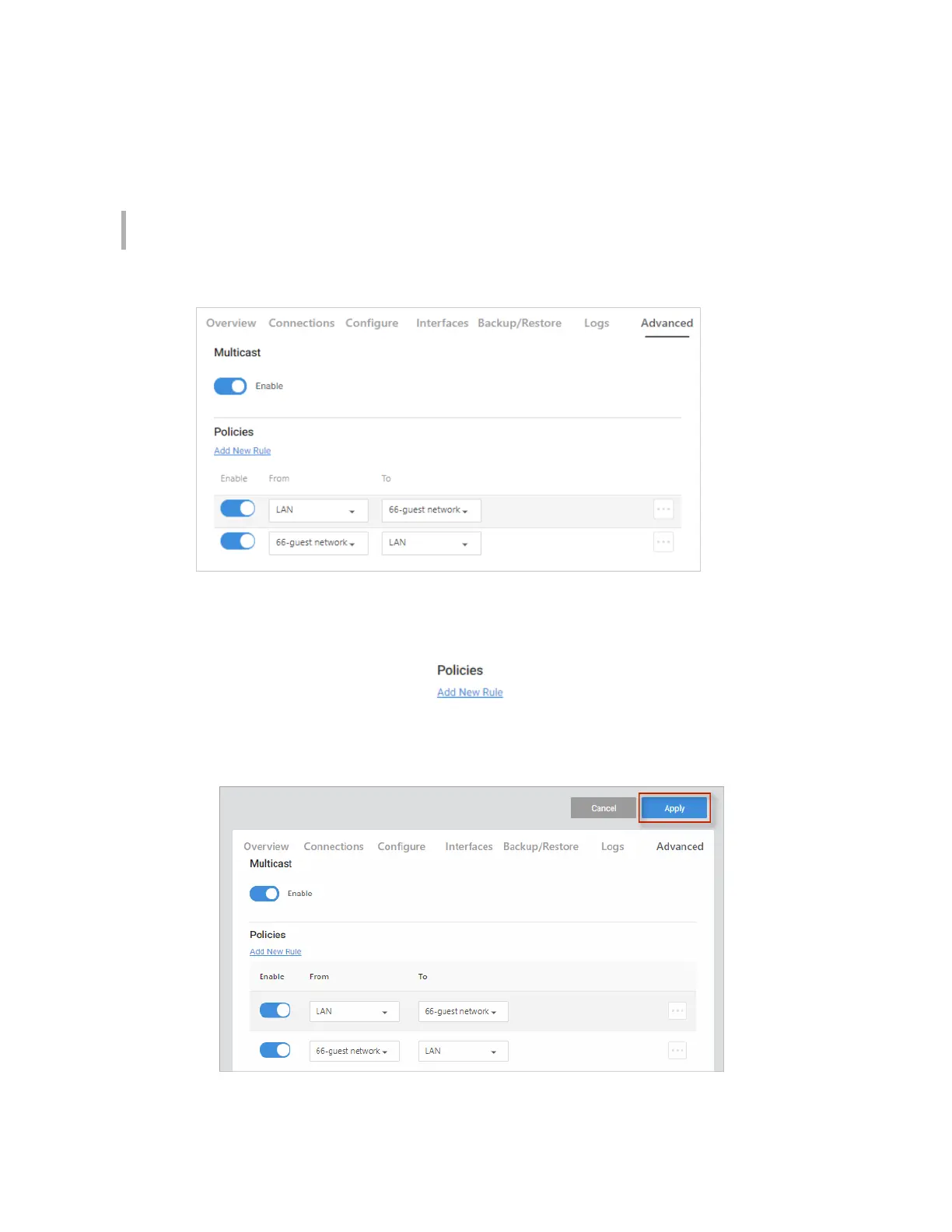
From the Multicast Routing tile, allow the routing of multicast traffic between LAN and VLAN
interfaces on the router.
Note: If you do not have VLANs, you cannot add Multicast Routing policies. VLANs may be
configured on the Interfaces tab.
Add a new Multicast Routing rule to designate which direction traffic is allowed to travel.
To add a new Multicast rule:
1. Go to the Advanced tab > Multicast Routing. Under Policies, click Add New Rule.
2. Complete the dialog (see table below), then click Continue.
3. When you are ready, click Apply to enable your changes.
48



 To Next Page