RT-3100 5-Port Single-WAN Gigabit Router User Guide
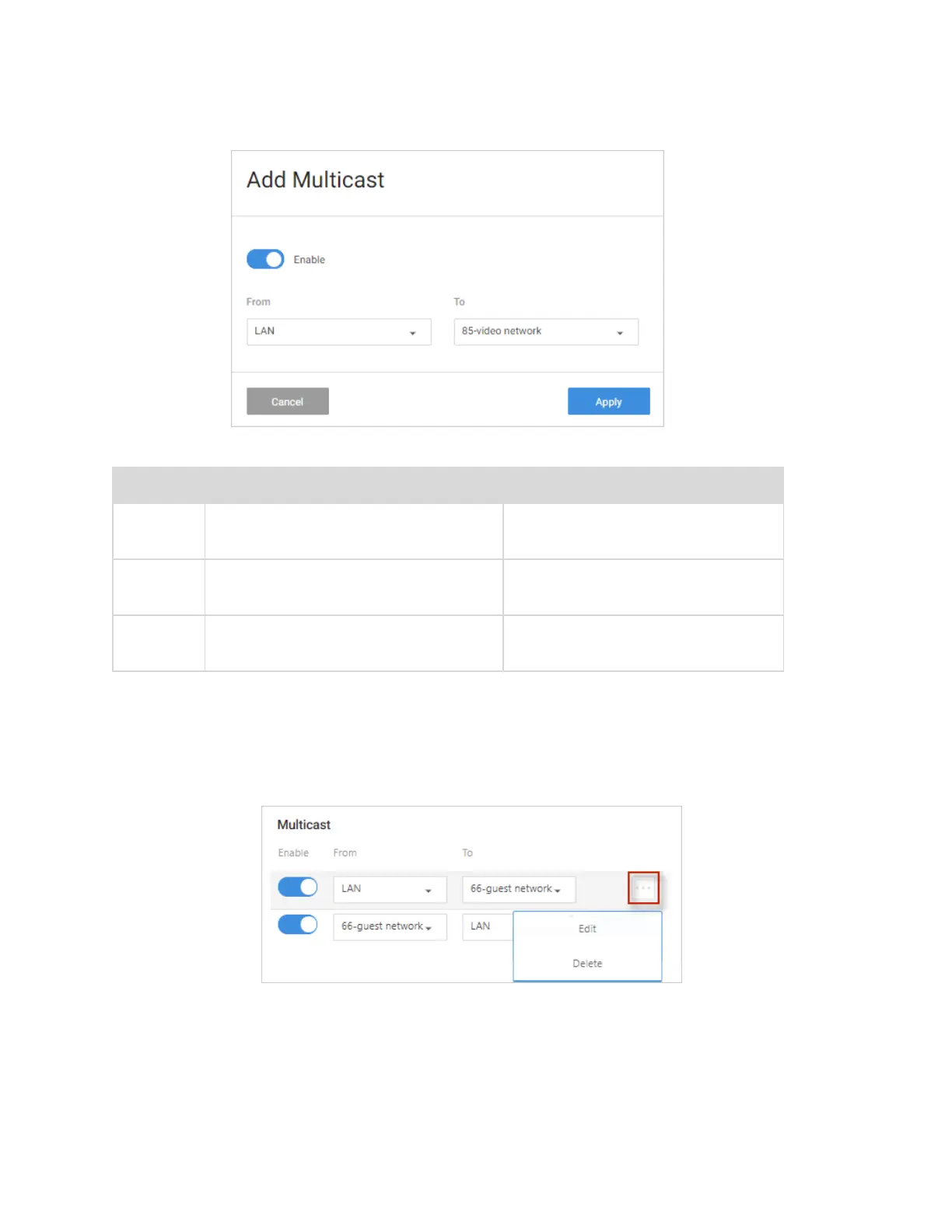
Complete the Multicast rule dialog
Field Function Options
Enable
Enable or Disable the Multicast
Forward rule
Enable/disable
From
Specify the Zone multicast traffic
can originate from
All available Zones
To
Specify the Zone multicast traffic
can forward to
All available zones except zone
selected on From
To edit or delete a Multicast rule:
1. Go to the Advanced tab > Multicast Routing. Next to the rule you wish to edit, click
the … More icon.
2. Edit – Click Edit, complete the dialog (see table above), and click Apply to save your
changes.
3. Delete - Click Delete, then confirm.
4. Click Apply to save your changes.
49



 To Next Page