RT-3100 5-Port Single-WAN Gigabit Router User Guide
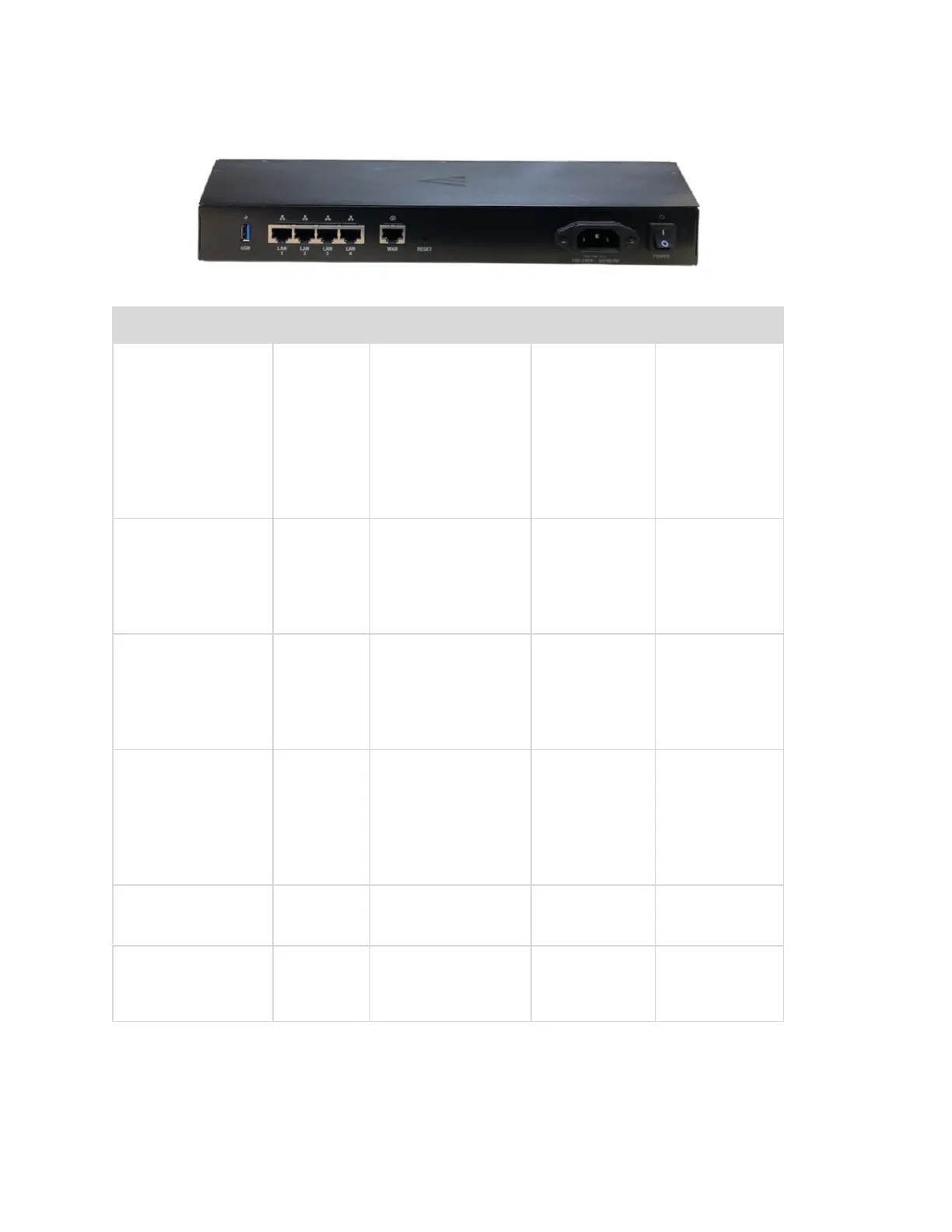
Back panel
Interface Type Speed Protocol Description
RESET button N/A N/A N/A Hold RESET
button for
10 seconds
while the
power is on
to factory
default the
settings
USB 1 USB-A Up to 5 Gbps USB 3.0 USB port
used for
debugging
and future
use
WAN 1 RJ- 45 10/100/1000
Mbps
Ethernet WAN port
used for the
internet
connection
from the ISP
LAN 1 - 4 RJ- 45 10/100/1000
Mbps
Ethernet 4-port
switch
connections
on the
internal
network
AC
Power input
AC N/A N/A Power Input
Power switch N/A N/A N/A On/Off
power
switch
6



 To Next Page