DigitalFlow™ DF868 Multipurpose Ultrasonic Liquid Flowmeter Programming Manual (2-Channel) 125
Appendix C. Programming with PanaView
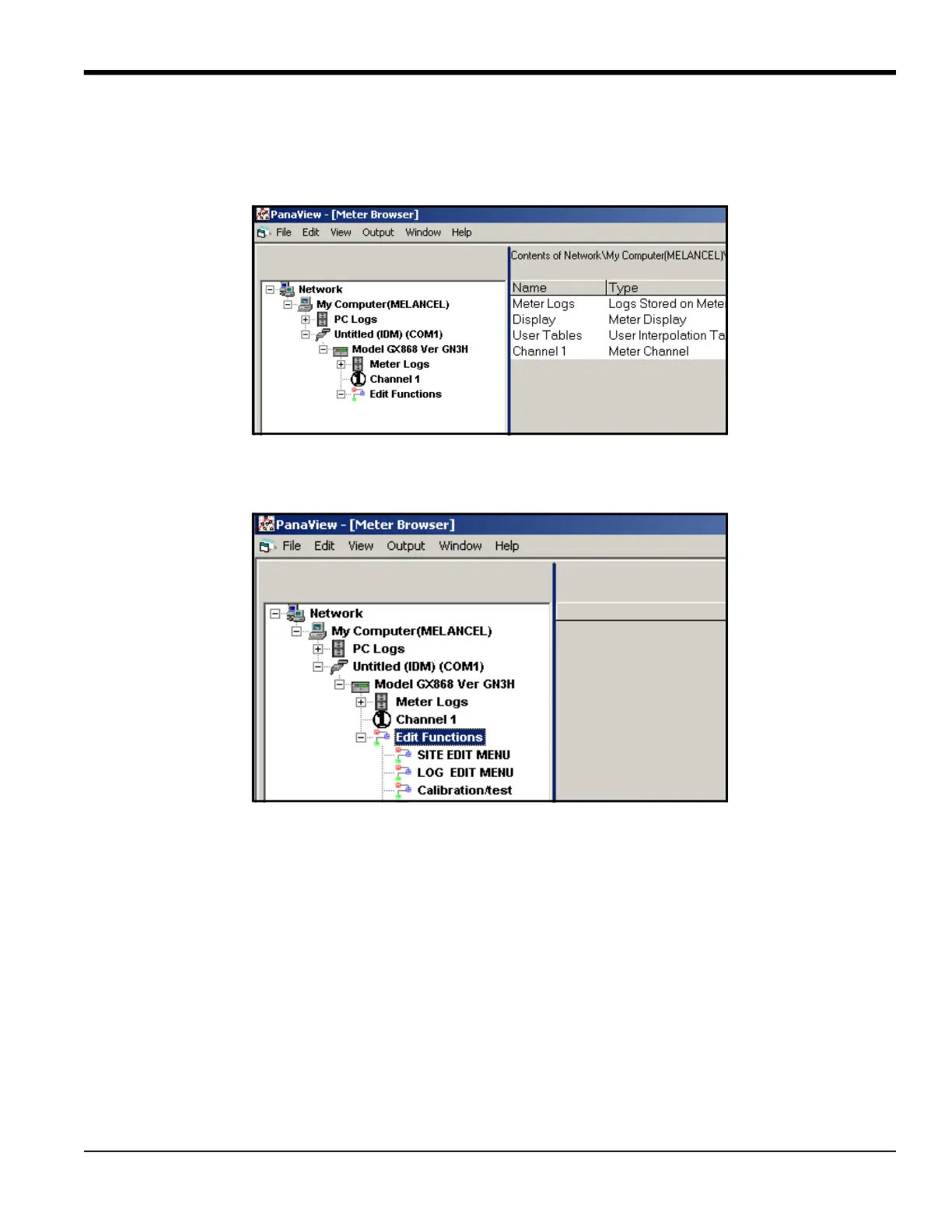
To access meter programming:
1. Enter the New Meter Browser option from the “File” menu.
2. Expand the network tree until you reach the desired meter.
3. Then expand the meter tree as shown in Figure 35.
Figure 35: New Meter Browser with Meter Branch
4. From the meter tree, expand the Edit Functions option. The window now appears similar to Figure 36, with a list of
available menus. The menus listed are those available on the meter.
Figure 36: Meter Tree with Edit Functions Option



 To Next Page