DigitalFlow™ DF868 Programming Manual (2-Channel) 133
Appendix D. Foundation Fieldbus Communications
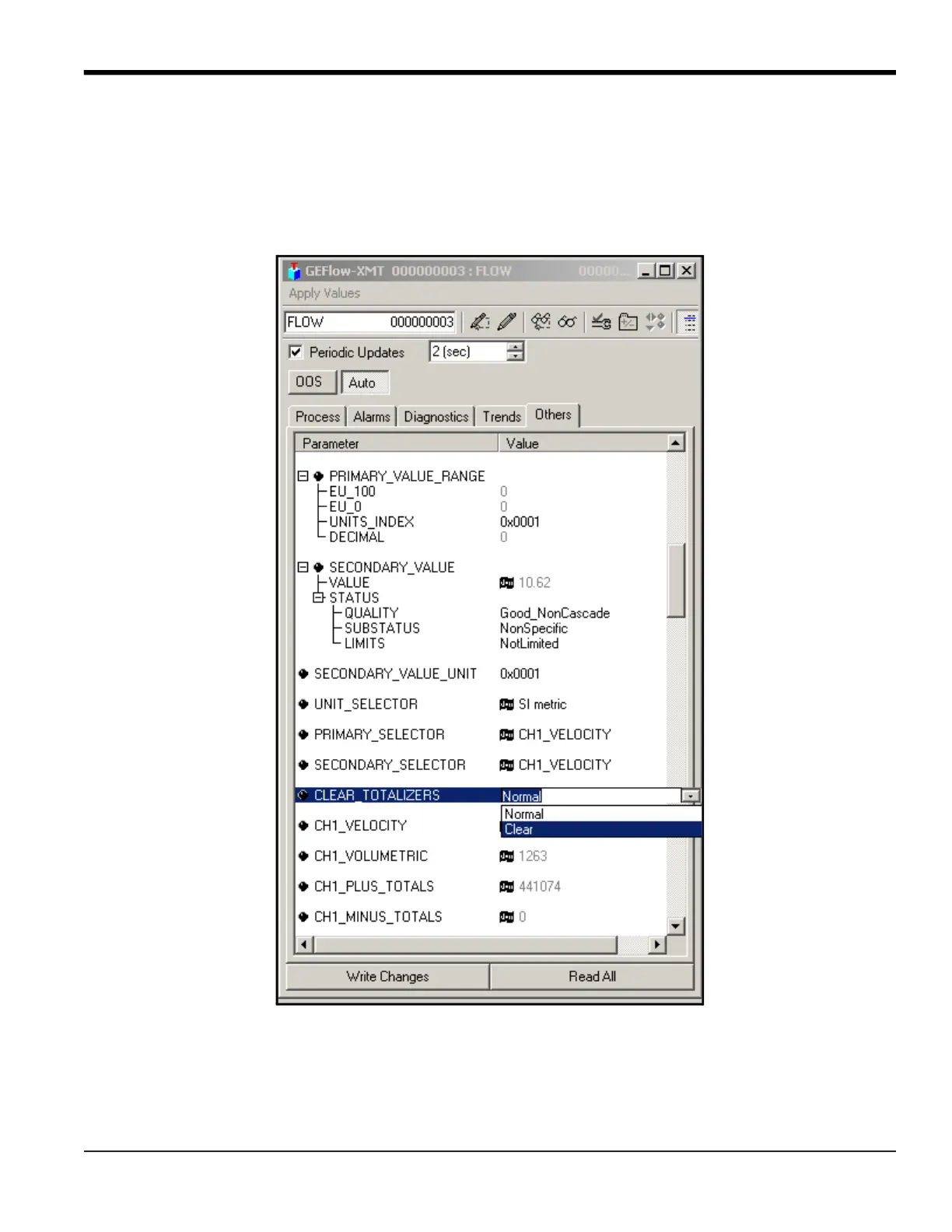
D.5 Resetting Instrument Totalizers
To reset the instrument totalizers:
1. Double click on the FLOW transducer block (in the tree under GEFlow-XMT; see Figure 40 on page 130).
2. Select the Others tab and scroll down to the CLEAR_TOTALIZERS listing.
3. Select Clear from the drop down list box (see Figure 43).
4. After the totals have been reset, select Normal from the drop down list box to resume total accumulation.
Figure 43: Clear Totalizers Drop Down List
D.6 Function Block Application
Figure 44 is an example setup using the Function Block Application editor. The flowmeter AI blocks, along with the AO and
PID of another device on the network, are displayed. We have connected the AI_1 OUT of the flowmeter to the CAS IN of
the AO block. We have also connected the AI_2 OUT of the flowmeter to the CAS IN of the PID block.











 To Next Page