Appendix D. Foundation Fieldbus Communications
130 DigitalFlow™ DF868 Programming Manual (2-Channel)
D.2 Configuration Utility Setup
The following is an example setup using National Instruments Configuration Utility v3.1.
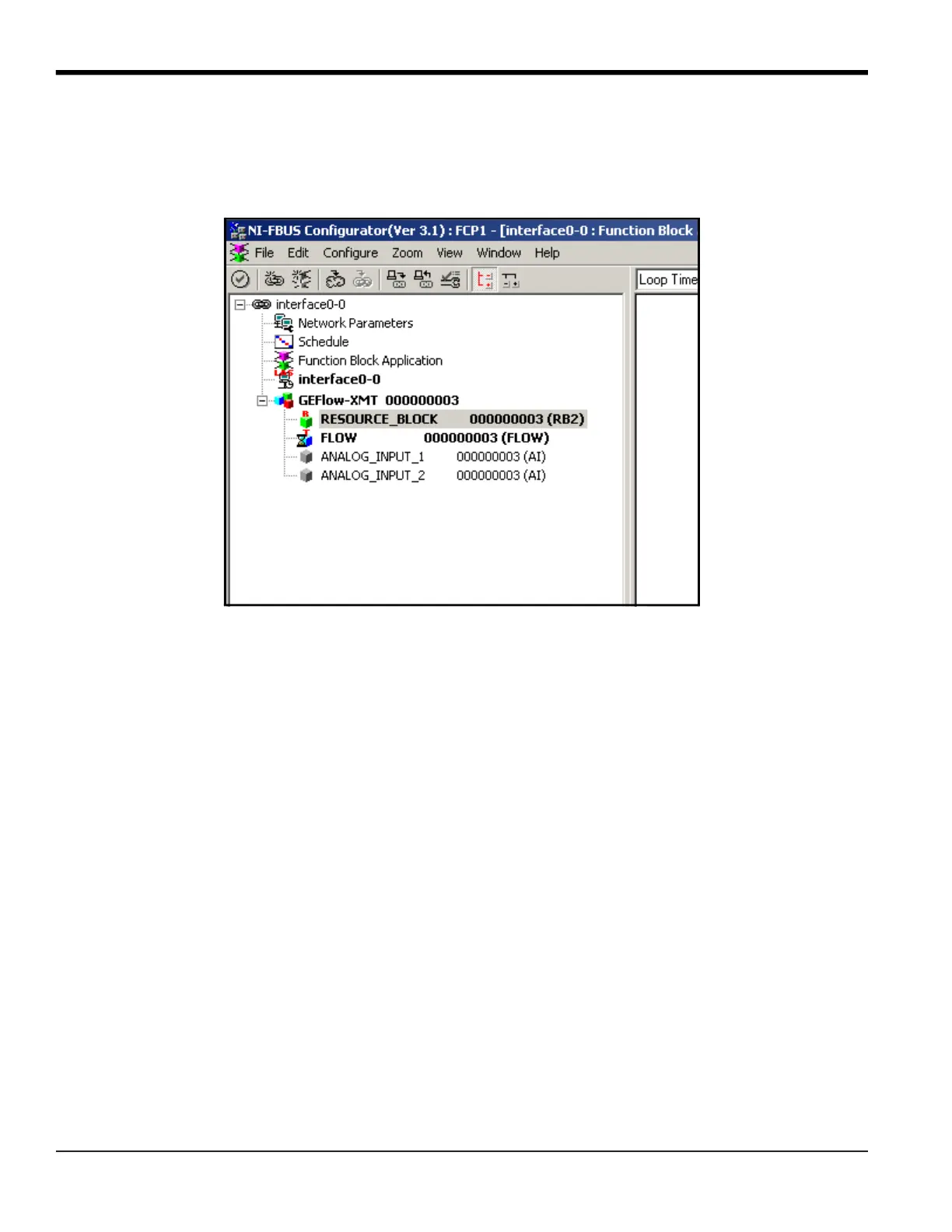
Figure 40 shows the Configuration Utility with a flowmeter on the network (Panametrics Flow-XMT).
Figure 40: Configuration Utility Setup Example
Note: The following procedures assume that the device has been placed in the OOS (out-of-service) mode before
executing.
D.3 Selecting the Desired Measurements
To set the measurement unit for each AI:
1. Double click on the FLOW Transducer Block (in the tree under GEFlow-XMT).
2. Select the Others tab and open the drop down list for the PRIMARY_SELECTOR and SECONDARY_SELECTOR (refer to
Figure 41 on page 131).
3. Choose the unit from the list (see Figure 41 on page 131).
This unit will correspond to the unit that is available in the AI block for network connection. The PRIMARY_SELECTOR unit
will correspond to ANALOG_INPUT_1 and the SECONDARY_SELECTOR will correspond to ANALOG_INPUT_2.
4. After the desired measurements have been selected for the PRIMARY and SECONDARY SELECTOR, choose the unit
system (UNIT_SELECTOR above the PRIMARY_SELECTOR) that has been programmed in the flowmeter (English or SI).











 To Next Page