Appendix D. Foundation Fieldbus Communications
132 DigitalFlow™ DF868 Programming Manual (2-Channel)
D.4 Selecting Units for AI Blocks
To select the units for the individual AI blocks:
1. Double click on the AI block for which you wish to set the units (ANALOG_INPUT_1 or ANALOG_INPUT_2 in the tree
under GEFlow-XMT; see Figure 40 on page 130).
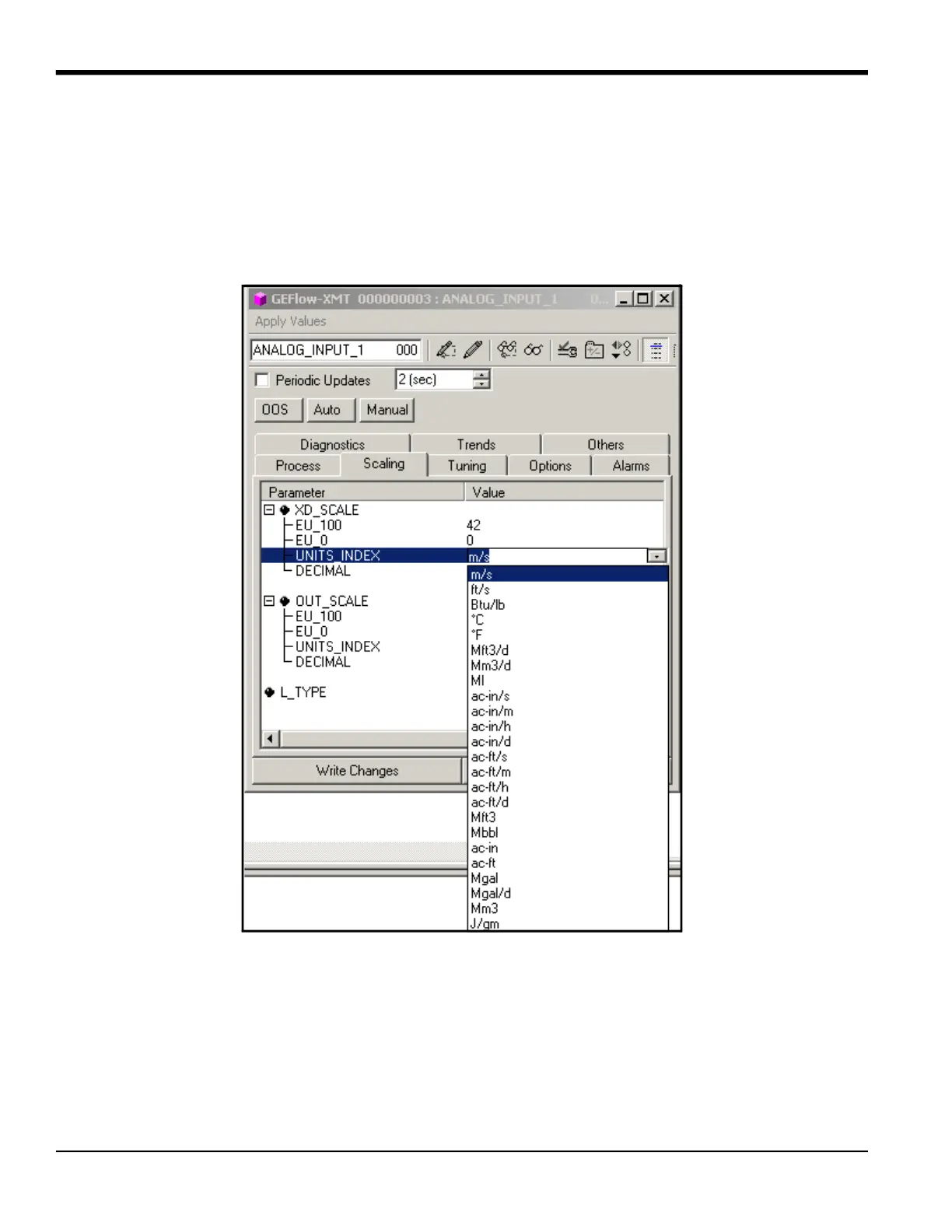
2. Select the Scaling tab and set the unit for the measurement based on the flowmeter settings.
For example, if the flowmeter was set to use the metric unit system and the PRIMARY_SELECTOR was set to use VELOCITY
you would choose m/s for the unit as shown in Figure 42.
Figure 42: Units Index Drop Down List











 To Next Page