DigitalFlow™ DF868 Multipurpose Ultrasonic Liquid Flowmeter Programming Manual (2-Channel) 139
Appendix E. OPC Server
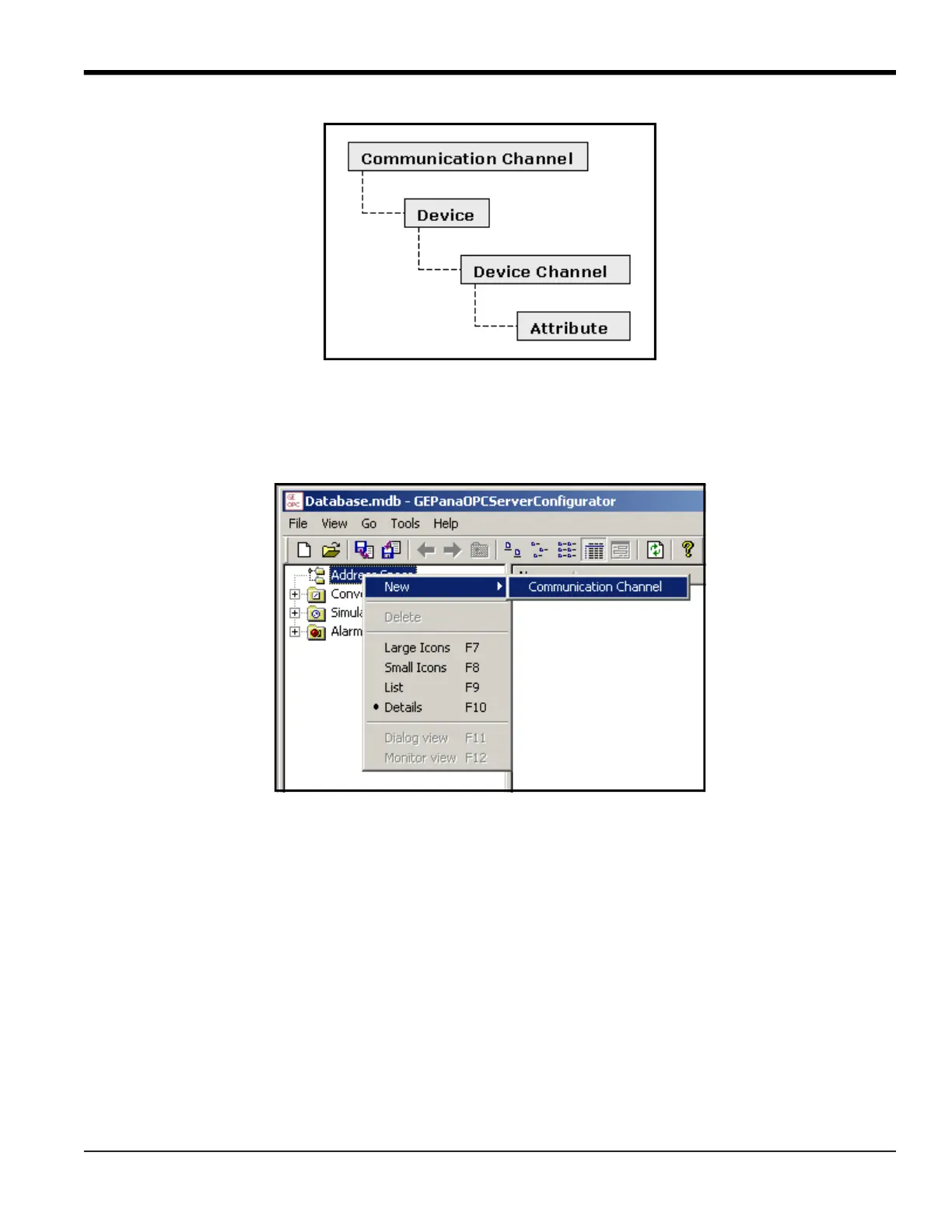
Figure 50: Entity Hierarchy
E.4 Creating a Communication Channel
To create a communication channel, right-click on the address space root, and select the New Communication Channel
option, as shown in Figure 51.
Figure 51: New Communication Channel
Once you have clicked on this option, a dialog form opens for you to enter details of various communication channel
properties. Refer to Figure 52 on page 140.
Various fields in GUI will be appropriately enabled or disabled when you select a particular communication channel
type. For TCP/IP, the view does not allow you to select parameters, but provides the IP address and IP Port, as shown in
Figure 52. Be sure to follow the Naming Conventions for communication channels.











 To Next Page