SGM700 Digitizer
First use of indicator -continue-
4.3 First use of indicator -Calibration-
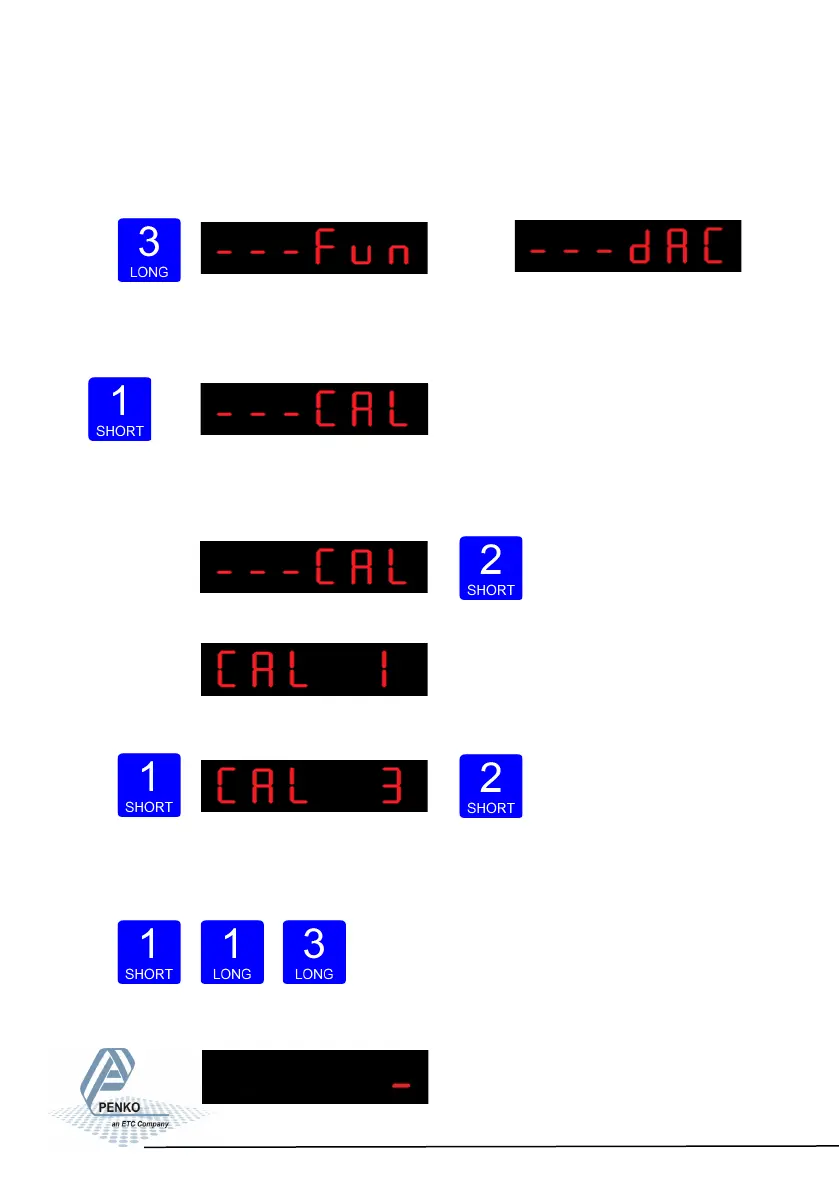
Press key 3 for >2sec. to get in to Configuration Menu.
(In
SGM710)
Go to the Calibration parameters by pressing
key 1 <2 sec. until you see - - - CAL
Check and delete calibration points.
To enter the Calibration settings, press
key 2 <2 sec.
The following screen is visible:
Press key 1 <2 sec. to go to CAL 3
and press key 2 <2 sec.
Use CAL 3 to check and delete all existing calibration points. Step through the cali-
bration points with key 1. Delete a calibration point by
pres- sing
key 3 >3 sec.
18



 To Next Page