4. First use of indicator
SGM700 Digitizer
Set up the correct indicator setting (step size and decimal point position).
The start
Turn the indicator on by connecting it to the power supply.
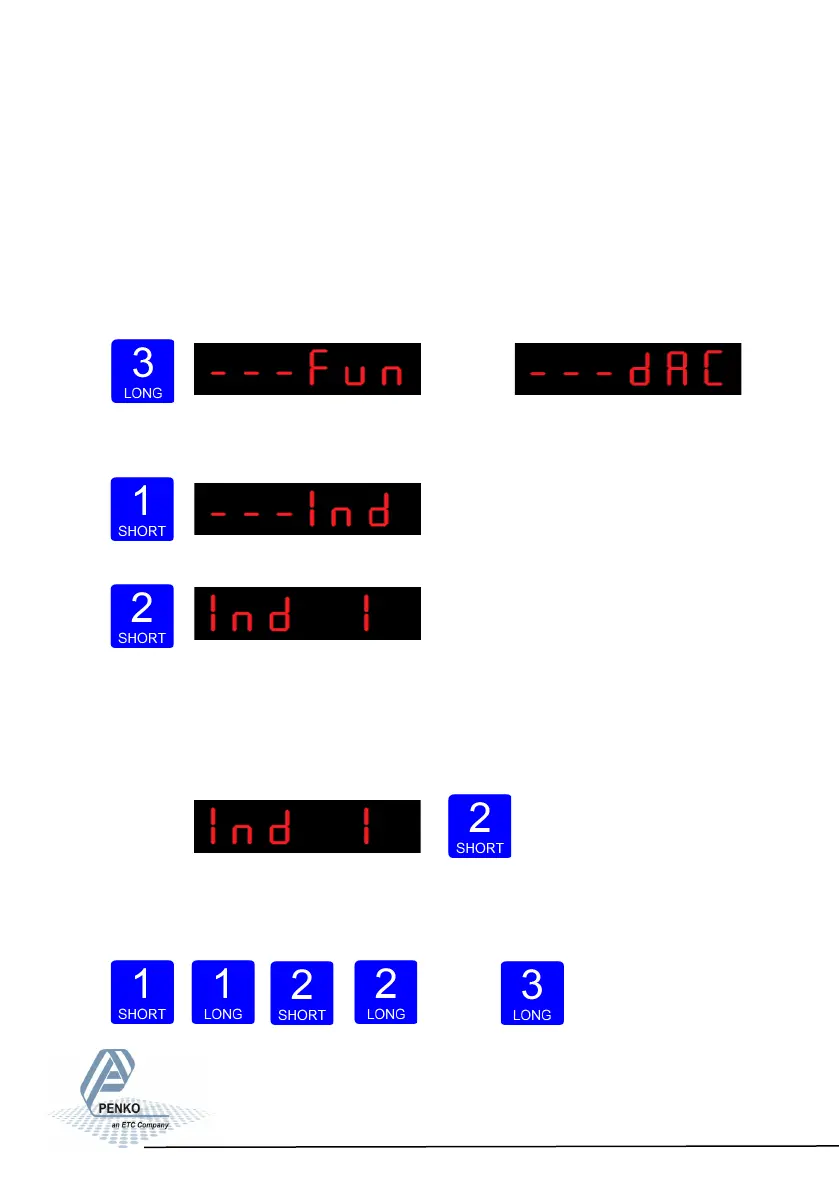
Press key 3 for >2
sec. to get in to
Con-
figuration Menu.
(In SGM710)
Go to the Indicator parameters pressing key 1 <2 sec.
Go into the Indicator parameters pressing key 2.
Use Ind 1 to set the maximum net weight value. Set maximum load to prevent
overload by the user. The indicator will not
show any weight above the filled in
value. Range: 0 – full display.
To change the value, press key 2 <2 sec.
Use key 1 and 2 to change the
value. Key 1 is for changing the num-
ber
15
4.2 First use of indicator -Weigher settings-



 To Next Page