SGM700 Digitizer
Configuration Menu –Pb-
6.7 - - - - Pb Profibus settings (SGM740 only)
For GSD file and protocol description please download PENKO Suite from
www.penko.com.
In this menu, the communication settings can be set for profibus.
Options are:
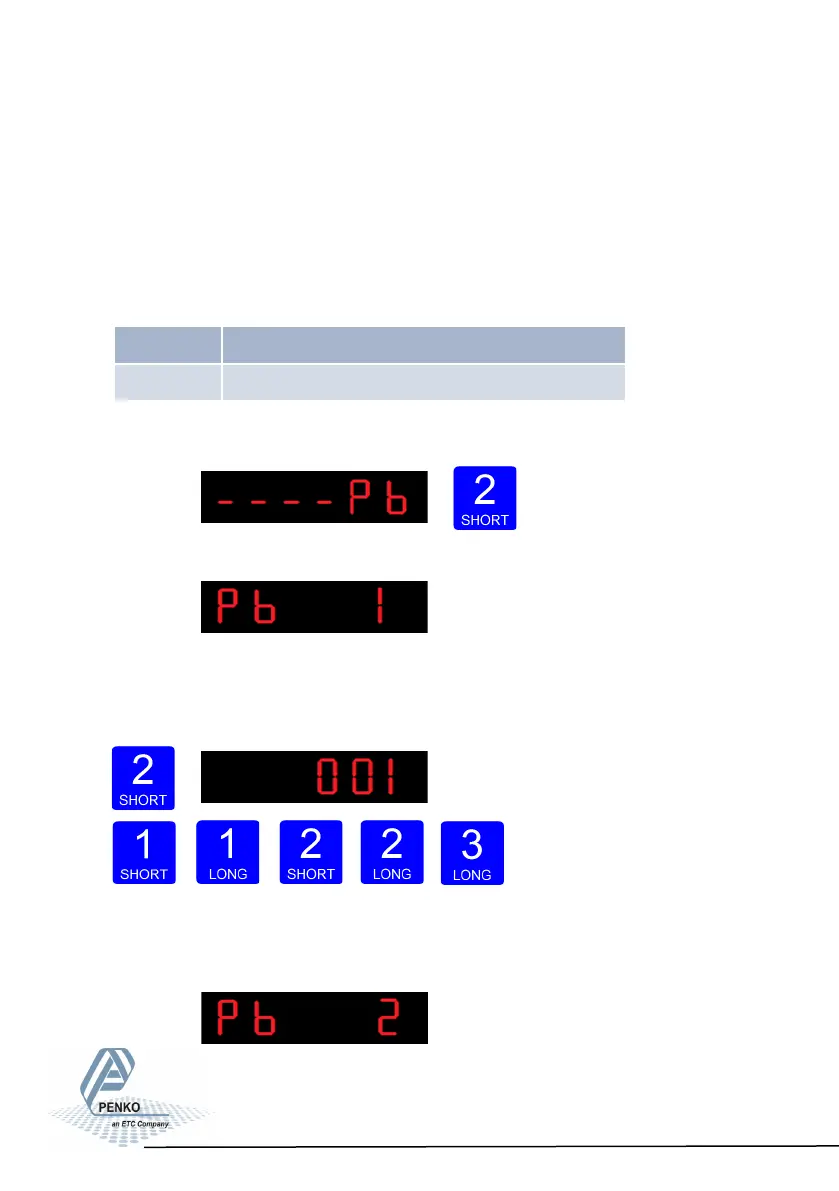
Press key 2 <2 sec to enter the profibus settings.
The following screen will be vissable:
In Pb 1 you set the profibus address of the SGM740.
Press key 2 <2 sec. to enter Pb 1. Set the address using key 1 and key 2 confirm
by pressing key 3 >2 sec. (options are: 0-255).
Increase Decrease Left
Right Confirm
When confirmd the following screen will be vissable:
50
Pb 1 Probus address
Pb 2 Value mode



 To Next Page