SGM700 Digitizer
5. Main Menu
In the Main menu you can change the Setpoints (this option is not available in
the SGM710), display the TAC code and display the CAL code.
5.1 Setpoints. (this option is not available in the SGM710)
The SGM700 has four outputs that can switch on/off on different levels.
These levels have to be filled in at the setpoint menu.
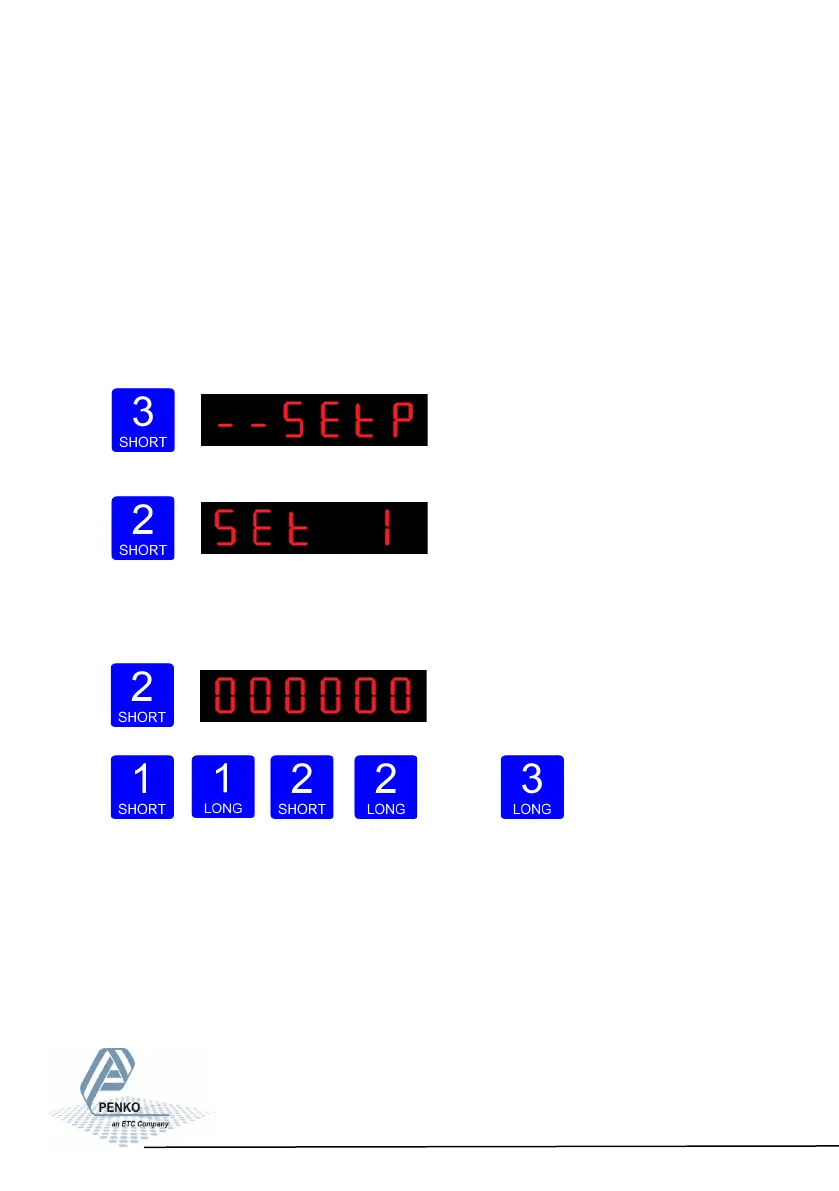
Press key 3 <2 sec. to go into the Main menu.
Press key 2 <2sec. to the setpoint change menu.
Press key 1 <2 sec. to select a diffrent set-
point (1-4). Press key 2 <2 sec. to change the selected setpoint. Key 1 is used for
changing the number (1-9), key 2 is used for changing the position of the cursor.
Press key 3 >2sec. to confirm.
Up Down
Left Right Confirm
When the selected setpoint is changed, the display changes to the next setpoint.
29



 To Next Page