SGM700 Digitizer
Configuration Menu -ACn-
6.2 - - - ACn setpoint action settings (not for SGM710)
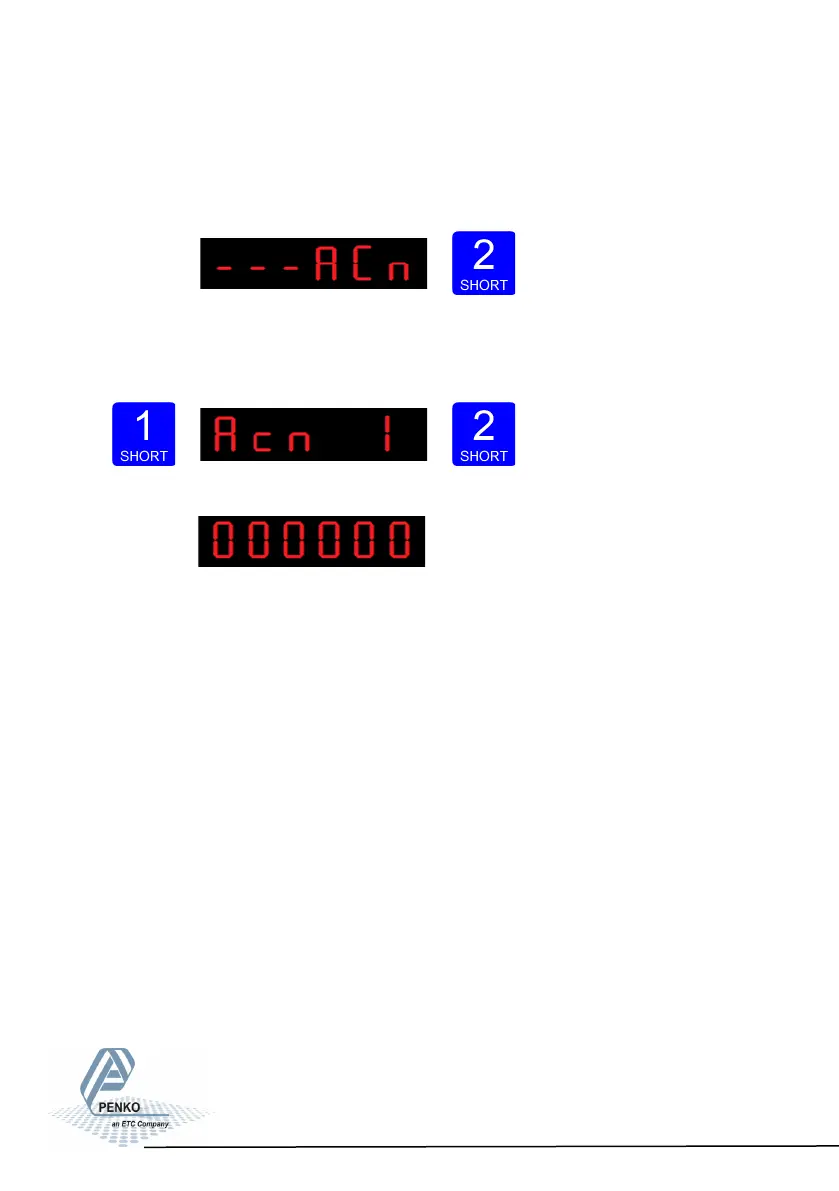
To set the hysteresis for the outputs press key 2 <2 sec to enter the setpoint
function settings menu.
Select the output you want to configure pressing key 1 <2 sec. Acn 1= output 1,
Acn 2= output 2, Acn 3= output 3 and Acn 4= output 4. Confirm the selected out-
put by pressing key 2 <2 sec.
The following screen is vissable:
Fill in the hyste- resis for the outputs. Use key 1 and 2
to change the value. Key 1 is for changing the number (1-9), key 2 is for changing
the position of the cursor. Confirm by pressing key 3 for >2 sec.See diagram next
page. Choose value between -99999 and 999999.
34



 To Next Page