SGM700 Digitizer
Configuration Menu –Can-
6.6 - - - Can Canbus settings (SGM730 only)
The protocol that can be used is PENKO CAN Buslink
(CANopen is not supported).
For protocol description please download PENKO Suite from www.penko.com
In this menu, the communication settings can be set for profibus.
Options are:
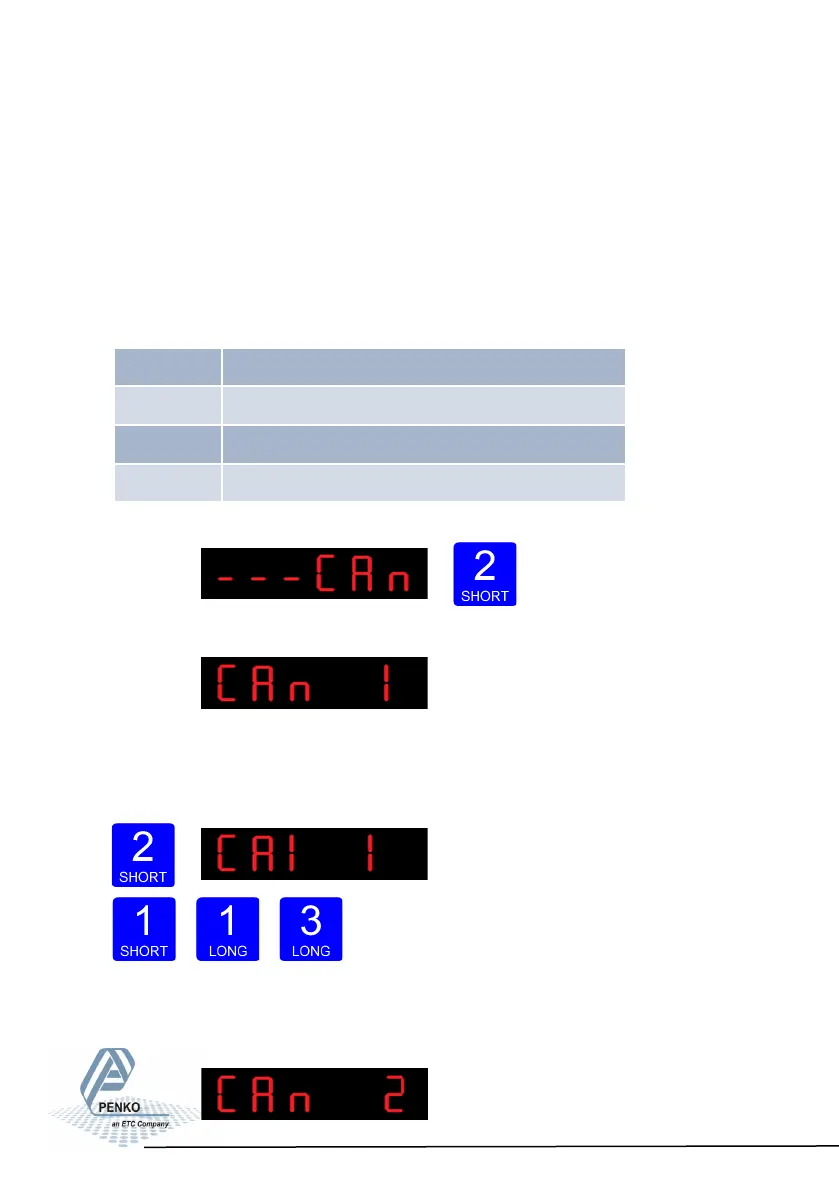
Press key 2 <2 sec to
enter the Canbus settings.
The following screen will be vissable:
In CAn 1 you set the Canbus protocol of the SGM730. Press key 2 <2 sec. to enter
CAn 1. Set the protocol using key 1 and key 2 confirm by pressing key 3 >2 sec. 1=
none, 2= Buslink
Increase Decrease Confirm
When confirmd the following screen will be vissable:
47
CAn 1 Communicaon protocol
CAn 2 Busslink address
CAn 3 Busslink subaddress
CAn 4 Baudrate



 To Next Page