SGM700 Digitizer
Configuration Menu -CLo- -continue-
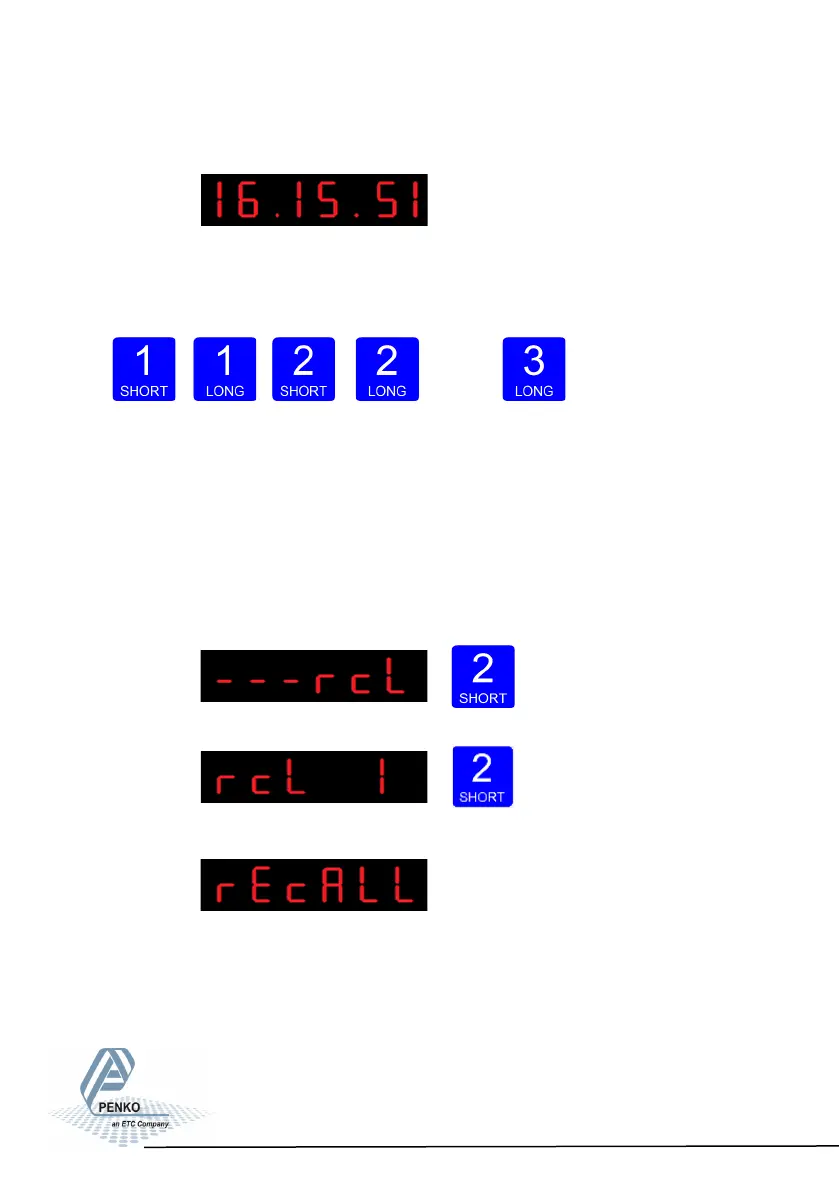
The following screen is visible:
Set the time. Use key 1 and key 2 to change the number Key 1 is for changing
the number (1-9), key 2 is for changing the position of the cursor. Confirm by
pressing key 3 >2 sec. Format HH.MM.SS
Up Down
Left Right Confirm
Configuration Menu -rcl-
6.19 - - - rcL Recall
In Recall, you can reset all parameters back to facatory settings.
Press key 2 <2 sec to enter Recall.
The following screen is visible. Press key 2 <2 sec.
The following screen is visible.
There are two recalls available. Parameters back to factory, or an erase of the file
system. Use the erase function only when a normal recall does not solve the
problem.
93



 To Next Page