SGM700 Digitizer
Configuration Menu -Ind- -continue-
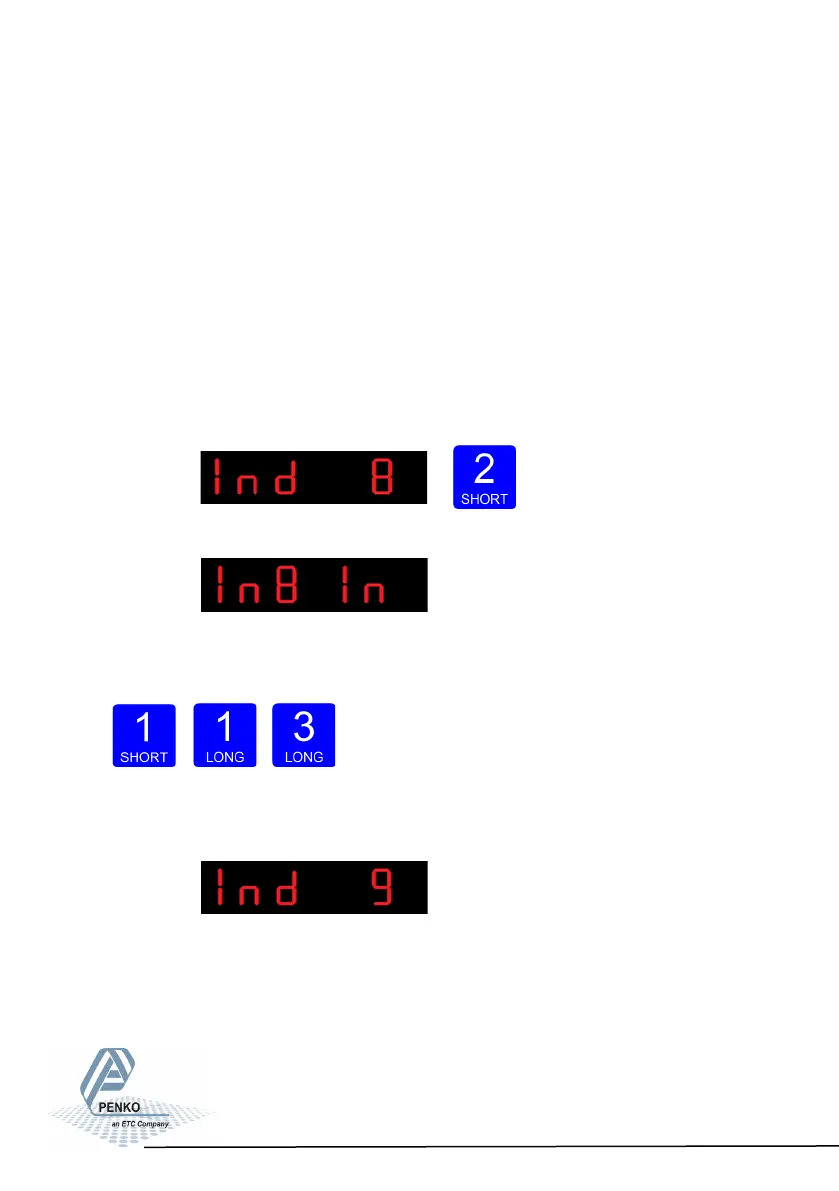
In Ind 8 you set the operation mode of the SGM700. Set the operation mode of
the unit to Industrial or Certified. In Industrial mode it’s always possible to change
the indicator parameters and calibration. In certified mode the unit will be sealed
by marks and also the weighing parameters will be blocked to satisfy to the cali-
bration laws. A weighing unit must be certified when it’s used for measuring for
trade aims. Note: In certified mode the zero band = 4% (+2 and -2%). Also zero
suppressing (FIL 3) is disabled.
Opons are: In = Industrial mode, CE = Cered mode.
To change the operation mode press key 2 < 2 sec.
The following screen is vissable:
Press key 1 to choose the operation mode and con-
firm by pressing key 3 for >2 sec.
Up Down Confirm
The following screen is vissable:
In Ind 9 you set the sample rate of the indicator. The
sample rate is the refreshment speed of the weigher signal.
Options are: 10, 20, 25, 50, 100, 200, 400, 800, 1600 samples/sec.
66



 To Next Page