SGM700 Digitizer
Configuration Menu -rng- -continue-
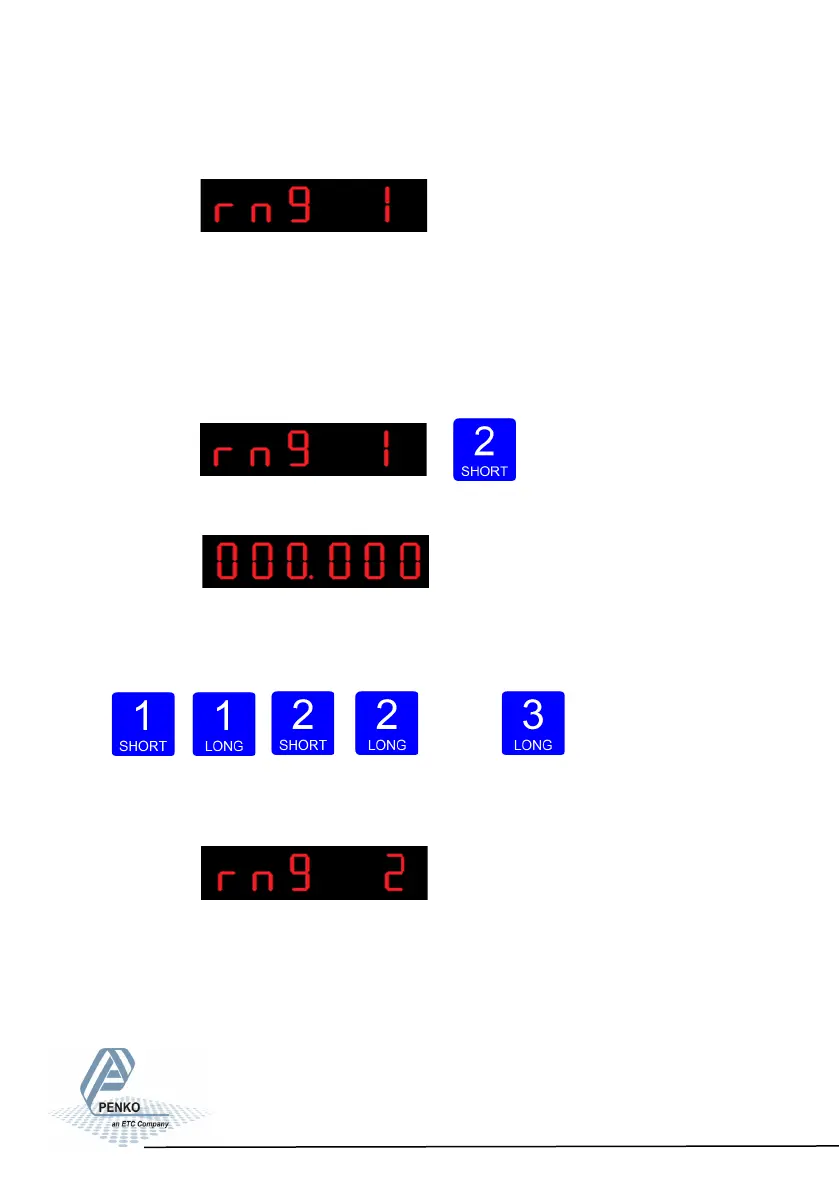
The following screen is vissable:
In rng 1 you set the number of display divisions. Set the number of divisions when
the indicator has to display with the next step size. Auto ranging starts with step
size set at Ind 5 and is disabled when range size is set to 0. Choose a value be-
tween 000.00 and 999.999.
To change the value press key 2 < 2 sec.
The following screen is vissable:
Use key 1 and 2 to change the value. Key 1 is for
changing the number
(1-9), key 2 is for changing the position of the cursor. Confirm by pressing
key 3 for >2 sec.
Up Down
Left Right Confirm
The following screen is vissable:
In rng 2 you set the maximum auto range step size. Set the biggest step size al-
lowed. Choose between 1, 2, 5, 10, 20, 50, 100, 200 and 500.
68



 To Next Page