SGM700 Digitizer
Configuration Menu -CAL- -continue-
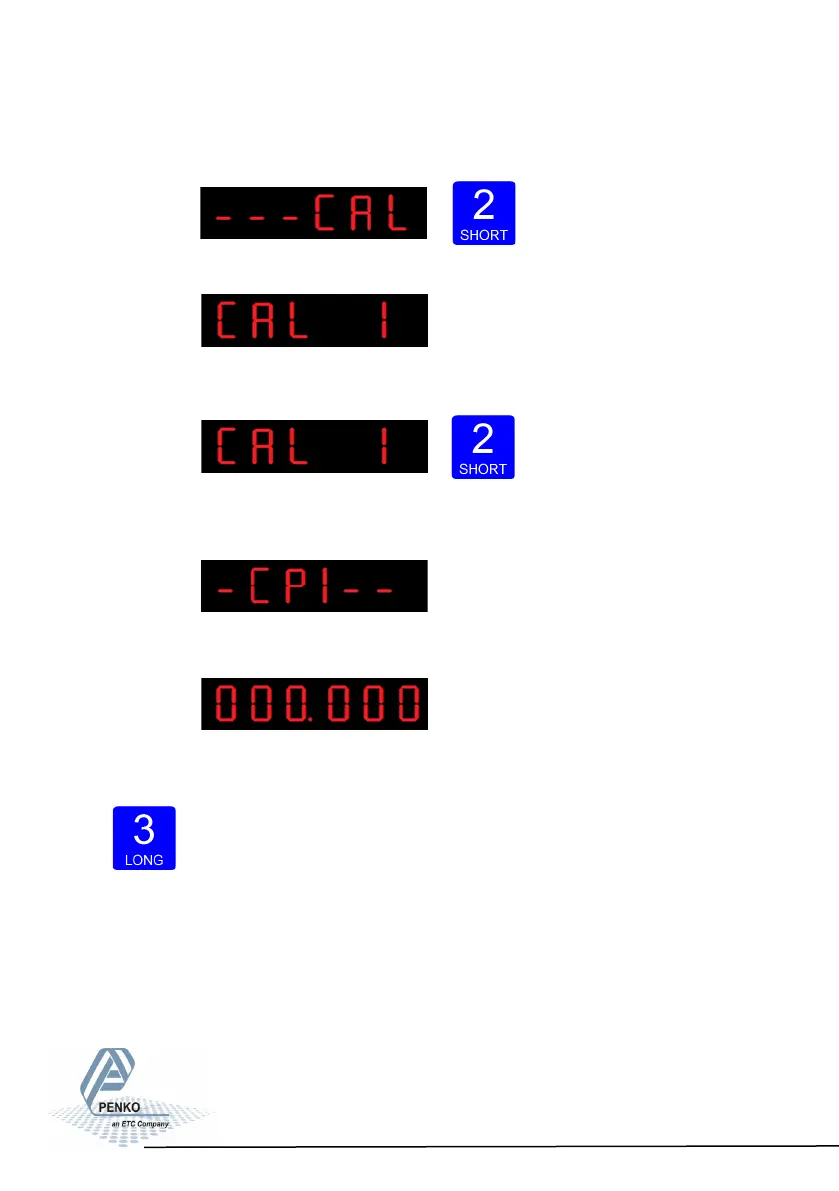
Press key 2 <2 sec to enter the calibration settings.
The following screen is visible:
In CAL 1 you can set the calibration points for the
weigher. Press key 2 <2 sec. to set the calibration points.
After entering, the following screen is visible (if there are no calibration
points available):
And will auto- matically jump to:
First calibrate the zero point (CP1). Make sure the
weigher is unloaded and press key 3 >2 sec.
80



 To Next Page