
EasyManua.ls Logo

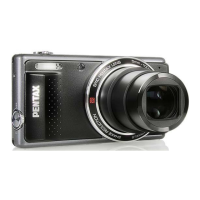
Pentax OPTIO VS20 - User Manual

Pentax OPTIO VS20
240 pages
Print Icon
To Next Page IconTo Next Page
Loading...
Digital Camera
Operating Manual
To ensure the best performance from your camera, please
read the Operating Manual before using the camera.

Table of Contents

Other manuals for Pentax OPTIO VS20

Questions and Answers

Pentax OPTIO VS20 Specifications

General IconGeneral
BrandPentax
ModelOPTIO VS20
CategoryDigital Camera
LanguageEnglish

Summary

Camera Features

Shooting Pictures by Holding the Camera Vertically

Explains how to hold the camera vertically for natural shooting.

Perfect for Portrait Shots!

Details the Face Detection function for portraits and group shots.

Add Various Frames to Your Pictures!

Explains how to add decorative frames to still pictures.

Getting Started

Powering the Camera

Steps for charging the battery and powering the camera.

Installing the SD Memory Card

Guide to inserting and removing SD memory cards.

Initial Settings

Guide for setting language, date, and time on first use.

Common Operations

Understanding the Button Functions

Explains the function of each camera button.

Setting the Camera Functions

How to access and navigate camera menus.

Taking Pictures

Taking Still Pictures

Basic guide to capturing still images.

Setting the Shooting Mode

How to select appropriate shooting modes for different situations.

Using the Face Detection Function

Details on the face detection feature for portraits.

Playing Back and Deleting Images

Playing Back Images

How to view still pictures and movies on the camera.

Deleting Images

Steps for removing unwanted pictures.

Editing and Printing Images

Editing Images

How to resize, crop, and apply filters to images.

Settings

Formatting the Memory

Steps to format SD cards and built-in memory.

Changing the Date and Time

Guide to setting the camera's date and time.

Viewing Images on a Computer

Setting Up Your Computer

Instructions for installing software and system requirements.

Connecting to Your Computer

Steps to connect the camera to a PC via USB.

Appendix

Troubleshooting

Common problems and their solutions.

Messages

Explains common messages displayed by the camera.

Default Settings

Lists factory default settings for camera functions.

Related product manuals









