1
EN - Instructions for Use
ASSOCIATED DOCUMENT- Refer to the ECG Lead Sets, Cables and Adapter Cables Care Cleaning and Disinfection document that accompanies
this Instructions for Use (IFU). It provides validated cleaning/disinfecting agents and cleaning procedures for these cable products. INTENDED USE-
Philips IntelliVue reusable ECG trunks cables are limited by the indications for use of the connected monitoring and diagnostic equipment, and are for
use only by healthcare professionals. They are designed for multiple patient use and indicated for monitoring cardiac signals for both diagnostic and
monitoring purposes in adult, pediatric, and neonatal patients.Philips reusable MX40 adapter cables are intended for monitoring and recording of and
to generate alarms for, multiple physiological parameters of adults and pediatrics in a hospital environment and during patient transport inside
hospitals. Not intended for home use. Intended for use by health care professionals. Indications for Use - Philips IntelliVue reusable ECG trunk
cables and Philips MX40 adapter cables are indicated for continuous monitoring of cardiac signals, or pulse oximetry, for both diagnostic and
monitoring purposes. These devices are limited by the indications for use of the connected monitoring and diagnostic equipment in healthcare
facilities. These devices are intended to interact with patient intact skin only. Contraindications - There are no known contraindications. PRODUCT
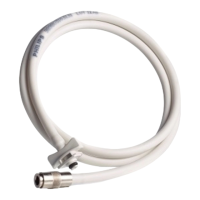
DESCRIPTIONS - ECG Trunk Cable: The ECG trunk cable shown at the front of this document adapts MX40 ECG patient lead sets for use with
IntelliVue ECG bedside monitors. ECG/SpO
2
Adapter Cables: The ECG/SpO2 cables shown at the front of this document adapt non-MX40 ECG
lead sets and SpO
2
sensors that support Philips FAST SpO
2
technology to MX40 patient monitors. COMPATIBILITY - The ECG trunk cable is
compatible with any bedside monitor that lists it as a compatible accessory in that product’s IFU. The ECG/SpO
2
adapter cables and leads are
compatible with Philips MX40 monitors, and any other monitor/defibrillator that lists them as a compatible accessory in that product’s IFU.
Incompatible components may result in performance issues.
WARNINGS • Attach all applicable labels included with these products to the cables/connectors. • Before use, read and understand all warnings listed
in this Instruction for Use, as well as the IntelliVue MX40 Instructions for Use. Otherwise patient injury could result. • Do not use any lead set or cable
if visual inspection reveals liquid/lint contaminants in cable connectors, or other visual cable damage. • Always clean/disinfect patient cables when
they are removed from their packaging for first-time use. • Refer to the monitor’s Instructions for Use for information regarding proper lead/electrode
placement that complies with standard AAMI or IEC practices. • Before connecting any adapter cable to the MX40 patient monitor, check the gasket
surrounding the mouth of the adapter cable connector (reference the graphic at the front of this document that shows both proper and improper gasket
seating in the connector opening). Discard the cable if any part of the gasket is dislodged or damaged, as there is a potential for incorrect readings
and/or patient injury. • To avoid patient injury, ensure that cables are carefully positioned to avoid entanglement, choking, and strangulation. • Patient
must be properly grounded during electrosurgery procedures to prevent patient/user injury (i.e. electrical shock). • These cables are not suitable for
use in an MRI environment which could create a potential for patient burns or inaccurate measurements. • Ensure that the lead set connector is
properly and securely connected to the trunk or adapter cable, and the trunk or adapter cable is properly connected to the monitor. Otherwise
incorrect patient physiological data may result. • When switching between an ECG/SpO
2
patient cable and the trunk cable, the SpO
2
sensor must be
moved separately and connected to the monitor.
CAUTIONS • Federal (US) law restricts this device to sale by or on the order of a medical practitioner. • Do not use in excessively wet environments
or under massive influence of fluids (e.g. rain). • Do not immerse the cable connectors in any fluid. • Do not autoclave or use ultrasonic cleaners on the
cable. • Do not clean cable connector electrical contacts or connectors with bleach. • Expected service life of these products is 18 months of typical
clinical use. • Do not disconnect a cable by pulling on the lead wires. • Be sure to always visually inspect the cable before connecting it to the MX40
monitor. See Visual Inspection Prior to Use below.
VISUAL INSPECTION PRIOR TO USE - Before attaching any cable to a patient or monitor, visually inspect the cable’s physical condition, connector
gasket, and connector contacts as instructed below. Inspect Cable Physical Condition - Before attaching any cable to a patient or monitor, perform
a visual inspection to determine if the cable has reached end-of-life. Check for cracks, blisters, peeling, exposed wires, damaged connectors and
similar wear or damage that could compromise accurate readings or cause patient/user injury (e.g. cuts). Whenever visual inspection reveals a cable
is no longer suitable for continued use, follow appropriate product disposal procedures (see Product Disposal). Inspect Cable Connector Gasket -
Before connecting a cable to the MX40 monitor, visually ensure that the gasket surrounding the mouth of the cable connector is seated properly
(reference the graphic at the front of this document that shows proper gasket seating). If any part of the gasket is dislodged or damaged do not use.
Instead, discard the cable as there is a potential for incorrect readings and/or patient/user injury. Inspect Cable Connector Contacts - Note: A
cable’s SpO
2
sensor connector should remain covered with its tethered protective cap when not in use. The cable’s monitor connector has very small
contacts that must be kept clean to establish good connection between cable and monitor. Therefore, before connecting a cable to the monitor,
visually confirm there is no lint, moisture, or residue inside the cable connector. If the visual check indicates a need to clean inside the cable connector
follow the steps below. Use the following steps only to clean inside the cable MX40 connector. To clean connector or cable external surfaces,
reference the validated cable cleaning procedures provided in the ECG Lead Sets, Cables and Adapter Cables Care Cleaning and Disinfection
document that accompanies this IFU. To clean inside the cable’s MX40 connector: 1-Prevent cleaning fluid from seeping into the cable connector and
be careful not to dislodge the gasket that surrounds the inside of the connector; 2-Keep the cable connector opening pointed down as shown in the
Clean Connector Pins graphic at the front of this IFU; i.e. this helps prevent cleaner residue from building-up inside the connector; 3-Use only
Isopropyl alcohol on a modestly dampened lint-free cloth, or pre-moistened Isopropyl alcohol wipe; 4-Gently wipe inside the cable’s MX40 connector
using very light swipes; 5-Allow the connector pins to air dry prior to use. CONNECTING AND DISCONNECTING THE MX40 - Reference the
graphics at the front of this IFU that show how to properly connect and disconnect the cable connector from the MX40. An additional graphic warns
against pulling on the cable wires. Connecting - Use a “straight-on” pushing motion between the cable and MX40 connectors as shown in the
Connect Cable graphic. A slight clicking sound signifies a secure connection. Disconnecting - Grip the sides of the cable connector and use a slight
pivoting or rocking motion to separate the connector from the MX40 as shown in the Disconnect Cable graphic.
Caution: To avoid damaging a cable, never disconnect by holding or pulling on the cable connector wires.
PATIENT APPLICATION - Refer to the MX40 monitor IFU for information regarding proper ECG lead/electrode placement that complies with
standard AAMI or IEC practices. Refer to the appropriate SpO
2
sensor IFU for proper patient application of any SpO
2
sensor being connected to a
ECG/SpO
2
adapter cable. CABLE CLEANING AND DISINFECTION - Refer to the document titled ECG Lead Sets, Cables and Adapter Cables Care
Cleaning and Disinfection that accompanies this IFU for validated cleaning/disinfecting agents and procedures. To reduce risk of cross-contamination:
• Clean/disinfect cables before first-time use and before use for a different patient. • Clean/disinfect reusable cables that are applied to any patient, if
they become visibly soiled. CABLE STERILIZATION - All ECG and/or ECG/SpO
2
cable products described in this IFU are not intended to be
sterilized. PRODUCT DISPOSAL - Follow approved medical waste disposal methods as specified by your patient care facility or local regulations.
INCIDENT REPORTING - Any serious incident that has occurred in relation to this device should be reported to Philips and the competent authority of
the European Economic Area (EEA) countries, including Switzerland and Turkey in which the user and/or patient is established. ENVIRONMENTAL
SPECIFICATIONS- The following temperature and humidity ranges must be maintained for all of the lead set and cable products described in this
IFU. Otherwise product damage could result. Temperature - Operating Temperature Range: 0 to +37°C (32 to 99°F) at 20% R.H. to 95% R.H;
Storage Temperature Range: - 40 to +60°C (- 40 to 140°F) at 15% r.H. to 90% R.H. Humidity - Minimum Operating: Humidity at +50°C; 15% R.H.
24hrs; Maximum Operating: Humidity at +40°C; 95% R.H. 24hrs. Atmospheric Pressure - Operating: 670 hPa to 1080 hPa; Storage: 100 hPa to
1080 hPa. REORDERING INFORMATION - The following products are CE marked and available in the European Union: • 989803172221 ECG
TRUNK CABLE AAMI/IEC; • 989803199071 MX40 ADAPTER 6L+SpO2; • 989803199081 MX40 ADAPTER SpO2-only; • 989803199091 MX40
Stryker Internal Control No.: EL10165 Rev A



 To Next Page
 Loading...