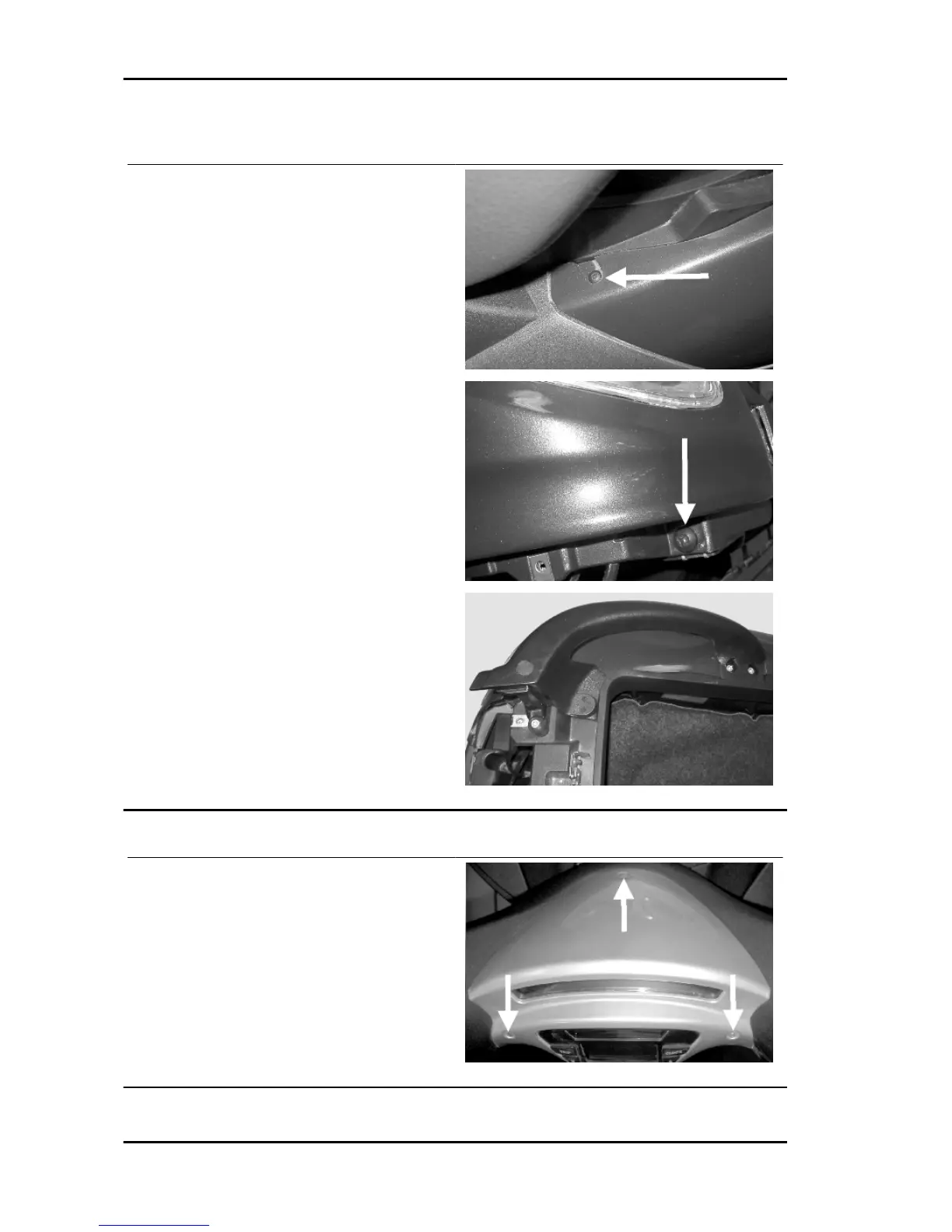
Handles and top side fairings
- Remove the rubber plugs covering the fixing
screws;
- Unscrew the socket head screws and remove
them;
- Remove the passenger handles.
- Unscrew the screw under the tail light.
- Unscrew the screw in the upper part of the side
panel;
- Disconnect the optical unit wiring;
- Remove the upper side panel by extracting it to-
wards the rear of the vehicle.
Digital panel support
- Unscrew the 3 fixing screws;
- Disconnect the electric connectors while paying
special attention to the coupling teeth;
- Remove the support with digital panel;
Chassis MSS X9 Evolution 250
CHAS - 212



 To Next Page