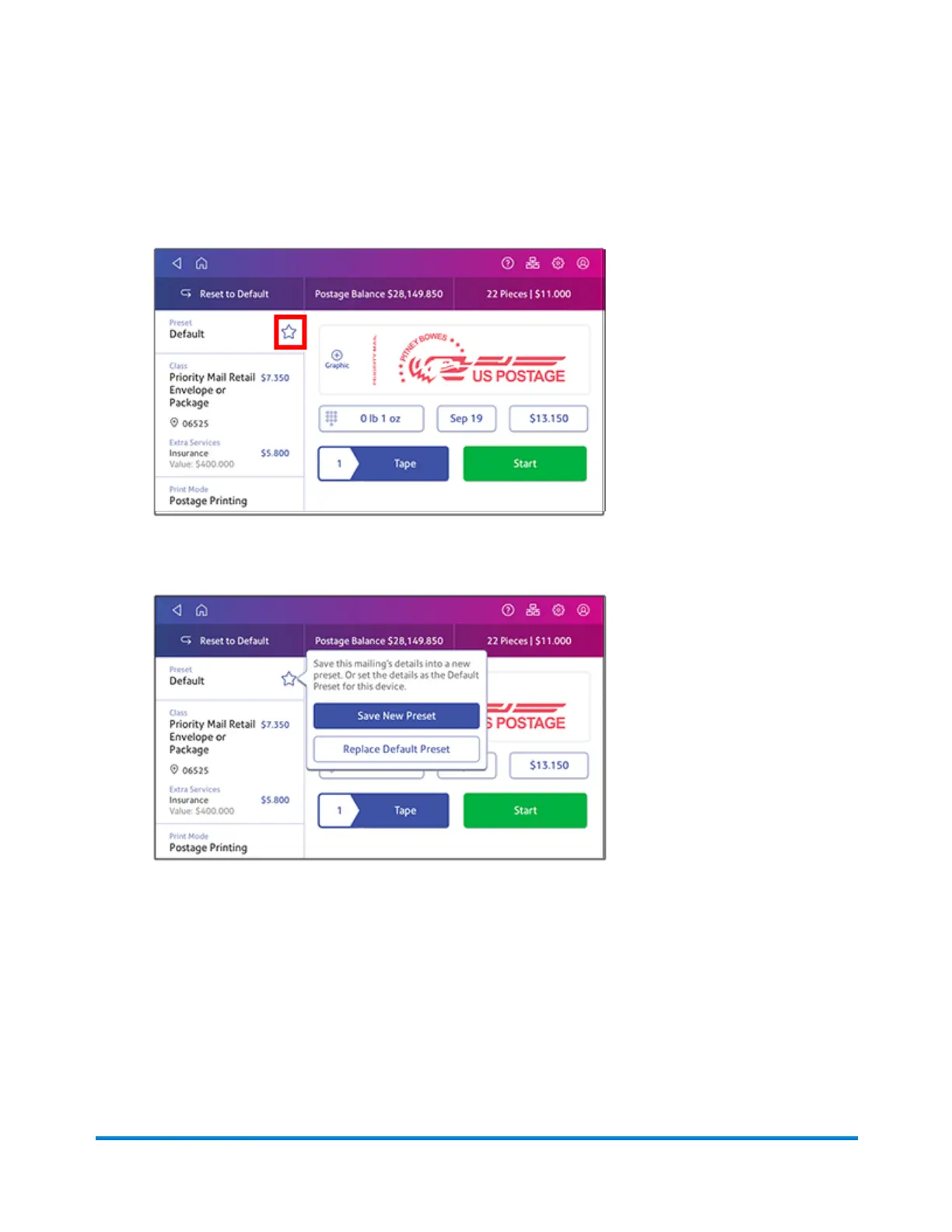
4. Tap the star in the Preset box.
Important: You must modify something in the Envelope Printing or Print on Envelopes app for
the Preset star to appear.
5. Tap Save New Preset to save it. If you wish to save it and replace the default setting, tap
Replace Default Preset.
6. For a new preset, enter a name, then tap Save.
Viewing presets for printing postage
1. To view the presets, tap the Preset box on the Envelope Printing or Print on Envelopes screen.
2. Tap each preset to view its settings.
Managing Printing on Envelopes
Pitney Bowes Operator Guide April 2022 165












 To Next Page