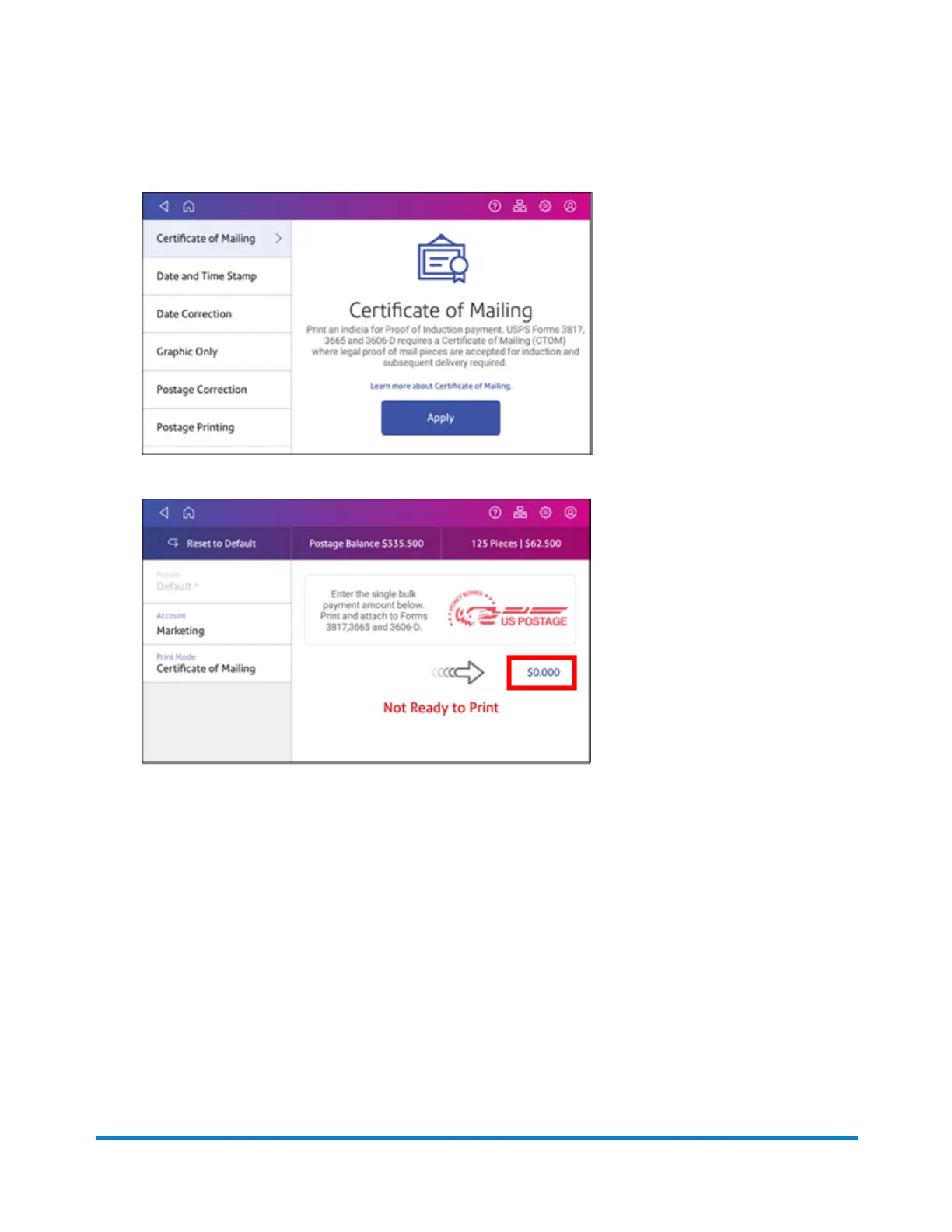
6. Tap Certificate of Mailing.
7. Tap Apply.
8. Tap on the postage amount and enter the amount you calculated in step 2.
9. Feed the appropriate form (3606-D, 3665, or 3817) through the feeder so that the device stamp
prints on the form or on a tape strip that can be applied to the form. Alternatively, you can print
the device stamp on each of the mailpieces included in the Certificate of Mailing.
10. Take the mailpieces and the printed form to the Post Office. They will apply a round stamp proof
of induction mark that serves as legal proof that your items will enter the USPS.
Quick start guide
Pitney Bowes Operator Guide April 2022 35












 To Next Page