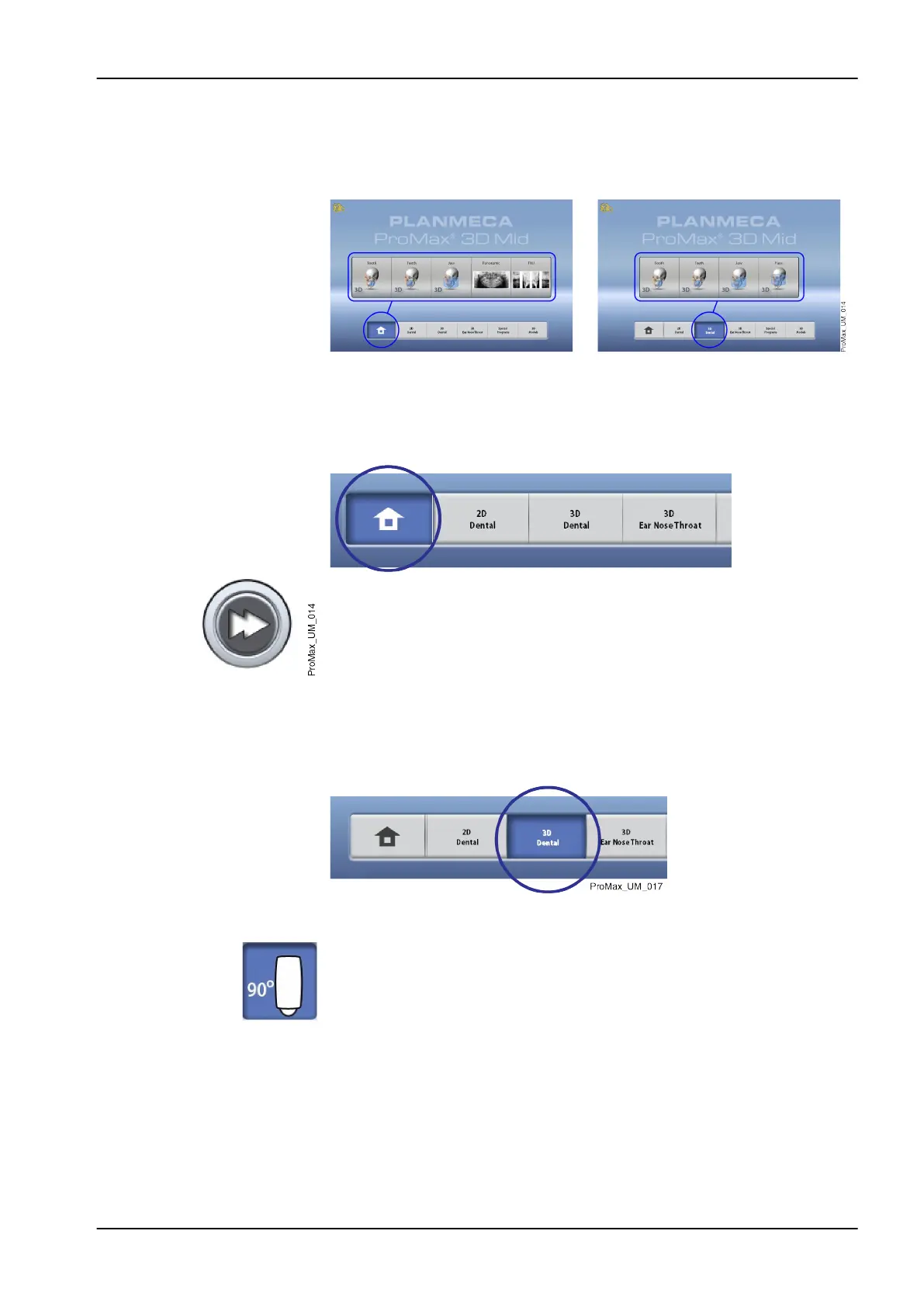
Main screen
The main screen shows the name and the imaging programs of the X-ray
unit. You can use the buttons at the bottom of the main screen to change the
appearance of the main view.
Home button
To view up to five most recently used programs, select the home button. The
most recently used program is shown first. This is the default view of the
main screen.
NOTE
If you wish to use fast forward buttons on this view, select Settings >
Program > 2200 Program Features > 2240 General > Fast Forward ON.
Using a fast forward button takes you directly to the screen where you can
take an exposure.
Program group buttons
To view all the programs that are available for a program group, select the
program group button.
Making selections
To make a selection on the touch screen, touch a button or a field with your
finger or a soft stylus. The selected option is highlighted. To deselect an
option, touch the button or field again (or select another option if available).
You hear an audible signal when you make a selection. If you wish to adjust
the volume of the signal, select Settings > User > 1300 Operational Settings
> 1320 Audio Settings > Touch Volume.
NOTE
Do not use sharp objects to operate the touch screen.
6 Main parts
User's manual Planmeca ProMax 15














 To Next Page