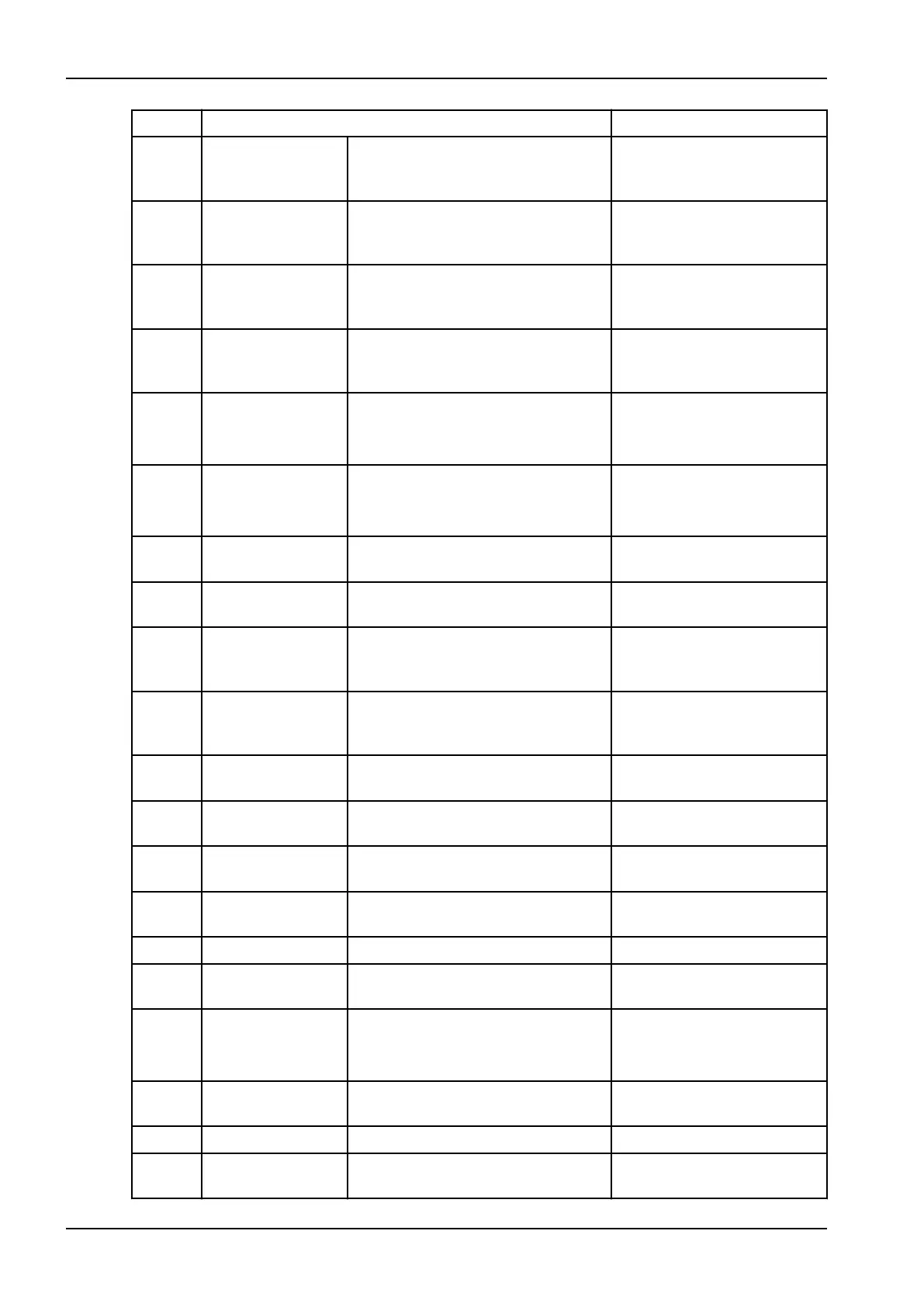
Code Explanation Comments
H144 Height movement is not possible
because one (or more) of the
positioning control buttons is stuck.
Release the button / joystick.
H148 Height movement is not possible.
The position of the patient support
table is too high.
Press the X-ray unit down
button to move the patient
support table down.
H149 Height movement was stopped
because the C-arm cannot be
moved lower.
Clear any obstruction before
continuing.
H150 Height movement was stopped
because the patient support table
cannot be moved lower.
Clear any obstruction before
continuing.
H151 Line voltage The line voltage was too low during
exposure.
Exposure was interrupted.
Contact your service
technician for help.
H152 The line voltage is too low. Exposure is not possible.
Contact your service
technician for help.
H161 Temperature The temperature of the tube head is
too high.
Wait for a few minutes for the
tube head to cool down.
H162 The temperature of the lift motor is
too high.
Wait for a few minutes for the
lift motor to cool down.
H165 The temperature of the tube head is
too high for the selected exposure
values.
Wait for a few minutes for the
tube head to cool down.
H166 The maximum tube head energy
level was exceeded.
Wait for a few minutes for the
tube head to cool down or
use lower exposure values.
H170 User related
messages
Wrong licence code. Check the licence code.
H171 The sensor is not attached properly
to the C-arm.
Attach and / or lock the
sensor in position.
H172 The sensor is not attached properly
to the cephalostat.
Attach and / or lock the
sensor in position.
H175 PC program selection is in conflict
with the selected X-ray unit program.
Select another exposure
mode in Planmeca Romexis.
H180 DEC is not available.
H181 The imaging process was cancelled
in Planmeca Romexis.
H182 Timeout in image data transmission. Exposure was interrupted.
Contact your service
technician for help.
H183 The attached sensor is not suitable
for the selected program.
Change the sensor.
H184 Remove the 3D sensor.
H185 The 3D sensor is not attached
properly.
Attach and / or lock the
sensor in position.
12 Help messages
84 Planmeca ProMax User's manual














 To Next Page