Operation Steps
When used as a Captureboard
TheCaptureboardusesaimagesensortoreadthetextanddrawingsthathavebeenwrittendownwithdedicated
(4-color)markers,andaccumulatestheimagedataininternalmemory.
The“PLUSC-20Software”softwareontheincludedCD-ROMcanbeusedtocombinetheimageoftheprojector
projectedontothesheetsurfacewiththewordsordiagramsdrawnonthesheetsurface.
When Not Using the Captureboard
(1) Byallmeans,cleanlyerasethedrawingfromthesheetsurfacewiththededicatederaser.(Leavingthedrawingforalong
periodwillmakeithardertoerase.)
(2) WhendisconnectingtheUSBcableoftheCaptureboardandpersonalcomputer,firstdisconnecttheUSBatthepersonal
computerside.
(3) PresstheON/Standby buttonoftheCaptureboardandswitchoffthepower(standbymode).
Note
• For details on operating PLUS C-20 Softwareandon
connecting devices, refer to the separate “Software
OperationManual”.
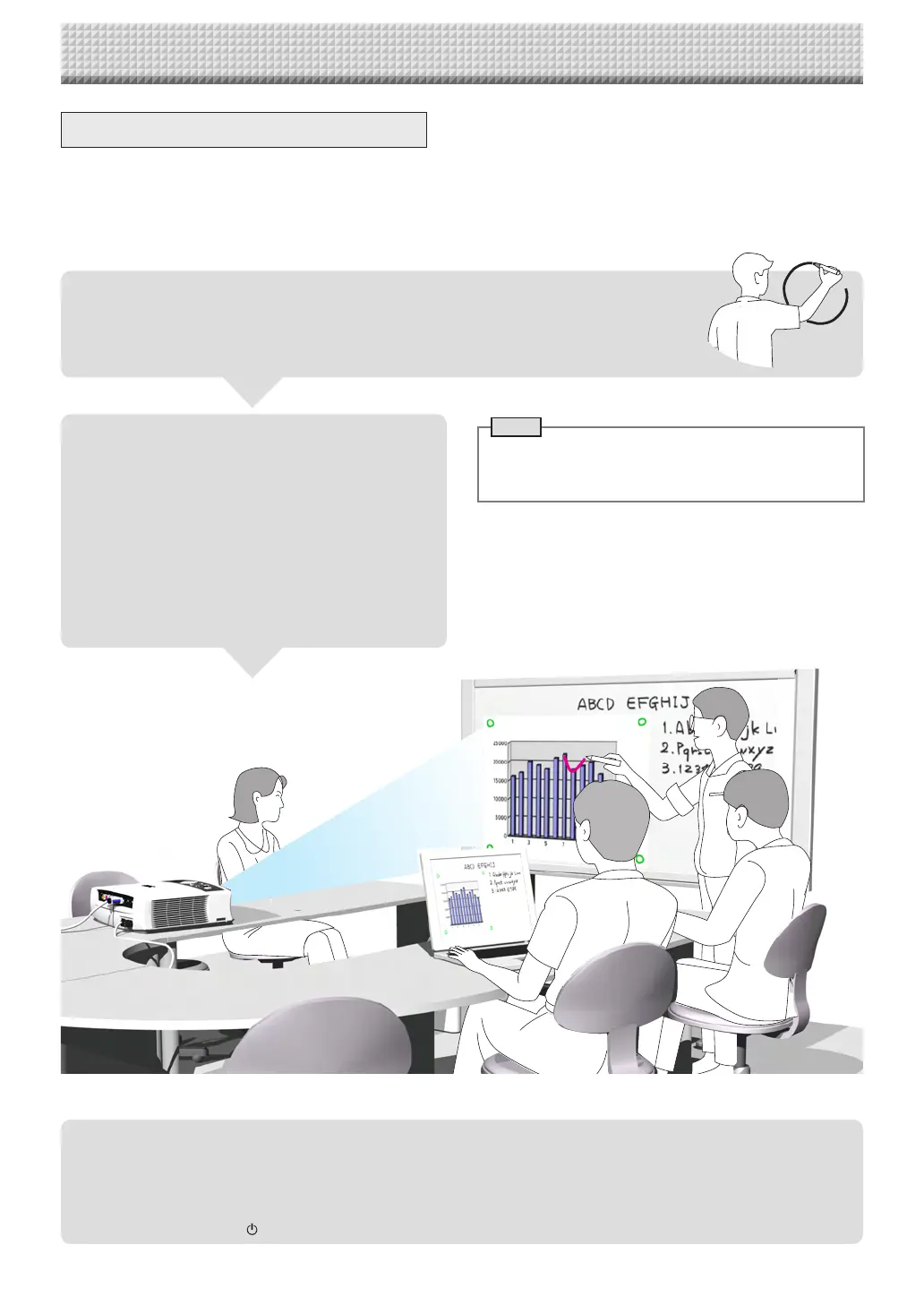
When combining the sheet surface drawing
with a projector image
(1) Connect the computer on which “PLUS C-20 Soft-
ware”isinstalledtothecaptureboard.
(2) Projectthe image of the personal computer with the
projector.
(3) Adjusttheprojectedimageforasuitablesize.
(4) Use the supplied dedicated marker to draw a circle
“o”atthefourcornersoftheprojectionimage.
(5) Theimageofthesheetscreenwillberead.Checkthat
thereisacombinedimageonthecomputerscreen.
(6) Savethecombinedimageonthepersonalcomputer.
Write and Draw on the Sheet Surface
Please usethesupplied dedicated markers for drawing. To erase something, erase it withthe
supplieddedicatederaser.
Ifanythingotherthanthededicatedmarkersoreraserareused,itmaybeimpossibletoerasethe
sheetorthesheetcouldgetdirty.
https://www.supplychimp.com/



 To Next Page