Making Detailed Settings (via LAN)
Usethis procedureto makethe captureboarddevice settings(“CB Setup”),network settings,etc., withthe captureboardcon-
nectedtoalocalareanetwork(hereafterreferredtoas“LAN”or“thenetwork”)usingacomputer’swebbrowser.
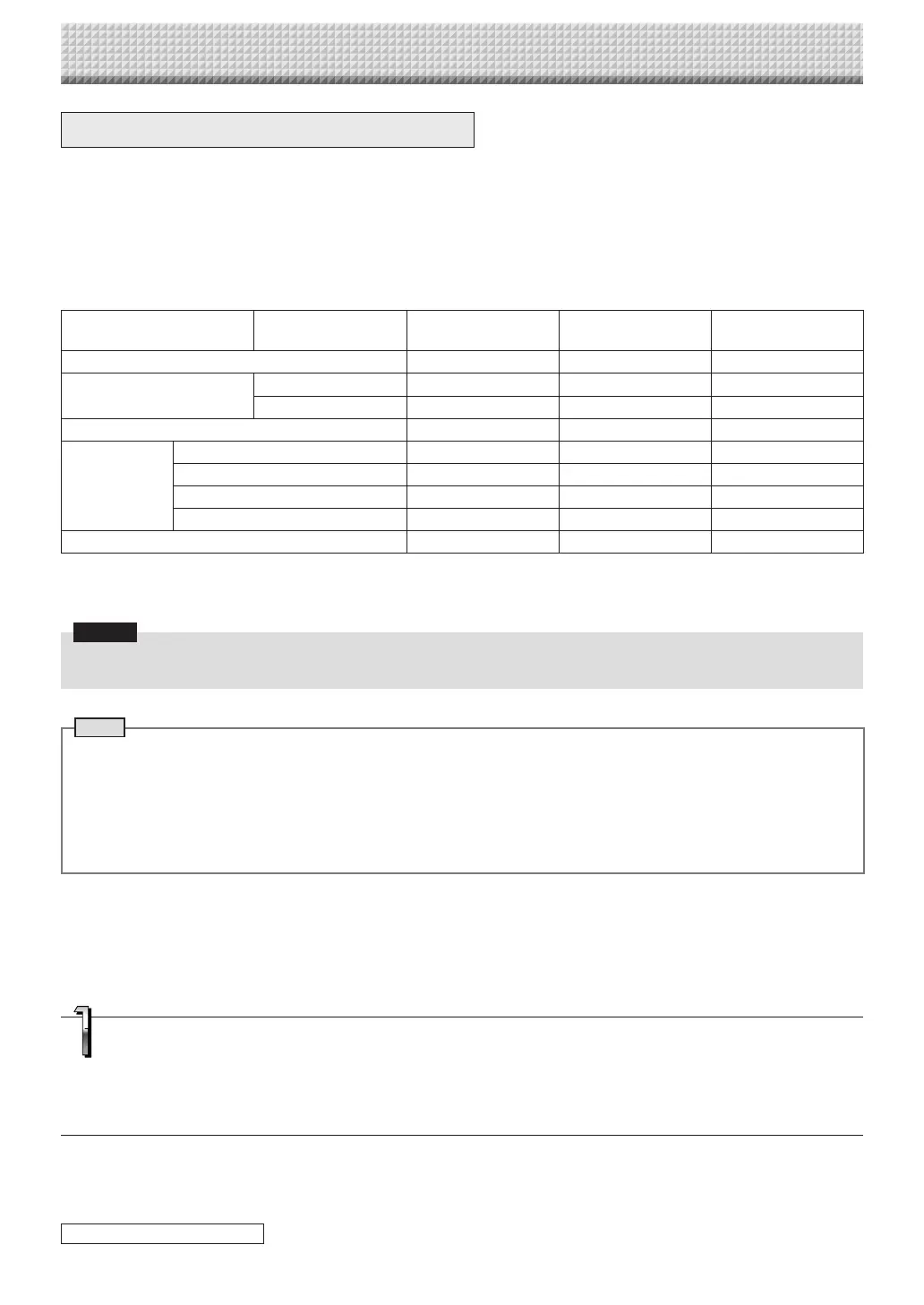
Accessauthorityisrequiredtomakethedetailedsettings.Therearethreelevelsofauthority–“administratorauthority”,“filelist
browsingauthority”and“noauthority”,andtheselectablemenuitems(somesettingitems)arerestrictedaccordingly.Registerthe
administratorandusersat“UserSetting”onpageE-41.
Table of Menu Items and Access Authority Levels
MenuItem SomeSettingItems AdministratorAuthority FileListBrowsing
Authority
NoAuthority
CBSetup
BoardFileList PreviewandDownload
—
Delete
— —
Header/Footer
Administrator
Menu
NetworkSetting
— —
UserSetting
— —
SecuritySetting
— —
DiskmanagementSetting
— —
CBInformation
mark:Accessible:—mark:Notaccessible
* Whenthe“DeleteUserImageData”securitysettingissetto“Valid”,deletingispossiblewithfilelistbrowsingauthority.
Notice
• Whenconnecting thecaptureboardtothenetwork, besureto consultthe networkadministrator beforemakingthe set-
tings.
Note
• Dependingonthenetworkbeingused,thedisplay speedandbuttonresponsemaybeslowandoperationsmaynotbe
performed.Ifthis happens, consultyour network administrator. Also, the captureboard may not respondif buttonsare
operatedsuccessively.Inthiscase,waitawhilethenoperateagain.Ifthereisnoresponseafterawhile,turnoffthecapture-
board’spower,thenturnthepowerbackon.
• Ifthetopscreendoesnotdisplaywithawebbrowser,pressthe[Ctrl]+[F5]keystorefreshthewebbrowser’sscreen.
• ThecaptureboardusesJavaScriptandcookies.Setthewebbrowsersothatthesefunctionswilloperate.
• Thecaptureboardperformsautomaticpagereading(redirecting).Setthewebbrowsersothatthisfunctionwilloperate.
Basic Setting Operations
Hereweexplainhowtodisplayandclosethesettingsscreens,usingtheInternetExplorerwebbrowserasanexample.
Preparations:
1.UseaLANcabletoconnectthecaptureboard’sLANterminaltotheLANportontheswitchinghub.
2.Turnonthecaptureboard’spower.
*
Launch the web browser on the computer con-
nected to the network.
“Pagecannotbedisplayed”mayinsomecasesappear,butsimply
continuetothenextstep.
CB Setup and Network Setting Procedure
continued on next page
https://www.supplychimp.com/



 To Next Page