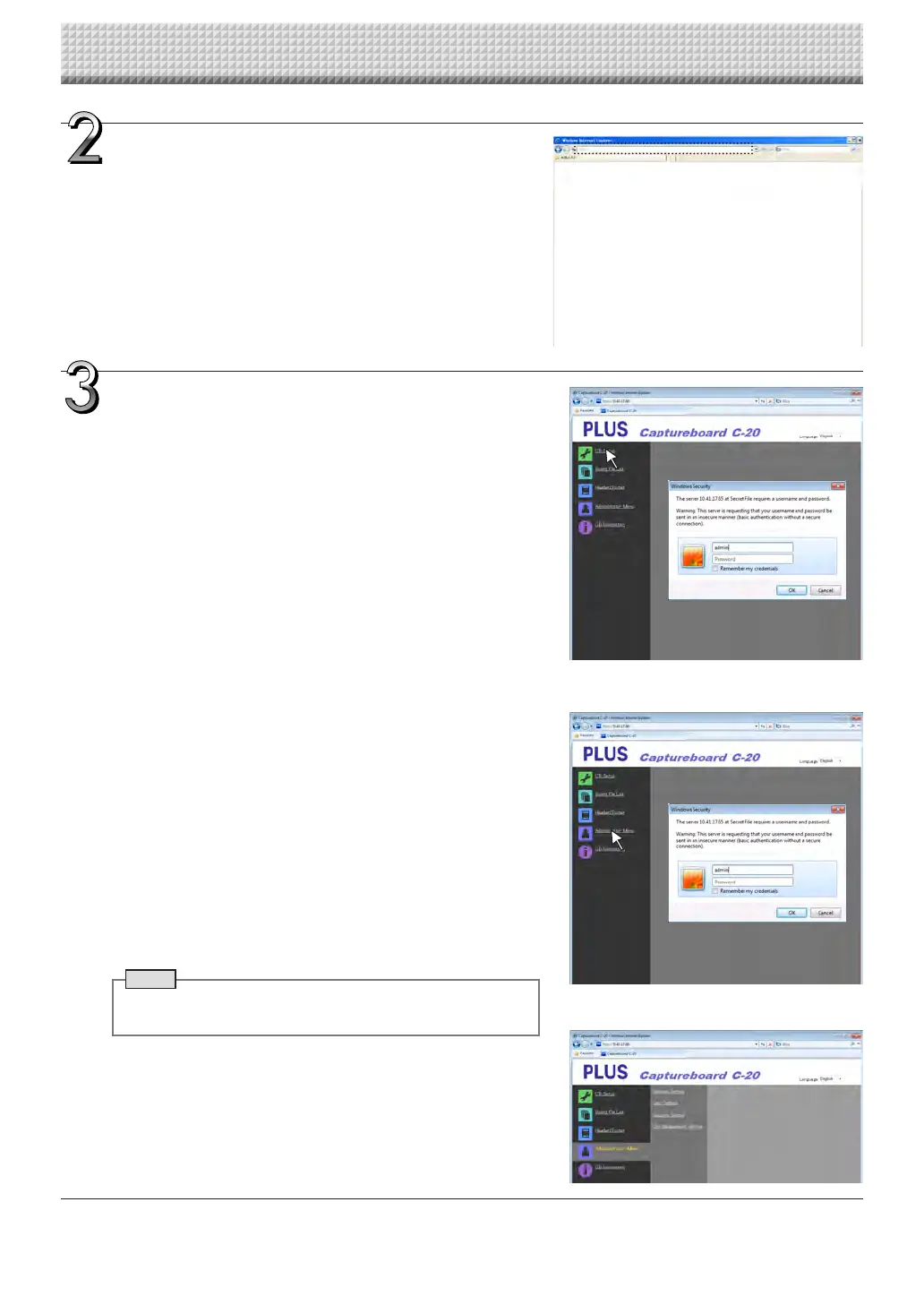
Input the captureboard’s IP address.
Inthe webbrowser’sURL field,input “http://” followedby the cap-
tureboard’sIPaddress,thenpressthe[Enter]key.
Whenthecaptureboardisconnected,thetopscreenappears.
Connecting the captureboard to the network upon purchase
Uponpurchase,thecaptureboard’sIPaddressandsubnetmaskare
notyetset.Besuretocheck the section“SimpleNetworkSettings
(viaUSB)”(seepageE-33)andsettheIPaddress,etc.
Fromthemenu,clickthedesiredsettingitem.
Whensettingitemsforwhichverificationarerequiredareclicked,the
userverificationscreenisdisplayed.
Inputtheusernameandpassword,thenclickthe[OK]button.
• Nopasswordissetuponpurchase.
Fortheusername,input“admin”,thenclickthe[OK]button.
• Attheuserverificationscreen,theadministrator’susername and
administrator’spasswordcanalsobeusedforverification.
Onceverificationisvalidated,thedesiredpageisdisplayed.
Seetherespectivepagesinthismanualforexplanations.
CBSetup(pageE-38)
BoardFileList(pageE-25)
Header/Footer(pageE-39)
AdministratorMenu
CBInformation(pageE-43)
Click“AdministratorMenu”tochangethesettingsbelow.
Themenucanbeaccessedwithadministratorauthority.
NetworkSetting(pageE-40)
UserSetting(pageE-41)
SecuritySetting(pageE-42)
DiskmanagementSetting(pageE-43)
1.Click“AdministratorMenu”.
Theadministratorverificationscreenappears.
2.Inputtheadministrator’susernameandadministrator’spassword,
thenclickthe[OK]button.
• Nopasswordissetuponpurchase.
Fortheusername,input“admin”,thenclickthe[OK]button.
Once verification is validated, the administrator authority menu is
displayed.
Clickthedesiredmenuitemtodisplaythesettingspage.
Note
• Theuser name and passwordare case sensitive. Be sure to
inputthemproperly.
CB Setup and Network Setting Procedure
https://www.supplychimp.com/



 To Next Page