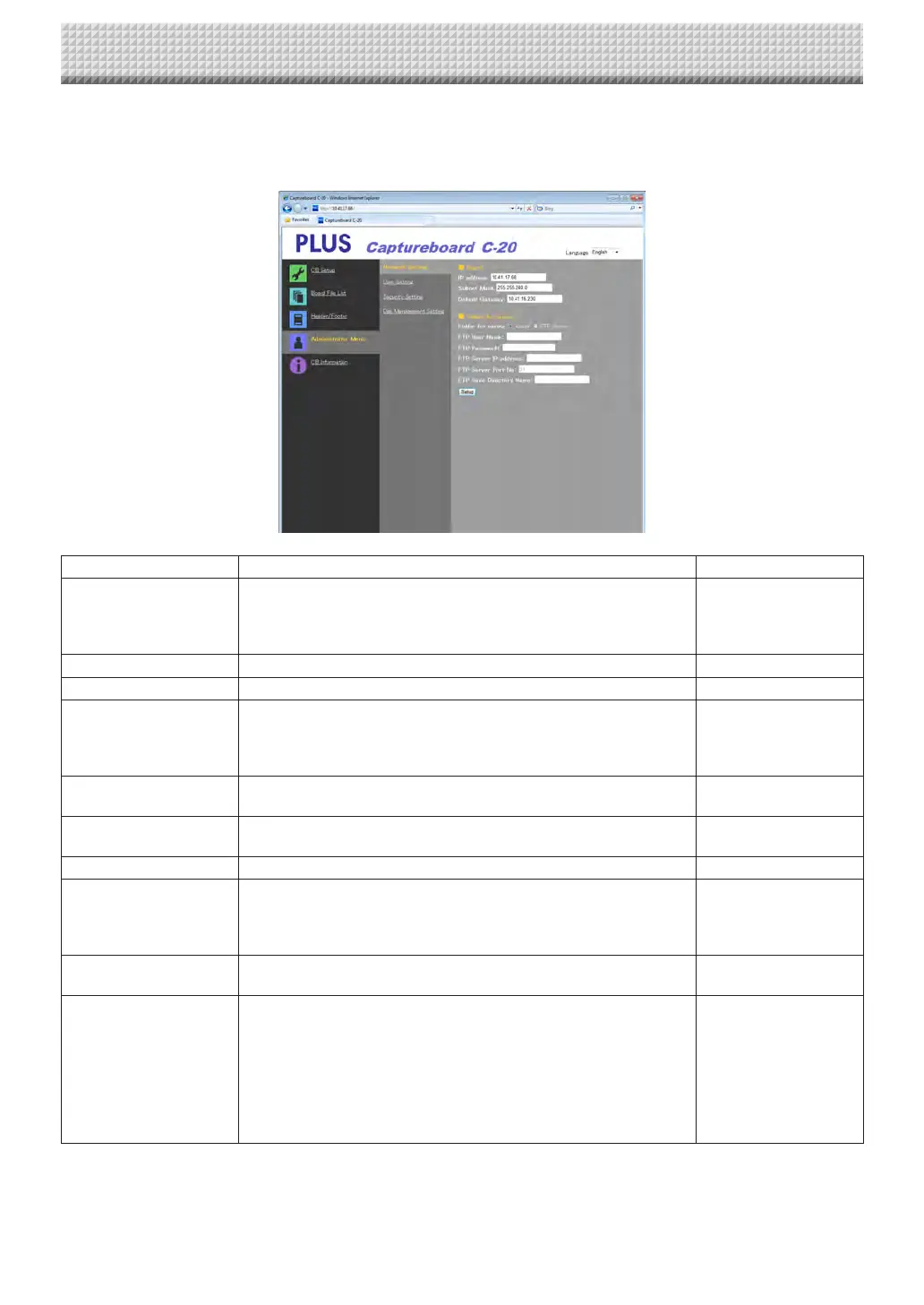
Network Setting
Makethesettingsforthecaptureboard’sIPaddress,theFTPserver’sIPaddress,etc.
(Forinstructionsondisplayingthescreen,see“BasicSettingOperations”step3onpageE-36.)
NetworkSettingItem Setting/Description Default
IPaddress Change the captureboard’s IP address.Use a fixed IP address for the
captureboard.WhenconnectingtoanetworkusingtheDHCPofarout-
er,etc., changethe IPaddressto one thatis outsideof theautomatic
acquisitionrange
Anyvalue
SubnetMask Setthecaptureboard’ssubnetmask. Anyvalue
DefaultGateway Setthecaptureboard’sdefaultgateway. Anyvalue
Folderforsaving Setthefolderinwhichthecaptureboard’sscannedimagesaresaved.
Board:Theimagesaresavedonthecaptureboard.
FTPServer:The images are saved in the specified folder on the FTP
server.
Board
FTPUserName ThisistheusernameregisteredontheFTPserver.Thisisrequiredfor
thecaptureboardtologintotheFTPserverandsaveimagefiles.
Blank
FTPPassword ThisisthepasswordregisteredontheFTPserver.Thisisrequiredforthe
captureboardtologintotheFTPserverandsaveimagefiles.
Blank
FTPServerIPAddress InputtheFTPserver’sIPaddress. Blank
FTPServerPort ThisistheFTPserver’sstandardcontrolportnumber.
Normallyusewiththisnumber.IftheFTPserver’sportnumberhasbeen
changed,changethisfollowingtheinstructionsofthenetworkadminis-
trator.
21
FTPSaveDirectoryName InputthenameofthesubfolderintheFTPserverfolderinwhichimage
filesaresaved.
Blank
Setup
Whenthe[Setup]buttonisclicked,theabovesettings/changesaresent
tothecaptureboard,overwritingprevioussettings.
Onceoverwritingiscompleted,thedisplayswitchestothe“Setupis
completed.Rebooting.Waitforawhile.”characterdisplay.
IftheIPaddress,subnetmaskordefaultgatewayhavebeenchanged,
thecaptureboardautomaticallyreboots.
Duringrebooting,thecaptureboard’sdisplaywindowLEDsflashincircu-
larmotion.Waituntiltheyturnoff.
—
CB Setup and Network Setting Procedure
https://www.supplychimp.com/



 To Next Page