Transferring image files to/deleting them from the computer
Image files stored in the folder for saving (“Board” or “FTP Server”) can be transferred to your own computer.
The operation differs according to the setting for where scanned images are stored. (See “Network Settings” on
page E-40.)
The image files are saved in JPEG (default), PNG or PDF format, according to the image format setting. (See
“CB Setup” on pages E-31, E-38.)
The information below must be input to transfer the files.
Ifyoudonotknowthisinformation,askyourcompany’snetworkadministrator.
Logintothefolderforsaving(meaningconnecttothecommunicationspath):IPaddressofthecaptureboardorFTPserver
Verificationscreen:
Ifthefolderforsavingissetto“Board”…Usernameandpasswordregisteredat“UserSetting”.
Ifthefolderforsavingissetto“FTPServer”…UsernameandpasswordregisteredontheFTPserver
When the folder for saving is set to “Board”
Thescannedimagesaresavedonthecaptureboard.Theseimagesaredownloaded(transferred)ontothecomputerconnected
onthenetwork.Downloadingispossibleevenwhenthecaptureboardisinthestandbymode(butnotifthecaptureboard’spower
isnotconnectedtoapoweroutlet).
Launch the web browser on the computer and log
into the captureboard.
Inputthecaptureboard’sIPaddress,thenpressthe[Enter]key.
• Upon shipment from the factory and when set to the defaults,
thecaptureboard’sIPaddresshasnotbeenset,sologginginis
notpossible.
Thetopmenuisdisplayed.
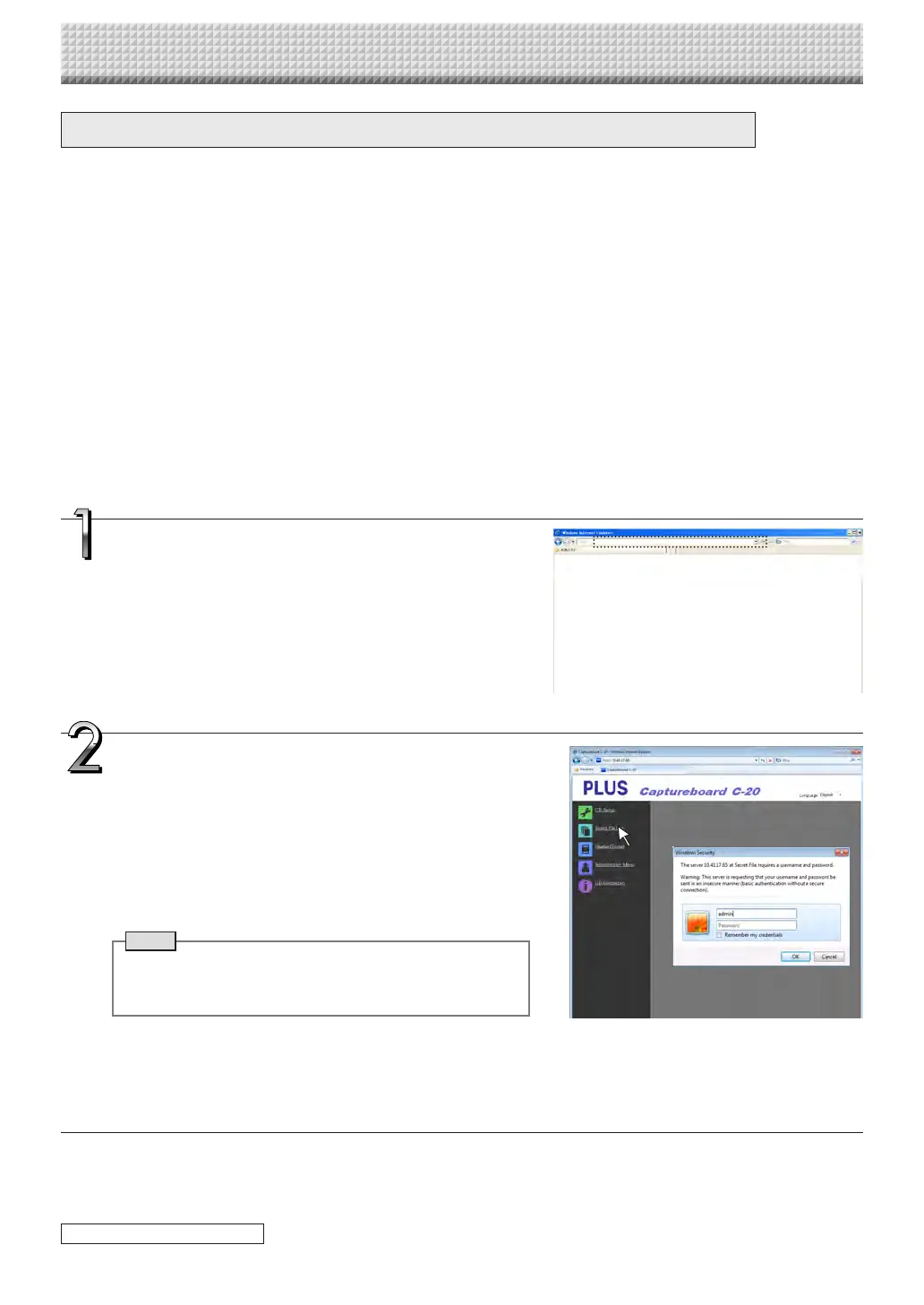
Click “Board File List” on the menu.
Theverificationscreenopens.
• Nopasswordissetuponpurchase.
Fortheusername,input“admin”,thenclickthe[OK]button.
• Whenauserpasswordisset,inputtheusername(casesensi-
tive)andpassword(casesensitive),thenclickthe[OK]button.
Iftheusernameiscorrect,theverificationscreenclosesandthefile
listisdisplayed.
Note
• Werecommendsettinga username andpasswordto pre-
ventunwantedpersonsfromloggingin.(See“UserSetting”
onpageE-41.)
Using the Captureboard Connected to a Network
continued on next page
https://www.supplychimp.com/



 To Next Page