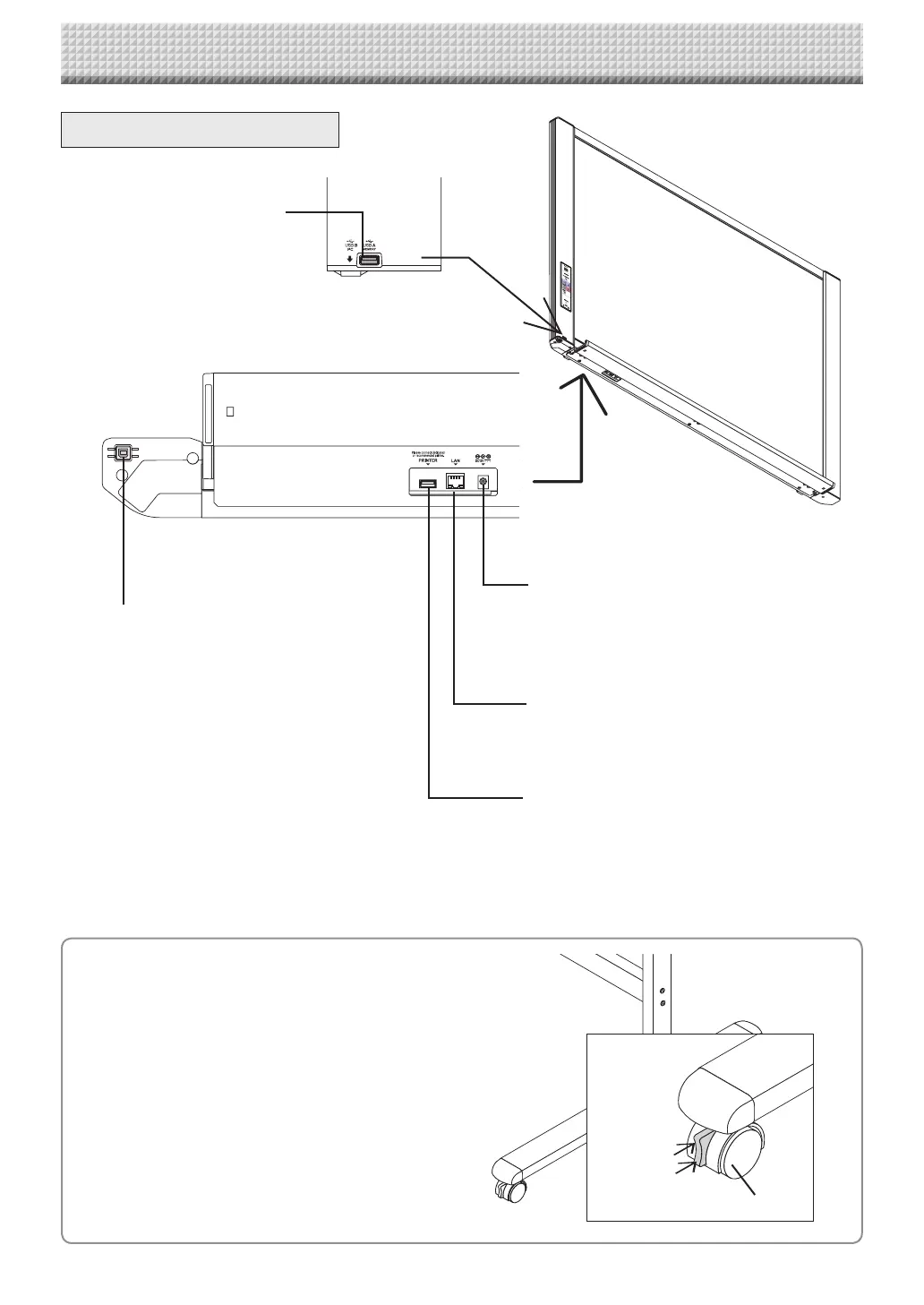
LAN terminal (RJ-45)
Connect to a LAN port on the network (switching
hub,etc.)usingacommerciallyavailableLANcable.
USB memory port (type A)
Insert a commercially available USB
memory device here. Scanned images
canbesaved.(SeepageE-17)
DC input connector
ConnectthiswiththeDCplugendoftheACpower
adapter.(SeePageE-51.)(Onlyconnectthesupplied
ACpoweradapter;nothingelse.)
Printer connector (USB port Type A)
Connect this with theUSBconnector of the printer
(SeePageE-51).
(The printer connector is dedicated for use with a
printer;useitonlywithaprinter.)
* This illustration does not show the printer or
connectioncords.
Personal computer (PC) dedicated USB
port (Type B)
ConnectthiswiththeUSBport(typeA)ofthePC.
Usedtoconnectthecaptureboardtoacomputerto
make the captureboard’s device settings. Can also
beusedtocopyscannedimagesontothecomputer.
(SeepageE-21,E-33)
Theconnectorislocatedonthebottomsur-
faceofthemainunit.
Thediagramviewisseenfromthebottom.
Names of the Parts
Unlock
Lock
Caster
Locking/unlocking the stand’s casters
Afterinstallation,lockthecasterswiththestoppers.Whenmov-
ingthestand,unlockthecaster’sstoppers.
Thestoppersarelockedwhenthebottomispressed.Pressthe
toptounlockthem.
Input/output terminals
https://www.supplychimp.com/



 To Next Page