Resetting the Network Settings
Operatethebuttonsonthecaptureboardtoresetthenetworksettingstotheirdefaults.
Settingitemsthatarereset:AdminUsername,AdminPassword,UserName,Password,IPAddress,SubnetMask,DefaultGate-
way,Folderforsaving,FTPUserName,FTPPassword,FTPServerIPAddress,FTPServerPort,FTP
SaveDirectoryName
Notice
• Oncereset,thenetworksettingscannotberestored.
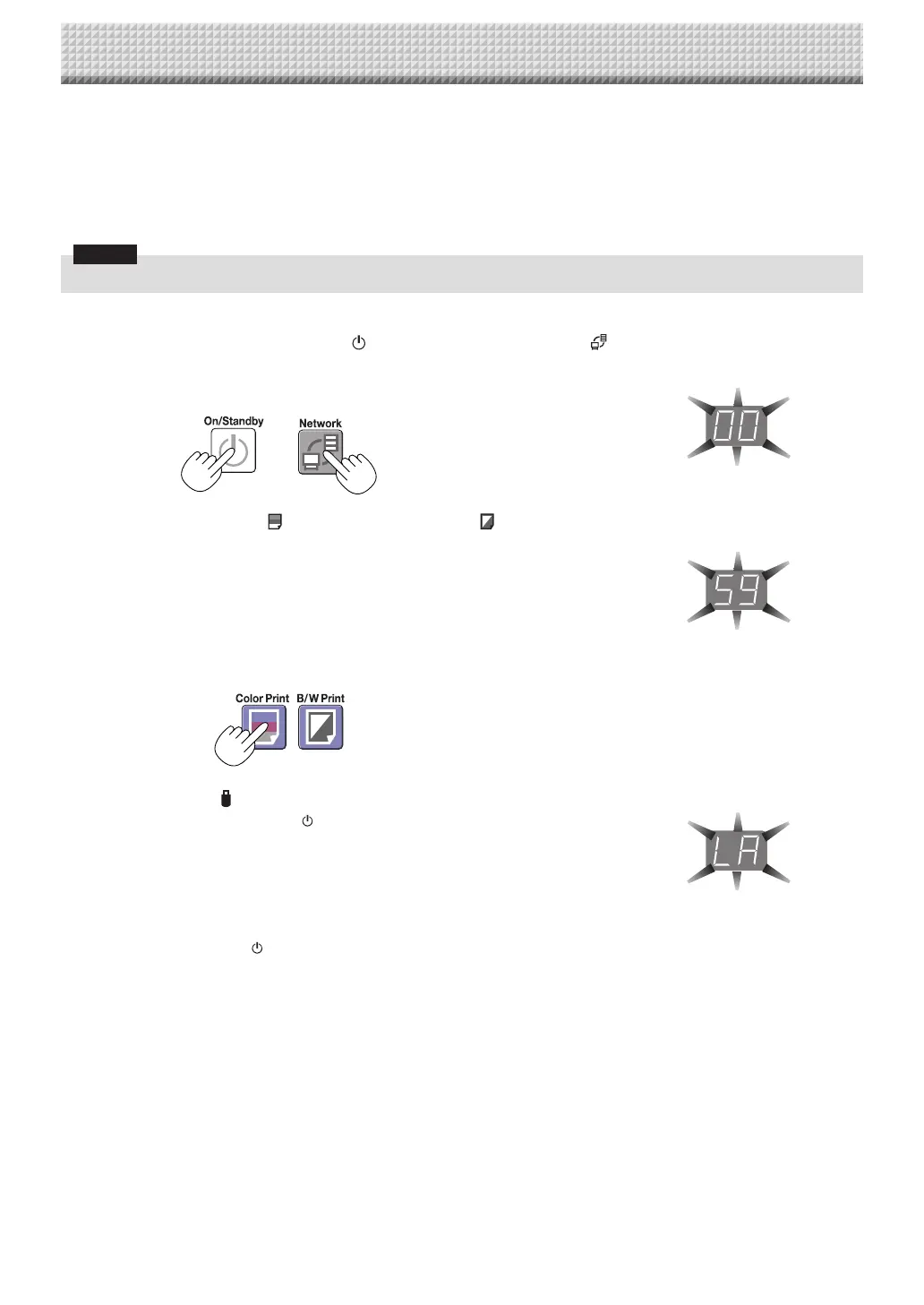
1. While pressing the ON/Standby button,presstheNetwork
button.
Thecaptureboardswitchestothenetworksettingsresetmodeand“00”flashes on
thedisplaywindow.
2. Press the Color Print (Increase) or B/W Print (Decrease)
button to display the network reset number.
• The network reset number can be viewed when User Setting is selected with
administratorauthority.
ThedisplayswitchesasfollowseachtimetheColorPrint(Increase)buttonispressed:
01→02→……→99→00→01
ThedisplayswitchesasfollowseachtimetheB/WPrint(Decrease)buttonispressed:
99→98→……→01→00→99
3. Press the Save button to enter.
Tocancel,presstheON/Standby button.
Whentheresetnumbermatches,“LA”flashesfor5secondsonthedisplaywindow,
thenthecaptureboard’snetworksettingsareoverwrittenwiththedefaultvaluesand
thecaptureboardautomaticallyreboots.
If “LE” flashes for 5 seconds then stops flashing, remaining lit, the reset number is
wrong.
• PresstheON/Standby buttontocancel,thenstartoverfromstep1.
CB Setup and Network Setting Procedure
https://www.supplychimp.com/



 To Next Page