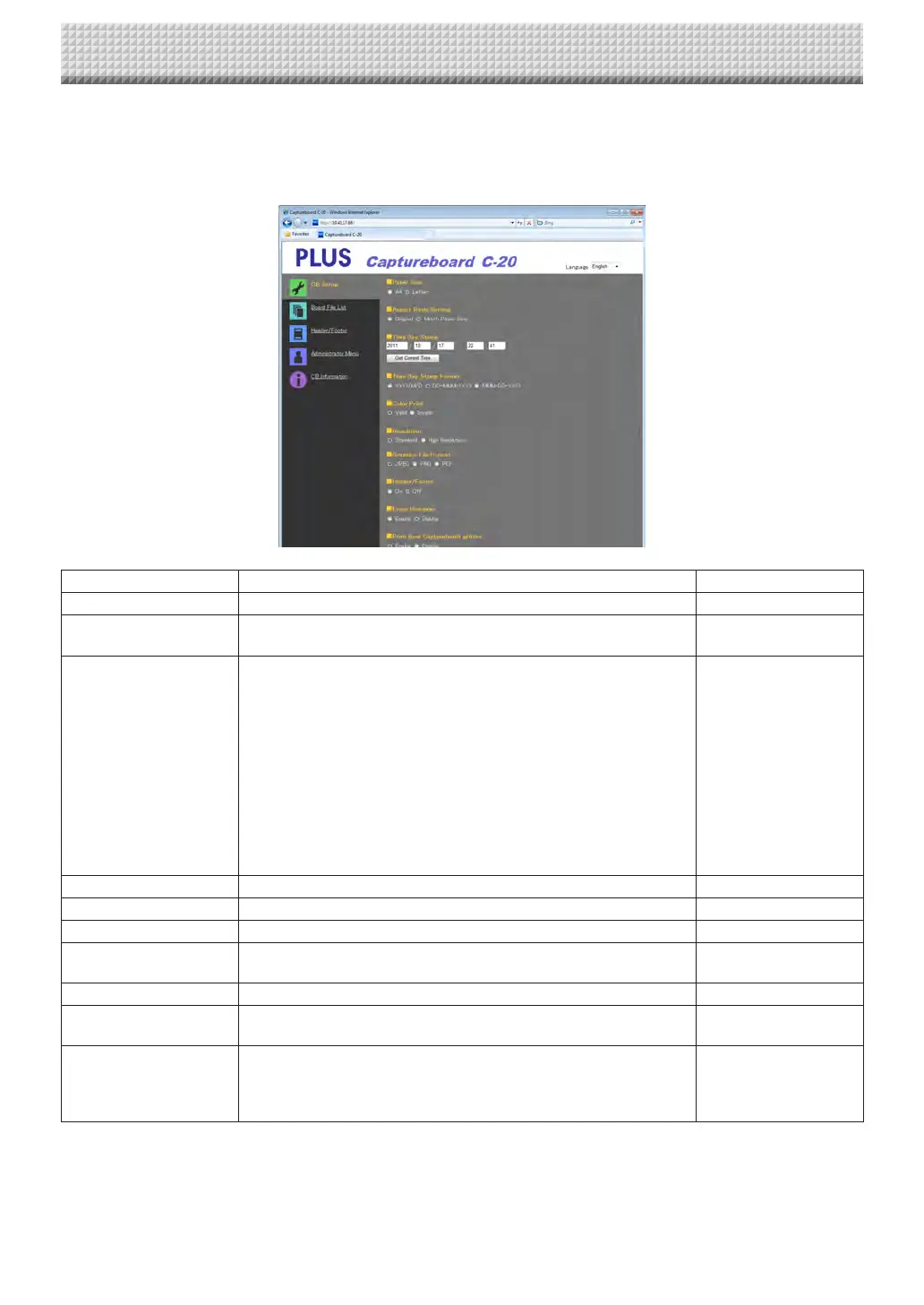
CB Setup
Thisisthepagewherethecaptureboard’svariousfunctionsaresetandchanged.Thesettingsarethesameason“TableofFunc-
tionNumbersandSettings”inthesectiononmakingthesettingsoperatingthecaptureboard’sbuttons.(Forinstructionsondis-
playingthescreen,see“BasicSettingOperations”step3onpageE-36.)
CaptureboardSettingItem Setting/Description Default
Papersize Selecttheprintingpapersize. A4
AspectRatioSetting Selecttheaspectratioforprinting. Matchtoprintingpaper
size
TimeDateStamp Setthecaptureboard’sdateandtime.
Inputasfollows:
Year:4digits,Month:2digits(Ex.:03forMarch),Day:2digits(Ex.:06
forthe6th),
Hours:2digitsin24-hourmode(Ex.:14for2pm,06for6am),
Minutes:2digits(Ex.:00for0minutes)
• Donotinsertspaces.Ifthedateandtimesettingvaluesareincorrect,
anerrormessageisdisplayed.
GetCurrentTime:
Whenthe“GetCurrentTime”buttonisclicked,thedisplayswitchesto
thecomputer’scurrenttime.Thiseliminatestheneedtomakethecur-
rentdateandtimesetting.
ColorPrinting ColorprintingcanbesettoValidorInvalid. Valid
Resolution
Selecttheresolutionatwhichscannedimagesaresaved. Standard
GraphicsFileFormat Selecttheformatinwhichscannedimagesaresaved. JPEG
Header/Footer
Setwhetherornottooutputtheheader/footerinformationregisteredon
thecaptureboard.
Disable(Off)
EraseReminder Settheerasereminderfunction. Disable
Printfromcaptureboard
printer
Enables printing fromthe printer connected to the captureboardusing
thecomputer.
Disable
Setup
Whenthe[Setup]buttonisclicked,theabovesettings/changesaresent
tothecaptureboard,overwritingprevioussettings.
Once overwriting iscompleted, the “CB Setup”page switches to the
“Setupiscompleted”characterdisplay.
CB Setup and Network Setting Procedure
https://www.supplychimp.com/



 To Next Page