Using the Captureboard Connected to a Network
When connecting to the network the first time
(1) MakethesettingsoftheIPaddress,etc.,requiredforconnectingthecaptureboardtothenetwork.See“SimpleNetworkSet-
tings(viaUSB)”(pageE-33).
(2) UseacommerciallyavailableLANcable(10Base-Tor100Base-TXstraightcable)toconnectthecaptureboard’sLANterminal
totheLANportonahub,etc.
(3) Makethecaptureboard’snetwork settingsor FTP serversettings fromawebbrowser.(See “MakingDetailedSettings (via
LAN)”onpageE-35.)
IfyouplantostoreimagefilesonanFTPserver,createthefolderforstoringthefilesontheFTPserver.Askyournetwork
administratorforinstructionsonsettingsandcreatingthefolder.
Notice
• Besuretotransferimportantimagefilesstoredonthecaptureboarditselftoacomputer(databackup).Ifthecaptureboard
shouldforsomereasonmalfunction,dependingonthemalfunctionthestoreddatamaybelostorbecomeimpossibleto
transfer.NotethatPLUSwillacceptnoresponsibilitywhatsoeverforlossofdata,etc.
• Thecaptureboardwillnotoperateproperlyifthefirewallisactivated.
The following explanation assumes that the LAN cable has been connected and the various network settings
have been completed.
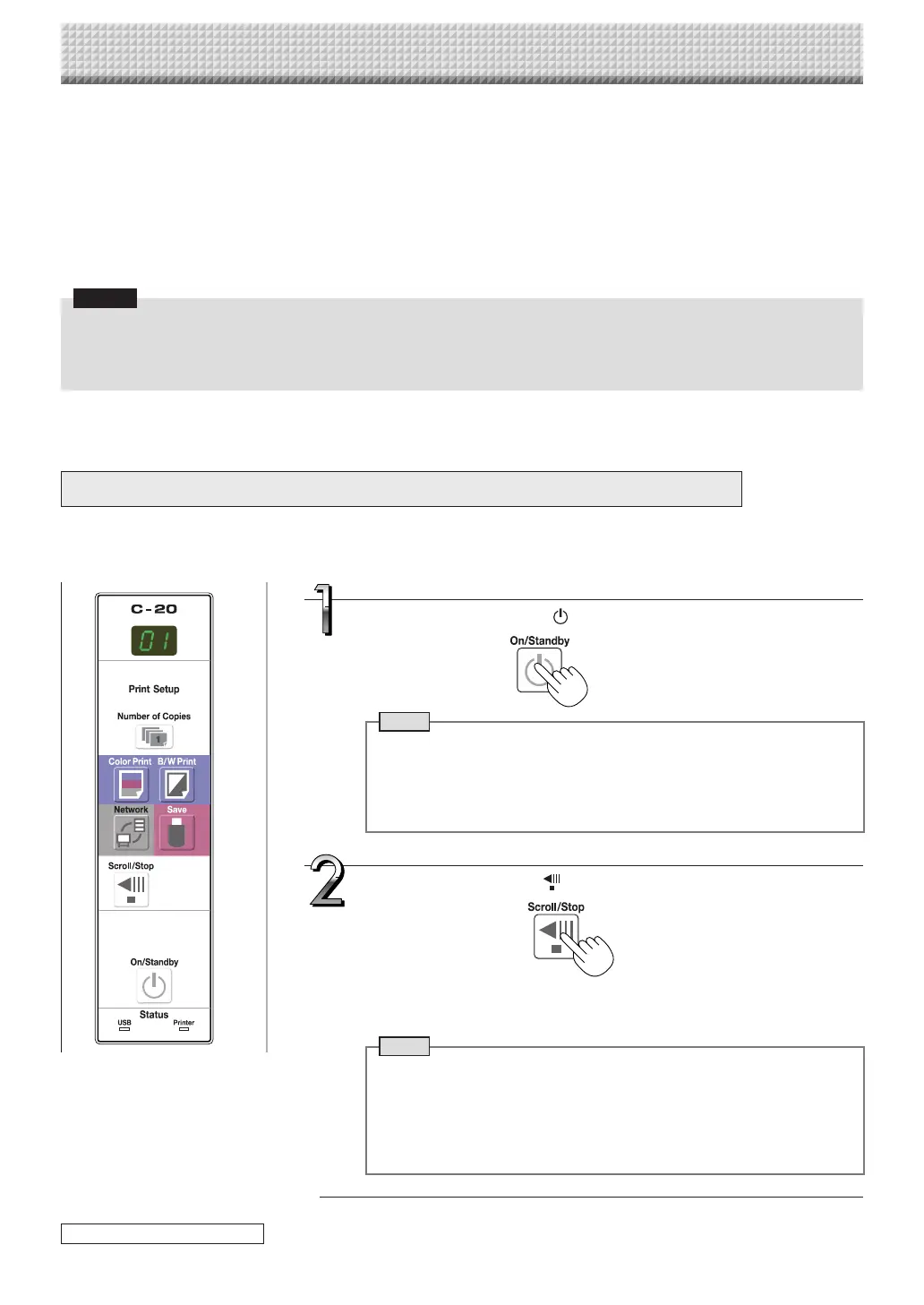
Saving scanned images on the captureboard or FTP server
Preparations :
Checkthatthepowerplugisconnectedtoawallpoweroutlet.
Press the Scroll/Stop button to display the image you
want to save.
Theprocedurefordisplayingthesheetsurfacetobesaveisthesameasforthe
printingoperation.
See“BasicPrintingOperation”onpageE-15.
Note
• Whensaving,thevisibleimage(onescreen’sworth)issavedonthecap-
tureboardorFTPserver.
• When“Board”(networkstoragememory)isselectedasthesavetoloca-
tion,approximately100imagefilescanbesaved.
• Itmaynotbepossibletosavetheedgesofthesheetsurface.See“About
thescanningtolerancerange”onpageE-5.
Press the ON/Standby button to turn on the power.
Note
• Whenturningonthepowerafterthepowerplughasbeenconnectedor
the power has been turned off(set to the standby mode), wait about 5
secondsormorebeforepressingtheON/Standbybutton.
• WhentheON/Standbybuttonispressedandthepowerturnson,thedis-
playwindow’sLEDslight.
continued on next page
https://www.supplychimp.com/



 To Next Page