Using the captureboard connected to a computer
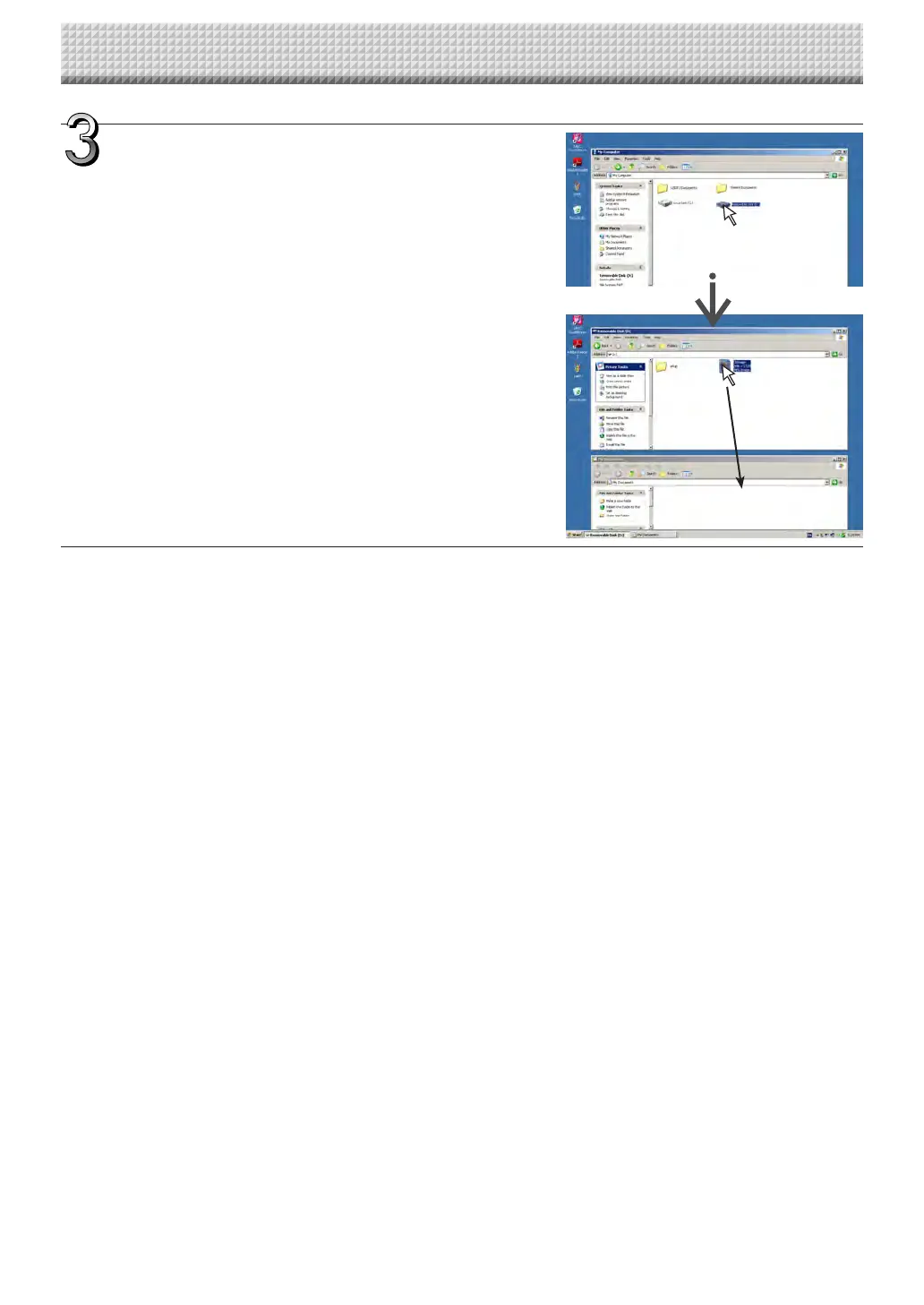
DragtoMyDocuments
Onthecomputer,open“MyComputer”,and
from there open the captureboard identified as a
removable device.
(1) Double-click the “My Computer” (or “Computer”) icon to
openit.
(2) When the device icon for the captureboard(displayed as a
C-20)isdouble-clicked,thecaptureboard’sinternalmemory
opens.
The“CBImage”fileisthescannedimagefile(“.jpg”,“.png”or
“.pdf”,accordingtosetting).
• The “setup” folder contains the simple network settings
file.
(3) Copy the “CBImage” file to [My Documents], etc., on the
computer(“.jpg”,“.png”or“.pdf”,accordingtosetting).
To disconnecttheUSB cable,followthe procedureinstep3 on
pageE-20.
https://www.supplychimp.com/



 To Next Page